Hi everyone,
I’m a little desperate because one code I wrote https://www.prorealcode.com/topic/automated-trading-with-pivot-points-and-dojis/page/5/#post-71278 works fine at other people’s computers but for some reason it doesn’t work properly on my computer. What could be the reason for something like that happening, in general?
Thank you for your help! 🙂
I’ve edited your post so that the link points to post with my cleaned up code that we know the results from and I’ll post it here too. Maybe others can test the code and report what results they have for the trade on 20 July 2017 at 13:30 and offer any ideas as to why it is not trading correctly for the OP.
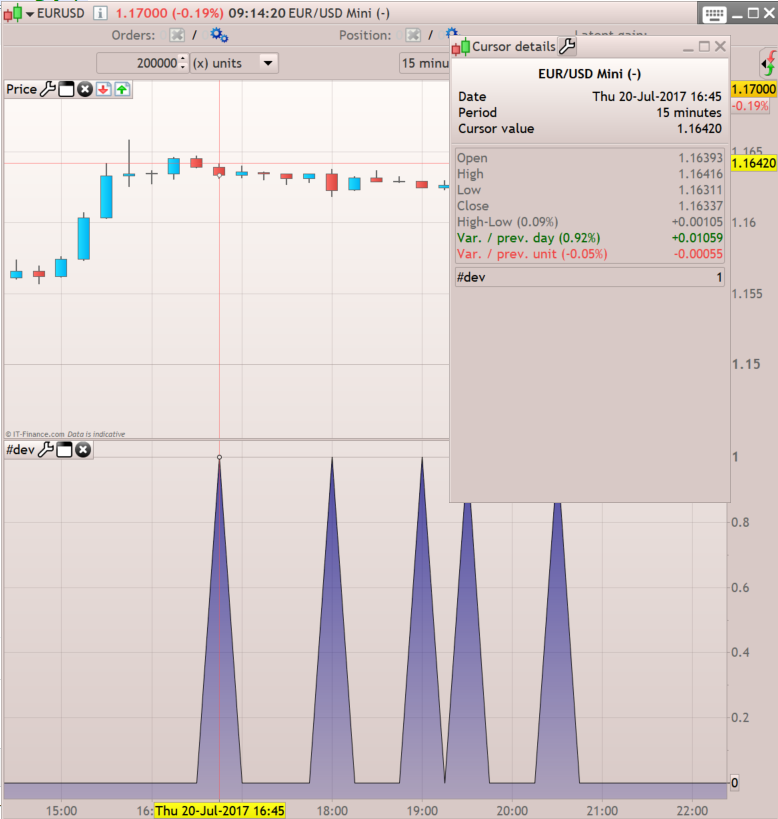
The correct result can be seen here:
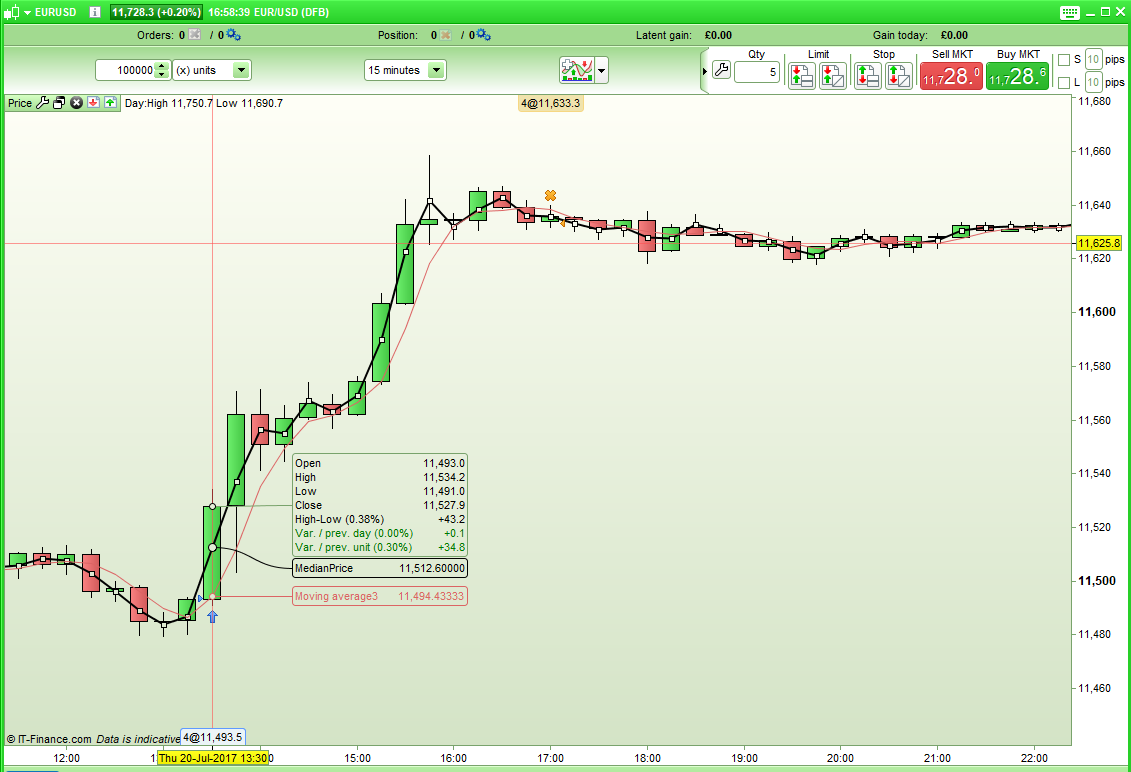
and the incorrect result can be seen here:

// EURO DOLLAR MINI 15 min
DEFPARAM CumulateOrders = false
DEFPARAM FlatBefore = 000000
DEFPARAM FlatAfter = 234500

if OpenDayOfWeek = 1 then
Pivot = (DHigh(2) + DLow(2) + DClose(2)) / 3
S2 = Pivot - (DHigh(2) - DLow(2))
endif

if OpenDayOfWeek = 2 or OpenDayOfWeek = 3 or OpenDayOfWeek = 4 or OpenDayOfWeek = 5 then
Pivot = (DHigh(1) + DLow(1) + DClose(1)) / 3
S2 = Pivot - (DHigh(1) - DLow(1))
endif

dojisizes2d = 10
dojis2d = Range >= ABS(Open[1] - Close[1]) * dojisizes2d

abst2d = 8*pipsize
abstl2d = 2*pipsize
size = 4

bullishs2d = (dojis2d and low[1] <= s2+abstl2d and low[1] >= s2-abst2d and close>high[1] and low>low[1])

if bullishs2d then
ldbs2d = low[1]-2
Buy size Contract at Market
sell at ldbs2d stop
endif

if longonmarket then
sell at ldbs2d stop
endif

if longonmarket and (close <low[1]) then
sell at market
endif
You are comparing 2 different instruments with not the same candlesticks’ OHLC. Even 1 pip could make a difference on how the strategy behaves.
You are comparing 2 different instruments with not the same candlesticks’ OHLC. Even 1 pip could make a difference on how the strategy behaves.
I did consider this (I don’t have EurUSD Mini available to me) but the sell condition
if longonmarket and (close <low[1]) then
sell at market
endif
should be met on either chart as the close is less than the low. It is met on mine and Robertogozzi’s but not on the OP’s chart. It would be good if we could see the OHLC values on the chart where it does not close the position.
EURUSD mini with [scode] return close <low[1] [/scode] indicator returns the same exact candle than the Spot instrument. Order should be closed here.. don’t know why it doesn’t.
Do someone tested [scode] GRAPH close <low[1] [/scode] in ProBacktest?
The problem is fixed by modifying the end of the code:
// EURO DOLLAR MINI 15 min
DEFPARAM CumulateOrders = false
DEFPARAM FlatBefore = 000000
DEFPARAM FlatAfter = 234500

if longonmarket and (close <low[1]) then
sell at market
endif

if OpenDayOfWeek = 1 then
Pivot = (DHigh(2) + DLow(2) + DClose(2)) / 3
S2 = Pivot - (DHigh(2) - DLow(2))
endif

if OpenDayOfWeek = 2 or OpenDayOfWeek = 3 or OpenDayOfWeek = 4 or OpenDayOfWeek = 5 then
Pivot = (DHigh(1) + DLow(1) + DClose(1)) / 3
S2 = Pivot - (DHigh(1) - DLow(1))
endif

dojisizes2d = 10
dojis2d = Range >= ABS(Open[1] - Close[1]) * dojisizes2d

abst2d = 8*pipsize
abstl2d = 2*pipsize
size = 4

bullishs2d = (dojis2d and low[1] <= s2+abstl2d and low[1] >= s2-abst2d and close>high[1] and low>low[1])

if bullishs2d then
ldbs2d = low[1]-2
Buy size Contract at Market
sell at ldbs2d stop
endif

if longonmarket and (close <low[1]) then
sell at market
endif

if longonmarket then
sell at ldbs2d stop
endif
Set the exit condition before adding the SELL STOP order solved it. I think that the “ldbs2d” is not at a correct level (above the current level?) and made the code crash somehow..
Set the exit condition before adding the SELL STOP order solved it. I think that the “ldbs2d” is not at a correct level (above the current level?) and made the code crash somehow..
That’s interesting. Is that something that PRT could put a fix in for as I suspect that it will not be the only time someone puts the sell orders in that order in a strategy?
YES, it works:):) You would have thought of that as the reason for the error?:) Thank you so much guys!!!
When the code is logic with variables correctly returned, the first thing to look for is zero divide errors, if it is not solving the problem, start to comment part of the strategy to see if it changes something or not.