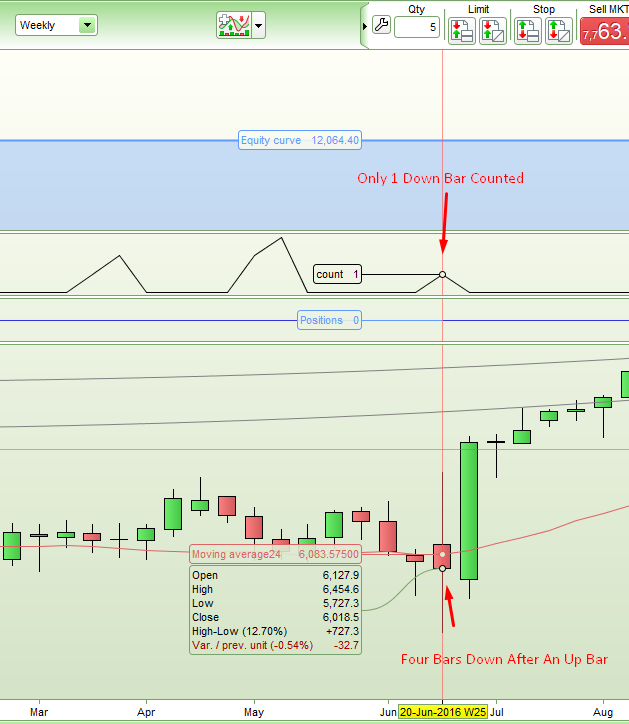
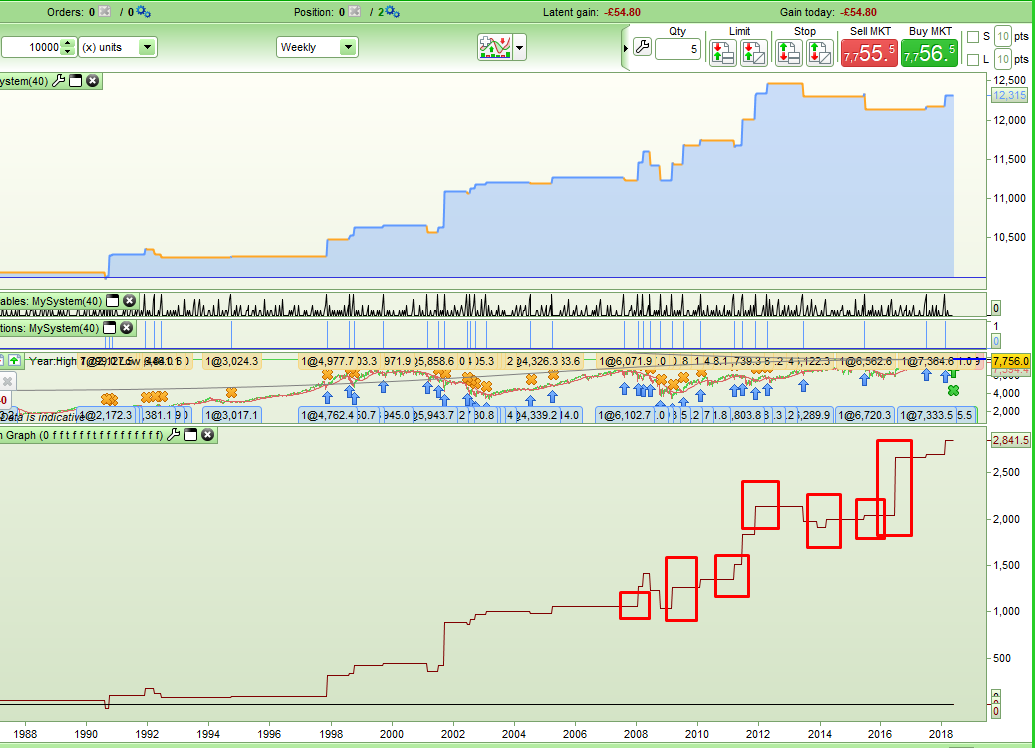
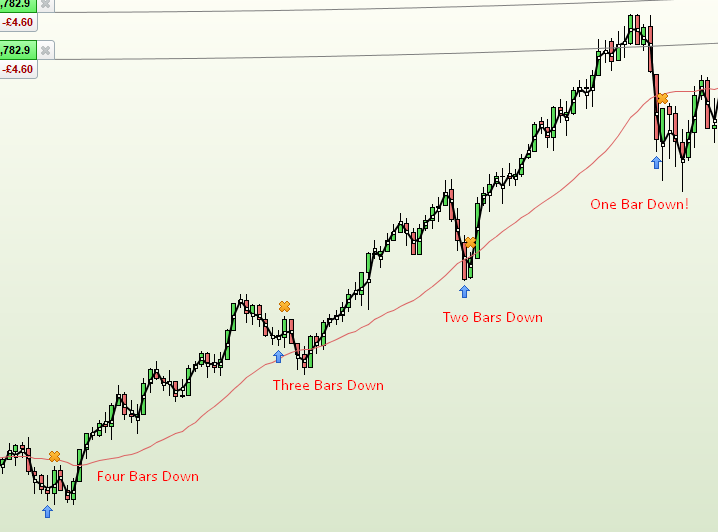
I wrote a very simple strategy to test some ideas but I noticed that it was not opening every position that it should. It should simply open a position if there has been four red candles after a green candle and then closes the position after holding for one bar. I used a FOR DO NEXT loop to count but when compared to my Same Candle Run Graph indicator that is in the library which uses multiples of close < open it can clearly be seen that trading opportunities are being missed.
Can anyone explain why this should be?
Tested on FTSE100 Weekly.
[attachment file=70775]
[attachment file=70776]
DEFPARAM cumulateOrders = False

QtyBars = 4

PositionSize = 1

Count = 0

IF close[QtyBars] > open[QtyBars] THEN
For i = 0 to (QtyBars-1) do
IF close[i] < open[i] THEN
Count = Count + 1
ELSE
Break
ENDIF
NEXT
ENDIF

IF Count = QtyBars THEN
BUY PositionSize contract at Market
ENDIF

IF Onmarket THEN
Sell at Market
ENDIF

Graph Count
If close > open then
   If summation[4](close[1] < open[1]) = 4 then
      Buy....
   Endif
Endif
So I re-wrote the code to do away with the FOR DO NEXT loop and the results are exactly the same. Trades are missed.
DEFPARAM cumulateOrders = False

QtyBars = 4

PositionSize = 1

IF close[QtyBars] > open[QtyBars] and close < open and close[1] < open[1] and close[2] < open[2] and close[3] < open[3] THEN
BUY PositionSize contract at Market
ENDIF

IF Onmarket THEN
Sell at Market
ENDIF
Strangely similar code in my indicator but displaced by one bar so as to run it as an analyse tool works fine.
IF close > Open + Spread and close[1] < open[1] and close[2] < open[2] and close[3] < open[3] and close[4] < open[4] and close[5] > open[5] THEN
Down4Total = Down4Total + (close - open) - Spread
ENDIF
IF close < open and close[1] < open[1] and close[2] < open[2] and close[3] < open[3] and close[4] < open[4] and close[5] > open[5] THEN
Down4Total = Down4Total + (close - open) - Spread
ENDIF
I think you have it wrong Robertogozzi. The green bar should be before the four red bars.
I’ll try this: (but I do not understand why the other two methods do not work as a strategy when they do as an indicator)
If close[4] > open[4] then
   If summation[4](close < open) = 4 then
      Buy....
   Endif
Endif
No that does not work either. I’m beginning to think it is an issue with the data. I still don’t understand why it works as an indicator one bar later though.
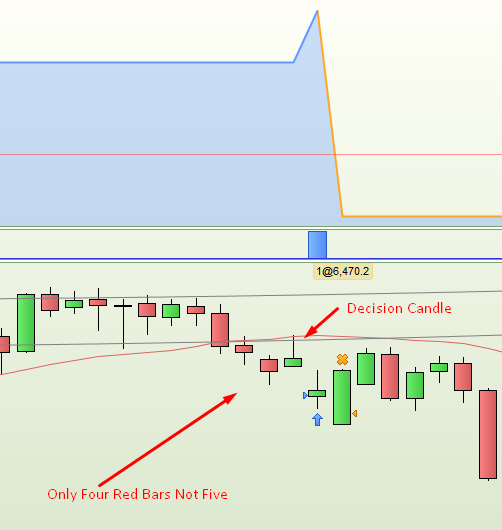
Here is another example: This one was looking for five reds after a green but it opens a position when the last of the five is in fact a green.
[attachment file=70784]
The code used was this:
DEFPARAM cumulateOrders = False

QtyBars = 5

PositionSize = 1

IF close[QtyBars] > open[QtyBars] THEN
IF summation[QtyBars](close < open) = QtyBars THEN
BUY PositionSize contract at Market
ENDIF
ENDIF

IF Onmarket THEN
Sell at Market
ENDIF
I tried it on Gbp/Nok, 1 minute, and it works fine!
Weekly timeframe? Try in other ones to see how it goes..
Weekly timeframe? Try in other ones to see how it goes..
Yes but why does it not work in weekly? Is there something about the weekly closing data that is incorrect? If so it will make the new multi time frame feature pretty useless.
The data is correct if you wait a week before making the decision that you should have bought at the beginning of the week as my indicator proves!
I will check other time frames and report back…..
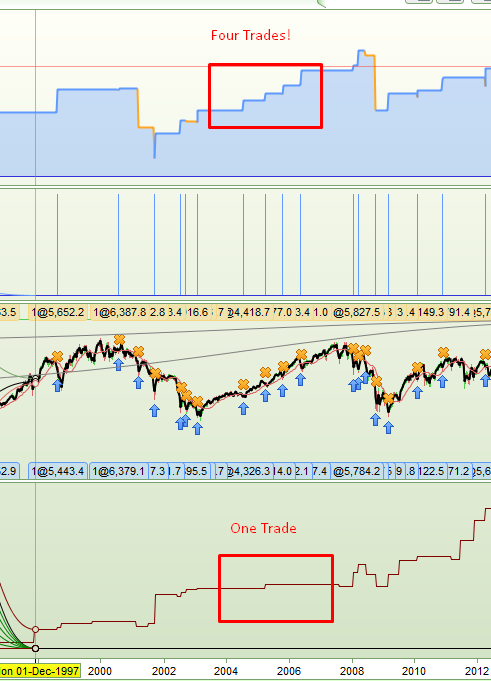
I just checked on daily data and all seems to be working correctly across a range of different same bar runs but then I tried it on a 6 (x) Days chart and something is very wrong there. There are trades opened that should not be opened. They are winners but that is not the point! The strategy was set to open a trade if a green bar is followed by four red bars. The graph at the bottom is my Candle Run indicator.
[attachment file=70799]
[attachment file=70800]
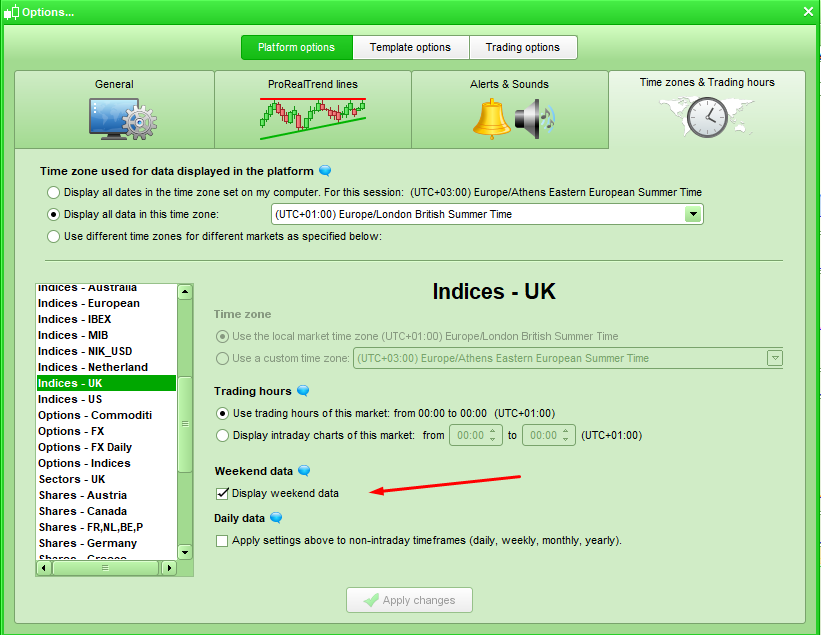
Only briefly interrupting my silence in case this might help: could it be the good old custom choice of “not displaying weekend data” in the platform local options? … resulting in probuilder indicators working as you expect with friday close being also weekly close, but backtests & pro-order strategies running on prt servers with weekend data regardless of your pc-localised-only custom choice (not run on your pc displaying therefore only a subset of data excluding weekend and sunday close, yet used)? Might be consistent with weekly and x days timeframes behaving differently depending if running a strategy or an indicator.
This is ticked for every market where it is an option.
[attachment file=70804]
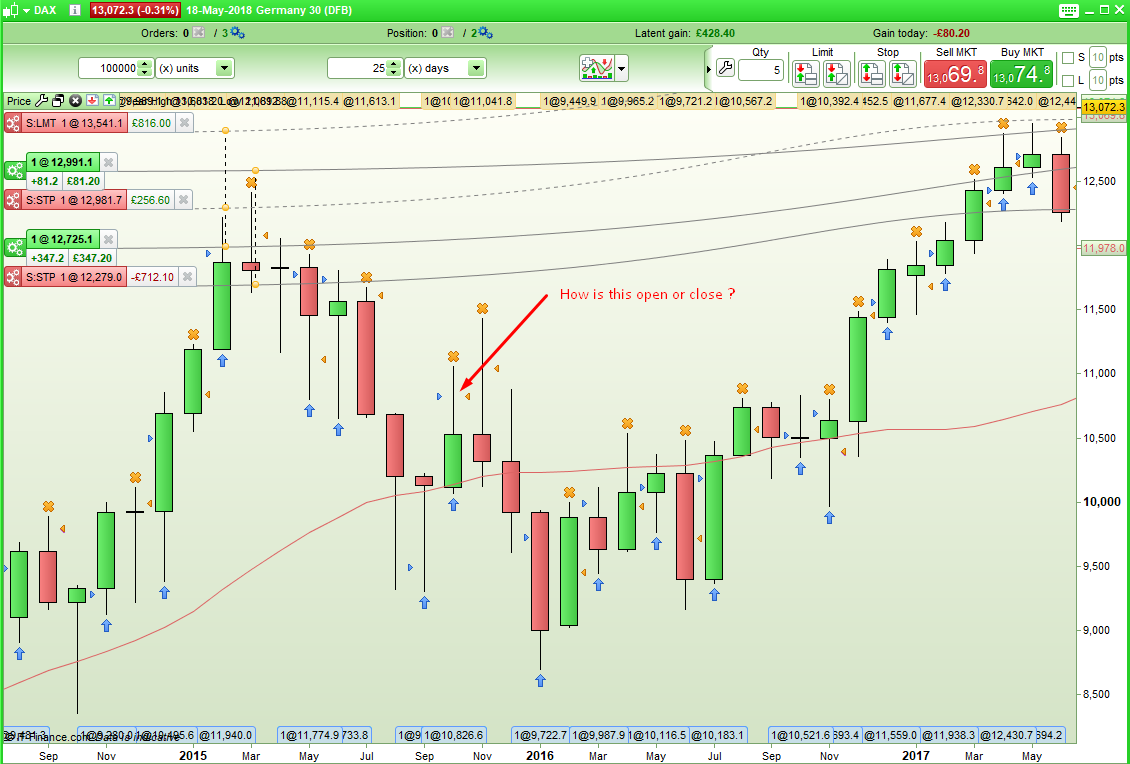
Something is definitely not as it should be. Here is an image from a strategy based on bars that represent 25 days on the DAX and strategy that does not use tick by tick data. PRT only opens and closes positions at the open of the new bar so how is this possible?
Maybe this needs moving to the PRT platform support for PRT to comment on?
[attachment file=70811]
Any thoughts from anyone about what is going on here? These strange results are making market analysis impossible for me at the moment.
Should this thread be moved to PRT platform support?
I’ve started a thread in the platform support forum with a link to this thread so that hopefully someone from PRT will pick up on this issue and explain what is going on.