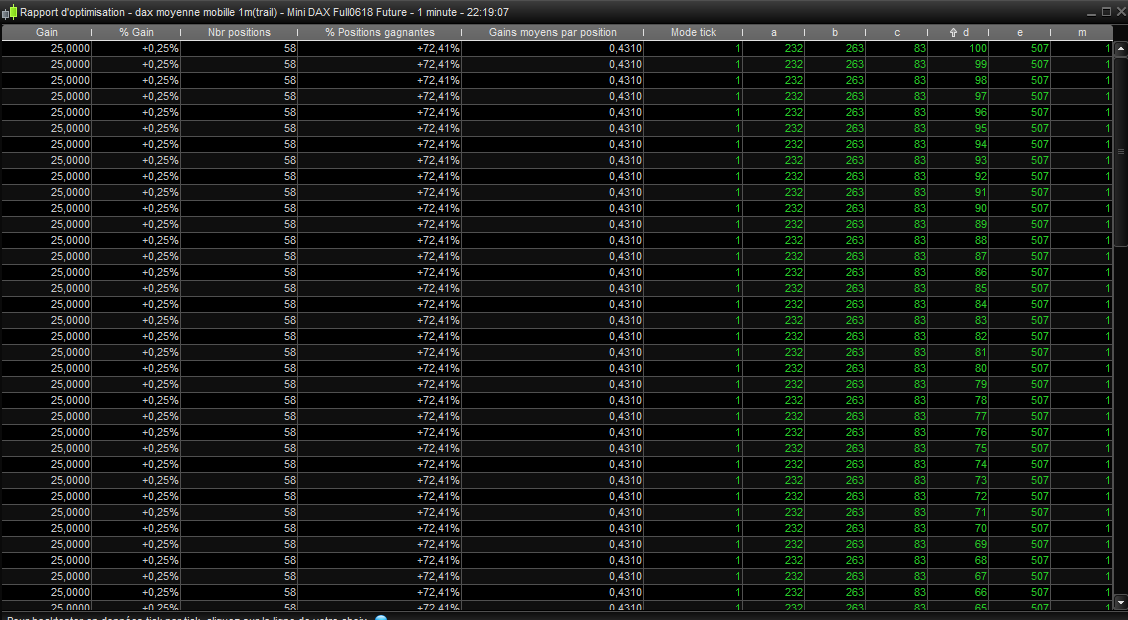
Hi all ! I’ve got some difficulties with the plateforme, I want to optimise 2 variables (“m” and “d” in the picture), from 1 to 100, the others are fixed.
“d” is tested, but “m” stays to 1. Did someone have that before ?
Normally it is because you have the value still fixed somewhere in your code so that it has no effect on the results. Either that or it is not used in the code at all.
here is the code, both variables are used :
//trailing stop function
trailingstart = d //trailing will start @trailinstart points profit
clow = (lowest[m](low))-tradeprice
chigh= tradeprice-(highest[m](high))
//reset the stoploss value
IF NOT ONMARKET THEN
newSL=0
ENDIF
//manage long positions
IF LONGONMARKET THEN
//first move (breakeven)
IF newSL=0 AND close-tradeprice(1)>=trailingstart*pipsize THEN
newSL = tradeprice(1)+1
else
SET STOP ptrailing 83
ENDIF
//next moves
IF newSL>0 AND clow>trailingstart then
newSL = newSL+clow*pipsize
ENDIF
ENDIF
//manage short positions
IF SHORTONMARKET THEN
//first move (breakeven)
IF newSL=0 AND tradeprice(1)-close>=trailingstart*pipsize THEN
newSL = tradeprice(1)-1
else
SET STOP ptrailing 83
ENDIF
//next moves
IF newSL>0 AND chigh>trailingstart then
newSL = newSL-chigh*pipsize
ENDIF
ENDIF
//stop order to exit the positions
IF newSL>0 THEN
SELL AT newSL STOP
EXITSHORT AT newSL STOP
ENDIF
Might sound daft but it can mean that ‘m’ at value 1 gives the highest gain? Make m value fixed at 5 and see if gain reduces in the optimiser results?
What is your range of values for m?
PS / Edit~
You may need a range with a much higher max value for d and m to get a optimised value other than 1 for m ??
You should not multiply clow and chigh by pipsize at lines 21 and 35. Please try without.
@GraHal : “d” and “m” are both tested from 1 to 100 with a step of 1
@Nicolas : I did what you suggested, it doesn’t change the result, I still got an error message, but now it comes before the end of optimisation…
I sent a message to prt, they said they’re going to look into it…
What ‘error message’ !?
Are you sure your ‘m’ variable is not set to a fixed value into the variables optimizations window?
If you put your full code on here then I will try it the optimiser for you?
It is probably finger trouble / something daft that we have all done before also so we may spot it in your set up where we couldn’t see it when we made the same error!!! 🙂 🙂
@Nicolas : yes i’m sure the values are not set to fixed. The error message just says there is an error, but not which one, that’s why I wrote to PRT.
@GraHal : attached is the code untouched, yes could you optimise it for me please ?
I would be glad if the error was mine, maybe you can find what’s wrong by testing it yourself.
This is Dax 1 min.
Might sound daft but it can mean that ‘m’ at value 1 gives the highest gain?
Apologies for delay, had to take my car for annual MOT! 🙂
It’s what I said above.
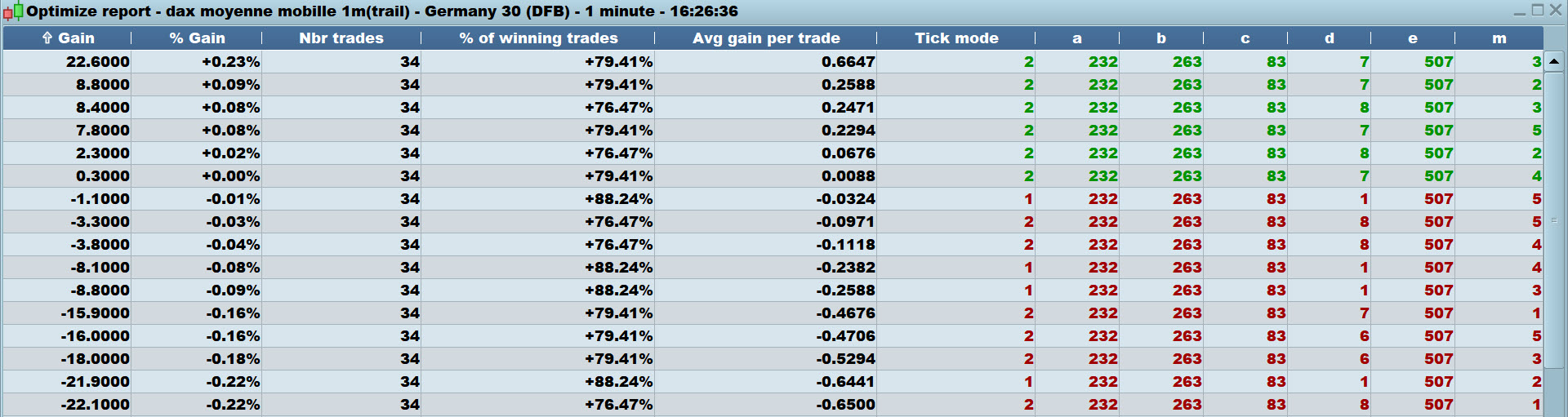
See attached for 10k bars and m is at different values
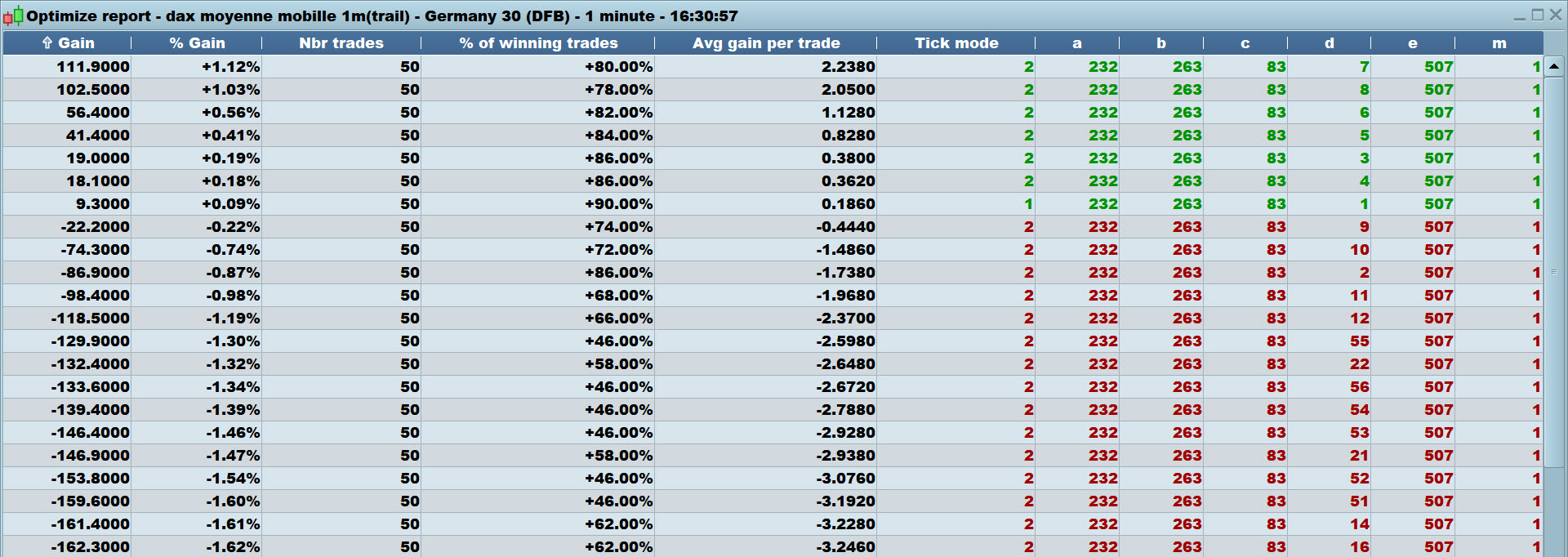
See attached for 100k bars and m stays at vaue = 1
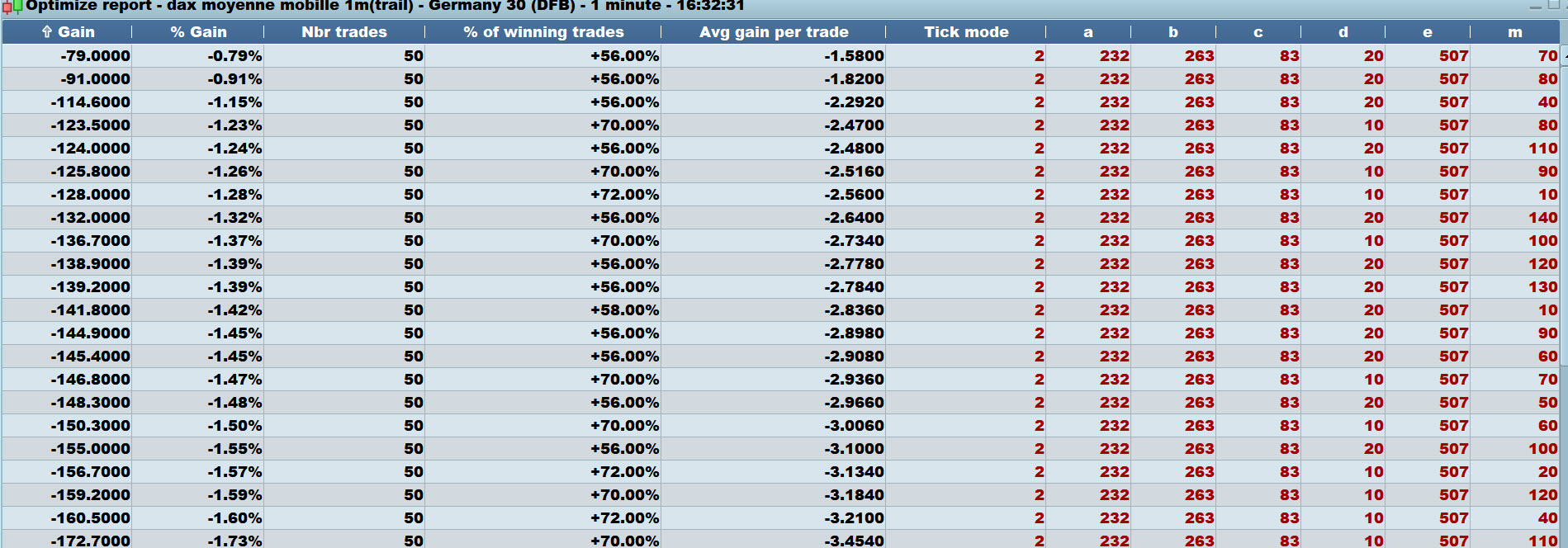
See attached for 100k bars for m range 10 to 250 in step of 10 and m is at different values.
Cheers
GraHal
Thank you so much ! So I was worrying for nothing…This made me think about several things :
- I can’t see the other possibilities in the report windows when I do the tests, is that normal ?
- DO you have an error message too ?
- my trailing highs/lows snippet doesn’t work, I have to work on it :s