Hi
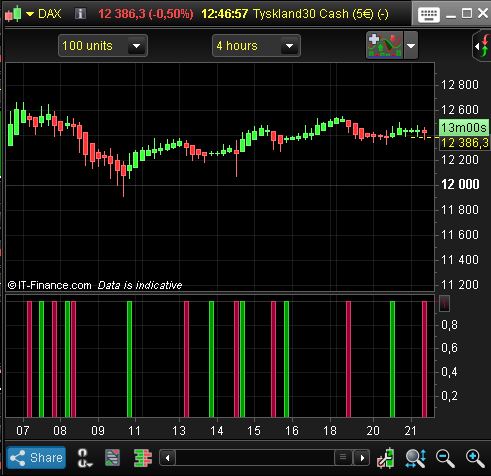
I am using a 4 hour Heikin Ashi filter in one of my trading strategies (e.g. when 4h Heikin Ashi is green the main trent is Bull and when it becomes red then trent has changed to Bear). The trigger for buy/sell is done in a 1 minute chart and I wounder if it is possible to create a code that will give tru/false (1/-1) for the filer (4h HA) in the 1 minute chart?
I moved your post to a whole new topic.
I think that it would be possible to code something about this idea. But, do you want to know the 4 hours Heikin Ashi candlestick color while it is still not closed in this timeframe? Or do you want to update the info only once the 4h candle has closed (so one time each 4 hours)?
Hi Nicolas and thank´s for your answer!
Yes, I want to know if 4 hr Heikin Ashi is green (bull) or red (bear) during the 4 hr period (sometimes it switches from bull to bear /bear to bull during the open period). E.g when I have a trigger buy (bull position) in my 1 minute chart the overall trend, during the open period, 4 hour Heikin Ashi has to be bull (green). Otherwise, the trigger is false.
I want the script to test in the current period how 4 hr Heikin Ashi is located, red or green (not the previous closed period)
Now I using this script (I think you’ve created it), see below. At the moment I doing the filtering manually and it would be greath if I can ad a code into the 1 minute trigger script.
if barindex>1 then
haclose=(open+close+low+high)/4
haopen=(haopen[1]+haclose[1])/2
xHigh = Max(haOpen, haClose)
xLow = Min(haOpen, haClose)
hahigh = Max(High,xHigh)
halow = Min(Low,xLow)
endif

if haclose>hahigh[1] then
lsignal = 1
elsif haclose<halow[1] then
lsignal = -1

endif
return lsignal as "BULL or BEAR"
Thanks in advance
Paste the wrong code.
This is the code i’m using for manual filtering.
ONCE PreviousStatus = 0
IF BarIndex = 0 THEN
XClose = TotalPrice
XOpen = (Open + Close) / 2
ELSE
XClose = TotalPrice
XOpen = (XOpen[1] + Xclose[1]) / 2
ENDIF
val1=0
val2=0
IF XClose >= XOpen THEN
IF PreviousStatus <> 1 THEN
val1=1
PreviousStatus = 1
ENDIF
ELSE
IF PreviousStatus <> -1 THEN
val2=1
PreviousStatus = -1
ENDIF
ENDIF
return val1 as "Bull-Green HA", val2 as "Bear-Red HA"
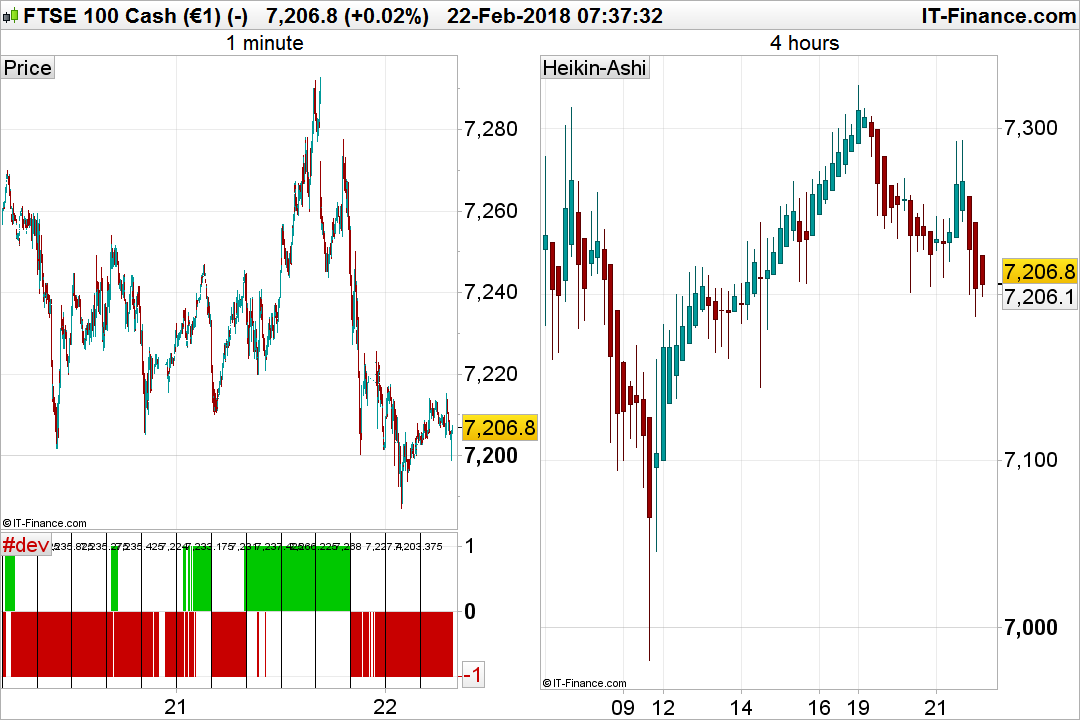
I made this code, it is only compatible for a 1 minute timeframe. I made comparison with the 4 hours timeframe and it seems good.
//https://www.prorealcode.com/topic/heikin-ashi-4-hours-in-a-1-minute-timeframe/
//Nicolas@prorealcode.com
if minute=1 and (hour=0 or hour=4 or hour=8 or hour=12 or hour=16 or hour=20) then
openh4=open
highh4=0
lowh4=close*100
haopen=(haopen[1]+haclose[1])/2
drawvline(barindex)
drawtext("#haclose#",barindex,1)
endif
highh4 = max(highh4,high)
lowh4= min(lowh4,low)
haclose=(openh4+close+lowh4+highh4)/4

if haclose>haopen then
signal=1
r=0
g=200
else
signal=-1
r=200
g=0
endif

return signal coloured (r,g,0) style(histogram)
Bonjour Nicolas,
Pourquoi l’affichage d’unités d’historique en 1 minutes changent elles la donne sur l’indicateur???
@Alai-n
Sorry, english topic..
@benji_064
Made a complete indicator with more options, in particular the capability to choose higher timeframe: Heikin Ashi of higher timeframes (hourly TF)
Hello Nicolas,
Why does the display of historical units in 1 minutes change the situation on the indicator ???
Because Heikin Ashi refer to last known candle at its open, so the more data you have the better and accurate is the calculation. Because we try here to get the superior timeframe value, we need many bars to compute at least 3 or 4 H4 candlesticks and get the same HAOPEN than in the superior timeframe. Hope it’s clear.
Not clear at all;) But hey I trust you … If I use it I remember that it needed history, it’s already that !!!
Hi Nicolas,
Many thanks the response and the code. It looks like imitating 4 hr Heikin Ashi very well. I will try and see how it works. What changes to the code would I have to do if I were to emulate 1 hr Heikin Ashi to the 1 minute graph?
What changes to the code would I have to do if I were to emulate 1 hr Heikin Ashi to the 1 minute graph?
Nothing to change, use the indicator I posted in the library and set the setting to “1”. Everything is explained in the above link.
What changes to the code would I have to do if I were to emulate 1 hr Heikin Ashi to the 1 minute graph?
Nothing to change, use the indicator I posted in the library and set the setting to “1”. Everything is explained in the above link.
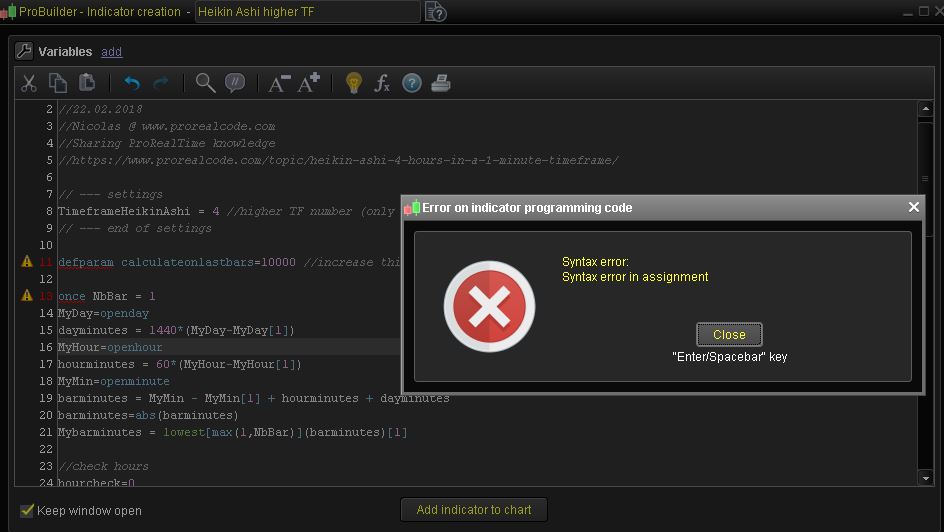
Ok, thank’s! I tryed to use the indicator that you have created but something seems to be wrong. See attached picture.
[attachment file=63659]
You made a wrong copy/paste. Please download the .itf file and import it directly into your platform: How to import and export codes from ProRealTime platform?
 Leo
LeoParticipant
Veteran
I think line 4 is :
open4h = (open4h+haclose)
very clever method for calculating 4 hour tf in minute chart. Thanks Nicolas.
benjamin: let us know your methodology of trading, seems very interesting for scalping.
thanks in advance.