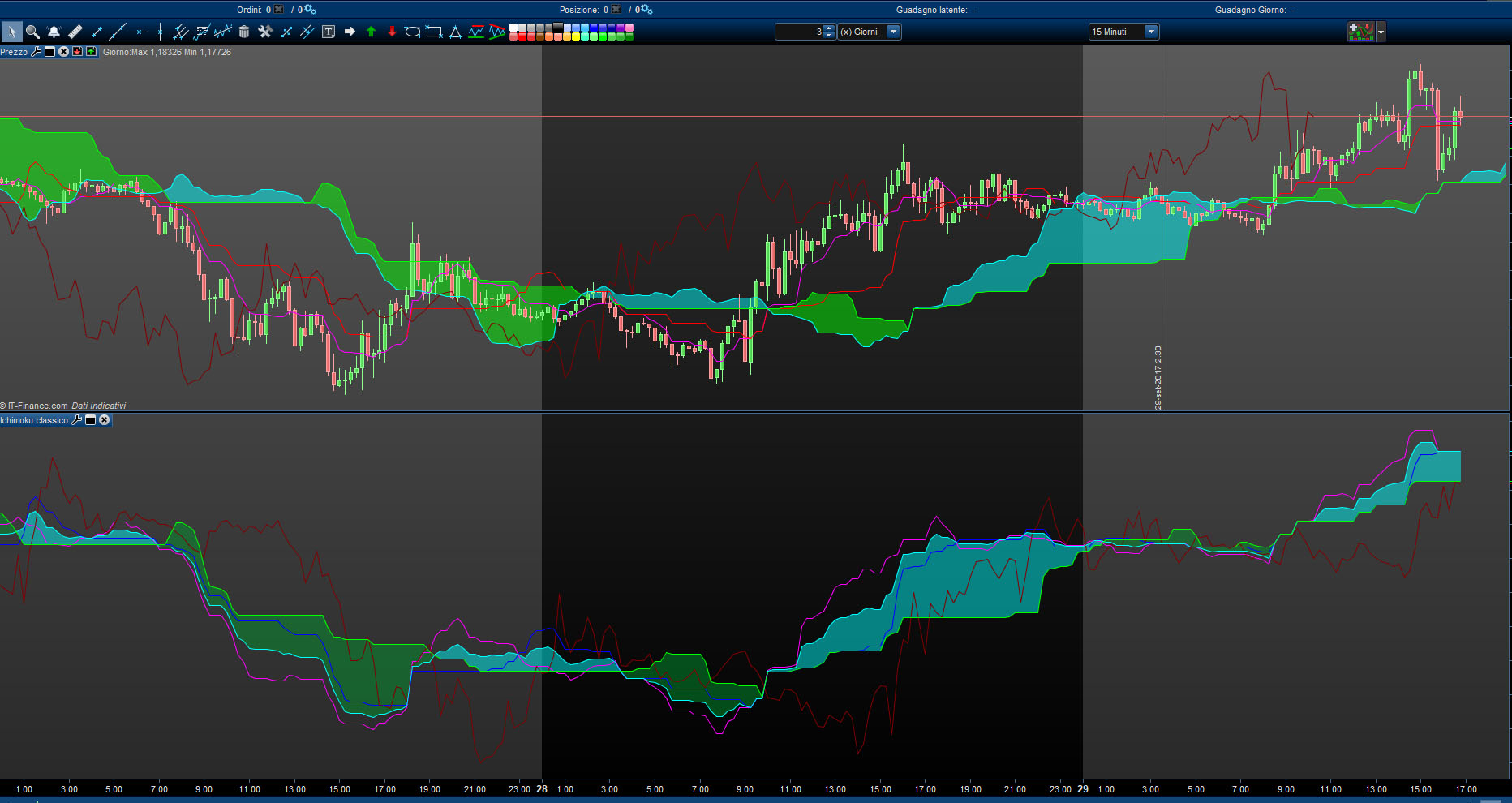
Ok, I’m new to prorealtime, I’m studing PRT programming from yesterday.. hovewer I have done this indicator from the classic ichimoku code here in the forum:
T = 9 //Tenkan-Sen Period (9)
I = 26 //Chikou-Span Period (26)
K = 52 //Kijun-Sen Period (52)
TS = (highest[T](high)+lowest[T](low))/2 //Tenkan-Sen
KS = (highest[I](high)+lowest[I](low))/2 //Kijun-Sen
CS = close[I] //Chikou-Span
SA = (TS+KS)/2 //Senkou-Span A
SB = (highest[K](high)+lowest[K](low))/2 //Senkou-Span B
RETURN TS COLOURED(255, 0, 255) AS “Tenkan-Sen”, KS COLOURED(0, 0, 255) AS “Kijun-Sen”, CS COLOURED(127, 0, 0) AS “Chikou-Span”, SA COLOURED(0,255,255) AS “Senkou-Span A”, SB COLOURED(0,255,0) AS “Senkou-Span B”
————————————————–
Attached is an image where you can see up the PRT ichimoku, and down the “new” one.
You can see that there are some important problems:
- The kumo in the new one would be 26 candles forward..
- The Chikou-Span would be 26 candles back.. but.. I don’t know how can do this in PRT code..
Can you help me?
Thanks
Piero
Here the situation is more complicated 😀
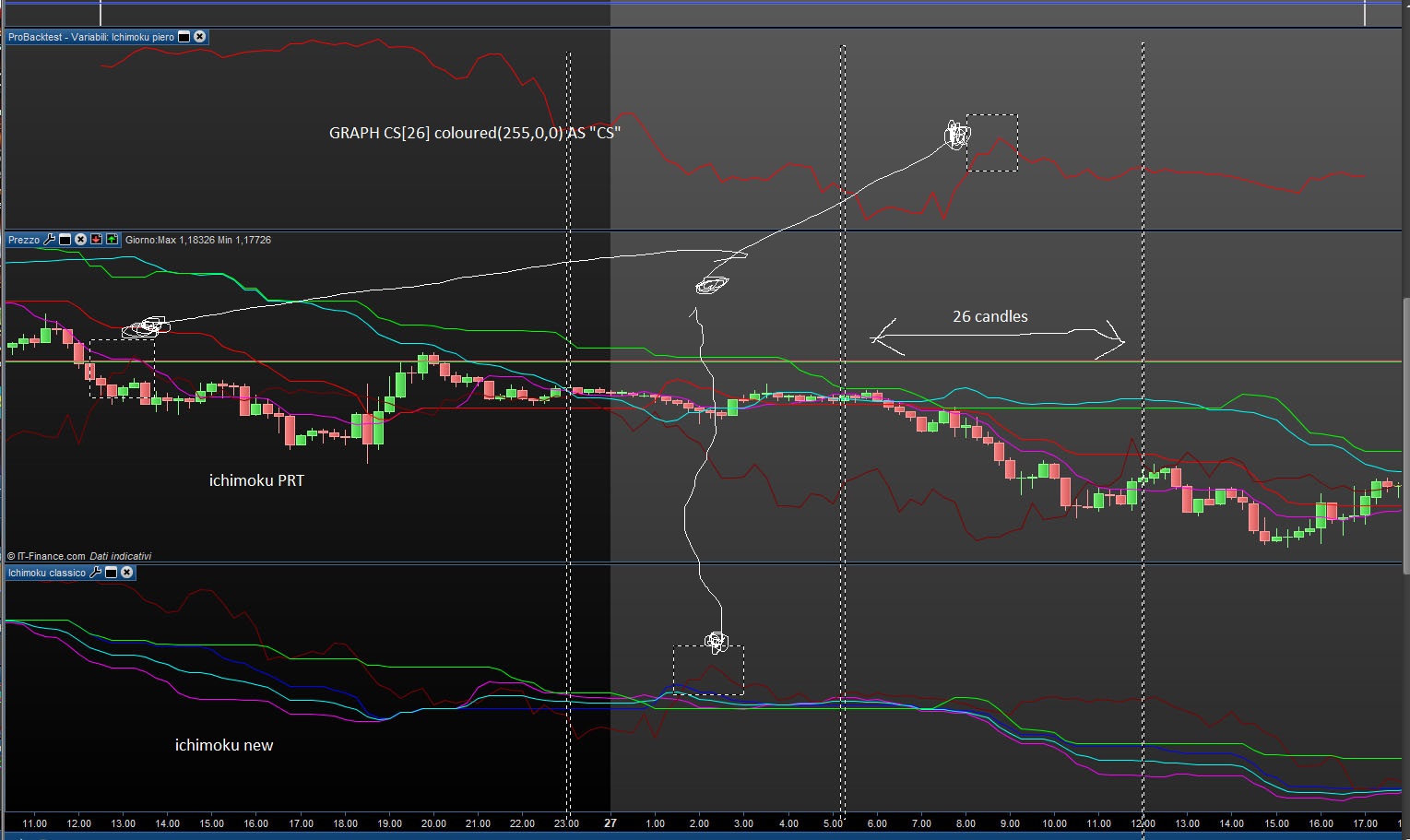
in the next picture you can see in top the CS (Chikou-Span) curve from my EA, in the middle the price candles with the standard ichimoku PRT indicator, at the bottom the ichimoku indicator like I see is often used here in the forum..
As can you see.. three CS.. three different positions!! 😀 In this way the EA is a miracle if it can give good results..
however from a logical point of view the CS curve and new ichimoku are coherent .. while the PRT one not..
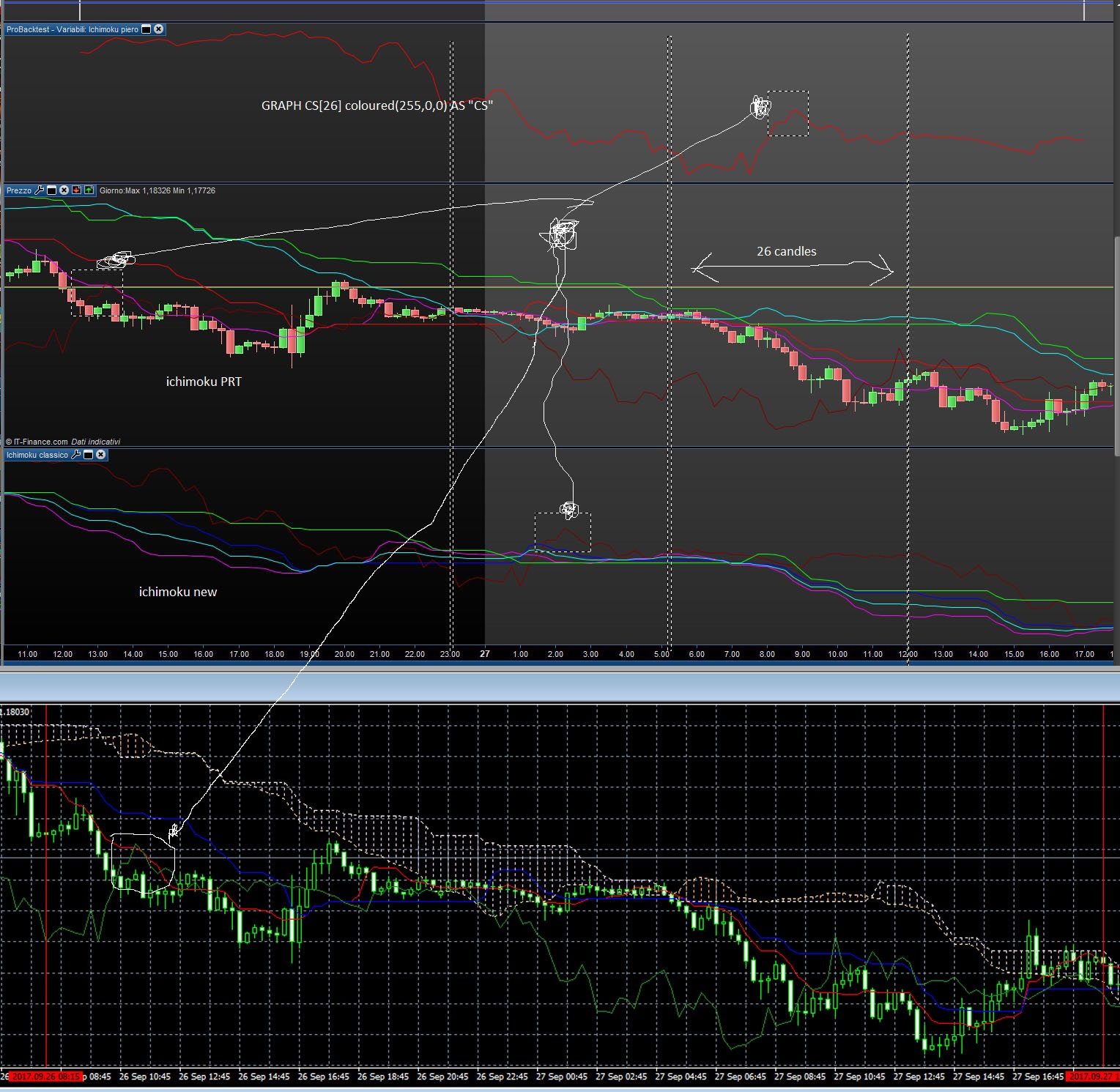
here the last one.. 4 carts! I add the MT4 ichimoku.. and the winner is… in the picture the answer! 🙂
@pieroim very interesting observation there! I trust after we manage to get this thing figured out, you will share your strategy with us to study and improve.
@Nicolas, could you please assist in helping us understand this discrepancy? As pieroim mentioned it is crucial to have accurate indicators.
Starting to think this is a major contributing factor as to the reason why my automated Ichimoku strategies never perform as my manual trading of Ichimoku.
Thank’s
This we is of relax for me, but from monday at work! I think that the problem regards the 26 candles back and forth over the price. I think the biggest problem will be the Span A and B rather than CS. Yes for the strategy, we can work on It.
The Chikou is the actual Close (the one from the current period), but it is plotted 26 bars in the past, that’s all. It is not possible to draw a curve in the past, you can try with dots or any ASCII char, but that’s not so important since you only want to get the good values for your strategy.
About the cloud, the problem is the same but in the opposite direction, with the projection in the future, even if you don’t see it, you can calculate it.
Do you love Ichimoku? I do 😉
p1=9
p2=26
p4=26
p3=52

REM Tenkan-Sen = (Highest High + Lowest Low) / 2, for the past 9 days
Upper1 = HIGHEST[p1](HIGH)
Lower1 = LOWEST[p1](LOW)
Tenkan = (Upper1 + Lower1) / 2

REM Kijun-Sen = (Highest High + Lowest Low) / 2, for the past 26 days
Upper2 = HIGHEST[p2](HIGH)
Lower2 = LOWEST[p2](LOW)
Kijun = (Upper2 + Lower2) / 2

REM Senkou Span A = (Tenkan + Kijun) / 2, plotted 26 days ahead of today
SpanA = (Tenkan[p4] + Kijun[p4]) / 2

REM Senkou Span B = (Highest High + Lowest Low) / 2, for the past 52 days, plotted 26 days ahead of today
SpanB = ((HIGHEST[p3](HIGH[p4])) + LOWEST[p3](LOW[p4])) / 2

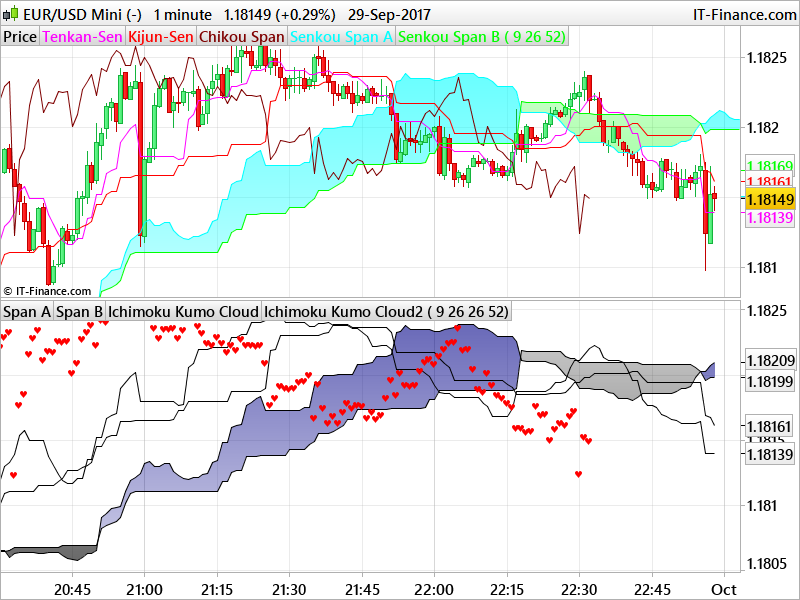
//plot chikou in the past:
drawtext("♥",barindex[26],close) coloured(255,0,0)

Return SpanA AS "Span A" , SpanB AS "Span B", Tenkan, Kijun
Thank you Nicolas for the code.
CS = close[I] //Chikou-Span
SA = (TS+KS)/2 //Senkou-Span A
SB = (highest[K](high)+lowest[K](low))/2 //Senkou-Span B
@pieroim if you look at my Ichimoku Strategies I always look at three periods when validating conditions for Ichimoku.
- I look back 26 periods – i.e. did Chikou (close[0]) clear previous price action (CS) as well as SA[52] and SB[52] (because SA and SB is calculated 26 periods forward)
- I look at the current period – i.e. are we clear of SA[26] and SB[26] (because SA and SB is calculated 26 periods forward)
- And I look forward 26 periods – i.e. what is happening at the leading edge of SA and SB (SA > SB or SA < SB)
Thus using the appropriate calculations in your conditions you are in fact using Ichimoku components at their correct positions.
Thank’s Nicolas, what I want is that CS, SA and SB are in the esact position respect the price curve so I can work with them.
Thank’s
Piero
Thank’s Nicolas, what I want is that CS, SA and SB are in the esact position respect the price curve so I can work with them.
That’s what the code is doing. The only difference is that SA and SB are not displayed in the future, which is impossible to do with the code.
Thank’s Nicolas, what I want is that CS, SA and SB are in the esact position respect the price curve so I can work with them.
That’s what the code is doing. The only difference is that SA and SB are not displayed in the future, which is impossible to do with the code.
So the correct code is:
T = 9 //Tenkan-Sen Period (9)
I = 26 //Chikou-Span Period (26)
K = 52 //Kijun-Sen Period (52)

TS = (highest[T](high)+lowest[T](low))/2 //Tenkan-Sen
KS = (highest[I](high)+lowest[I](low))/2 //Kijun-Sen
SA = (TS[I]+KS[I])/2 //Senkou-Span A
SB = (highest[K](high[I])+lowest[K](low[I]))/2 //Senkou-Span B
//CS = close[I] //Chikou-Span
drawtext("♥",barindex[26],close) coloured(255,0,0)

RETURN TS COLOURED(255, 0, 255) AS "Tenkan-Sen", KS COLOURED(0, 0, 255) AS "Kijun-Sen", SA COLOURED(0,255,255) AS "Senkou-Span A", SB COLOURED(0,255,0) AS "Senkou-Span B"
Thank’s Nicolas,
to include the colored area between the span A e B at code level, or so that it automatically appears when I select this indicator how can I do?
This is not really important as well as writing the code of this indicator, but I need of it to better understand how the PRT code works.
Thank’s
Piero
Ok, thank’s. The code works well now and the EA too.
Thank’s again
Piero
Have you come right in programmatically checking the pseudo higher timeframe?
This is in my intentions the next step, I need to check how I can do it on prt and how effective is it. Now I am encoding the basis on which to develop the project. As soon as the first phase ends, I open a thread with the code inserted and continue there. Unfortunately this morning and tomorrow morning I’m out for commissions.