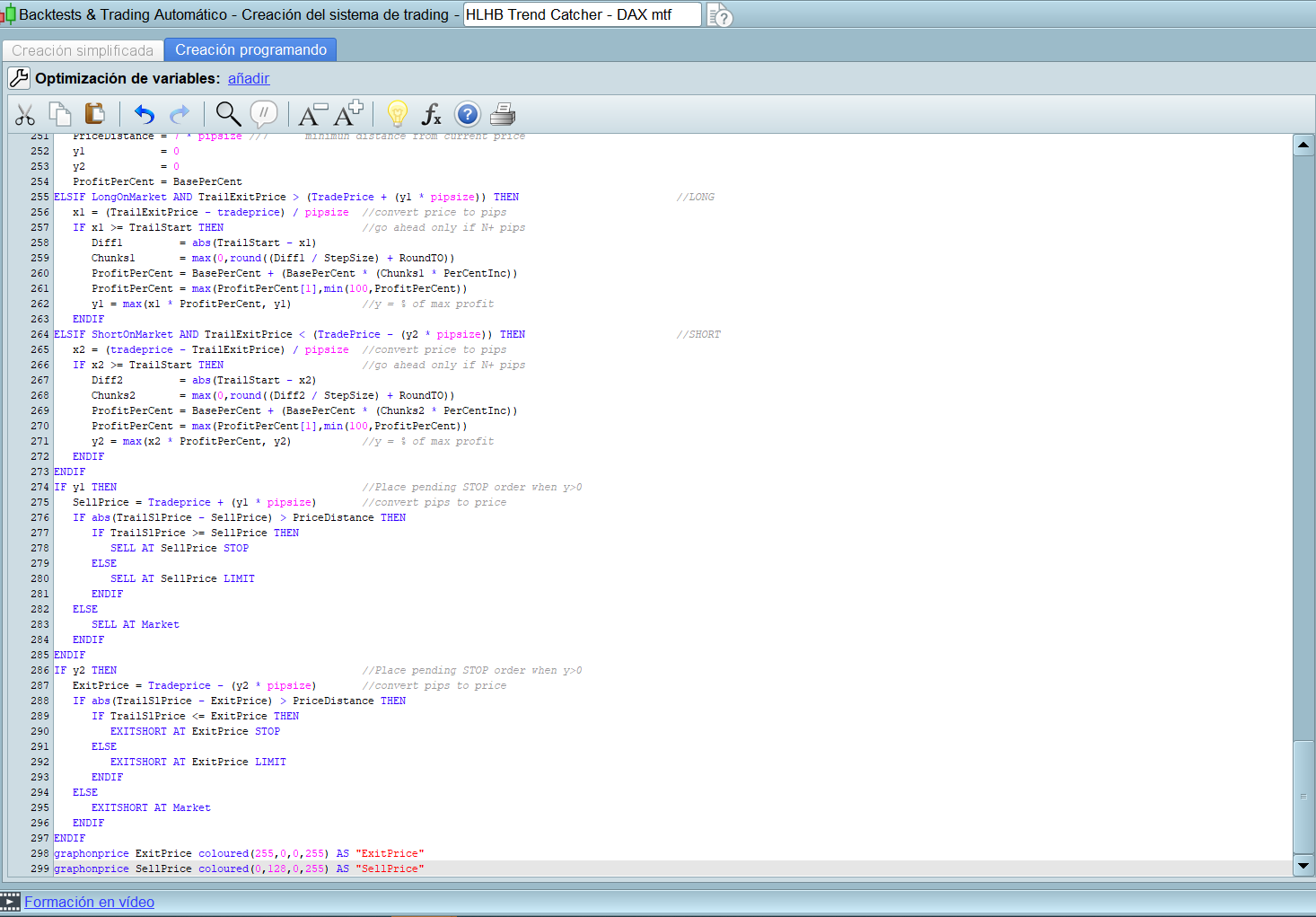
Just add those two lines at the end of the strategy.
When backtest is finished you will see those two variables plotted on your price chart.
Simplemente agregue esas dos líneas al final de la estrategia.
Cuando finalice el backtest, verá esas dos variables trazadas en su gráfico de precios.
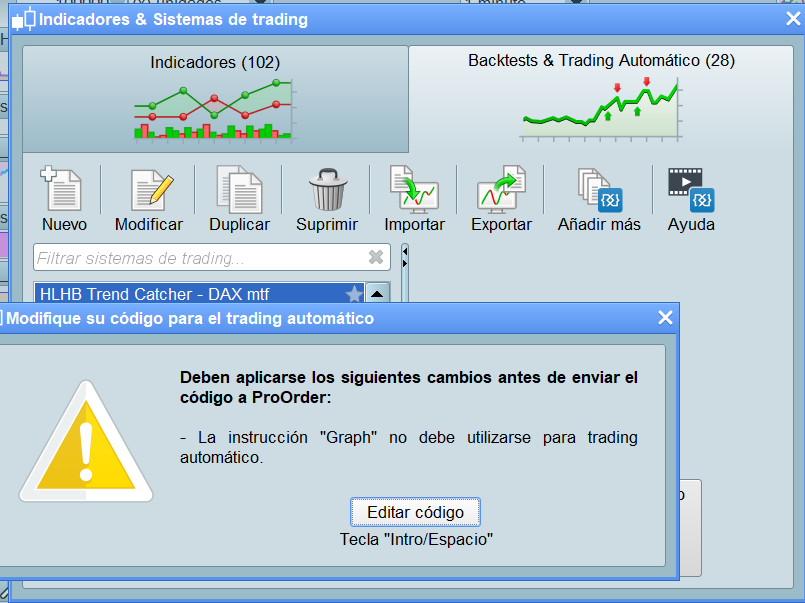
Hi, thanks for your help. Look what gives me the error when putting it in automatic trading (demo) and it also does not give me the results that it gives you in the backtesting. can you help me please?
GRAPH and GRAPHONPRICE can only be used when backtesting your strategy for debugging purposes, not when running it with ProOrder.
You have to remove the lines with GRAPH and GRAPHONPRICE or, my preferred choice, start the lines where they are with a double slash “//” which is used for comments, this making ProOrder ignore them.
Thank you very much for your help. I’m happy today because he learned something new
josef1604 – We are all happy that you have learnt something but please do not feel the need to quote every post that you are replying too – especially if it then quotes in the incorrect language for the forum that you are posting in.
Quotes are only needed if you are replying to a specific part of someone else’s post or if the conversation is between several people and you want to make it clear who exactly you are replying to.
is it possible to publish the final ITF code? Thank you
thanked this post
Hi
Seems this ProCode run at GMT+2 (roll 11, TIMEFRAME (DEFAULT))
But my timezone is GMT+8, Which line I need to amend?
Thanks
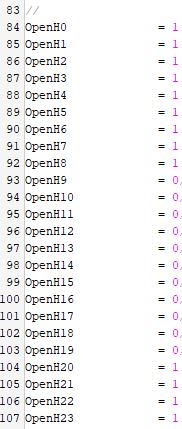
Hours are set according to the lines 83-107 (see attached pic).
The system is base on Utc+1 DST (so, now it’s UTC+2). Computing the difference is easy, since yoy have to add just 6 to any of the lines and set it to 1 to disable trading at that hour 0 to enable it.
If the first trading hour is now OpenH9 (09:00 am) then you’ll have to set it to 1 and clear OpenH15. If the last trading hour is OpenH19, then you’ll have to leave it as it is now, since it’s within your range, then clear OpenH1 (19 + 6 = 25, which is 01:00 am).
So, if in EU we trade from 09:00 to 19:00 (eleven trading hours), you will trade from 15:00 to 25:00 (that is 01:00) which is still eleven trading hours.
Hello, I understand the code below is to avoid entering again if a trade is existed before next hour begins, however it’ll be great if you can explain in simple terms how does it work as I’m new to programming and cannot follow it.
TIMEFRAME (1 hour, updateonclose)                                             //h1
IF Not OnMarket THEN
BarCount = 0
ELSE
BarCount = BarCount + 1
ENDIF
TIMEFRAME (default)                                                           //1 min
ONCE TradeON = 1
IF IntraDayBarIndex = 0 THEN
TradeON = 1
ENDIF
TradeBar = BarCount
IF Not OnMarket AND TradeBar <> TradeBar[1] THEN
TradeON = 1
ENDIF
//************************************************************************
//                           LONG  trades
//************************************************************************
ax = a1 AND a2 AND a3
IF ax AND Not OnMarket AND TradeON AND LongCond THEN
SET TARGET pPROFIT TPlong
SET STOP   pLOSS   SLlong
BUY nLots CONTRACT AT MARKET
TradeON = 0
ENDIF
Actually line 12 could be removed and in line 13, TRADEBAR could be (almost) safely replaced by BARCOUNT.
At the inception of MTF I was not sure that BARCOUNT (the counter of 1-hour bars) could have been accessed correctly from a lower TF (say 1 or 5-minute), so I added TRADEBAR which was defined in the lower TF to be sure.
But it seems BARCOUNT, which is the current number of the 1h bar, can be accessed from both TF’s, still indexing it for prior bars has different meanings:
- in 1-hour TF BARCOUNT[1] refers to the number of the previous hour
- in 1-minute TF BARCOUNT[1] refers to the number of the hour retained in the previous 1-minute bar
As I don’t like this behaviour, because I think BARCOUNT[1] shouldn’t return two different values depending on which TF it is referred to, but the value retained in the TF where it is defined, I keep using this code in all my strategies.
If you GRAPH BARCOUNT in the 1-hour TF it will show different data than when GRAPHed in the 1-minute TF.
I understand it now, thank you !
roberto, are you still running this strategy? if so, how has result been? 🙂
No, I am not running it.
I code 2-3 strategies per week, so with a limit of 25 I can only keep them running for a few weeks.
I have an additional demo account to my daughter’s name, but after a couple of years IG decided to disable access to PRT, so I can’t run too many.
oh i see, for the time you ran the strategy on demo/live, how did it perform? and you know how long you had it running?