I’m fairly new to the site and after discovering this FX Scalping strategy on Youtube I though I’d have a crack at coding it on PRC.
It uses a slower time-frame (2 hour) to identify a trend (for a few bars) and then enters long or short positions on the default (5 minute ) time-frame once the candlestick pulls back into the quickest MA. It then tightens the trailing stop once a certain profit level is reached and rides the trend until the trailing stop is activated.
The backtests I can do in demo mode (on GBP/USD) do not show fantastic results; the best I can get is 60% winning trades (out of only 5 trades) giving 4% gain.
Either my coding isn’t on point or the strategy is not as good as I’d hoped.
If anyone can help review it and run an extended backtest it would be very much appreciated.
defparam cumulateorders = false

// My Variables
TradeSize = 10 // £ per point
OrderDist = 3 // Set Order Distance in Pips
MySL = 30 // Set Stop Loss
MyBars = 4 // No of candles to average to calc Entry Point
EMA1 = 10 // Fast MA
EMA3 = 35 // Slow MA
k = 4 // No of bars to check EMA diverging


//trailing stop function
trailingstart = 30 //trailing will start @trailinstart points profit
trailingstep = 10 //trailing step to move the "stoploss"

//declare the conditions on the Wider Timeframe

//************* Start of Wider Time frame *******************************
timeframe(2h, updateonclose)

h1EMA1 = ExponentialAverage[EMA1](close)
// h1EMA2 = ExponentialAverage[13](close) // not used in Wider TF
h1EMA3 = ExponentialAverage[EMA3](close)

// Set variables to 0
ly = 0
sy = 0
ld=0
sd=0

// MA Divergence check
ld = h1ema1 - h1ema3 //EMAs diverging on uptrend
sd = h1ema3 - h1ema1 //EMAs diverging on downtrend

// checks last n bars for condition Bull or Bear Trend
//   are EMAs in correct orientation for last 3 bars??
For t = 0 to k Do
if h1ema1[t]>h1ema3[t] and close > h1ema1[t] then
ly = ly + 1 // increment uptrend counter
elsif h1ema1[t]<h1ema3[t] and close < h1ema1[t] then
sy = sy + 1 // increment downtrend counter
endif
next

//If not onmarket then
BullTrend = 0
BearTrend = 0

// Check if the EMAs are diverging = spreading further apart?
if ly=(k+1) and ld > ld[1] and ld[1] > ld[2] then
BullTrend = 1
elsif sy = (k+1) and sd > sd[1] and sd[1] > sd[2] then
BearTrend = 1
endif
//************** End of Wider Timeframe ******************************
timeframe(default)

// Set variables to 0
lz = 0
sz = 0
ldd=0
sdd=0

//orders management on the default timeframe

// set markers to zero
If not onmarket then
LongCond = 0
LongStop = 0
ShortCond = 0
ShortStop = 0
endif

// Define default timezone EMAs for order trigger
dfEMA1 = ExponentialAverage[10](close)
dfEMA2 = ExponentialAverage[17](close)
dfEMA3 = ExponentialAverage[25](close)

ldd = dfema1 - dfema2
sdd = dfema2 - dfema1

// checks EMAs for relative position at last w bars and confirms low pulls back to touch fastest EMA but doesnt pull back onto middle EMA
For w = 1 to k Do
if dfema1[w] > dfema2[w] and dfema2[w] > dfema3[w] and low[w] > dfema1[w] and low < dfema1 and low > dfema2 then
lz = lz + 1
elsif dfema1[w]<dfema2[w] and dfema2[w] < dfema3[w] and high[w] < dfema1[w] and high > dfema1 and high < dfema2 then
sz = sz + 1
endif
next

// Set long and short markers if conditions are true
if lz=k and ldd > ldd[1] and ldd[1] > ldd[2] then
LongCond = 1
elsif sz =k and sdd > sdd[1] and sdd[1] > sdd[2] then
ShortCond = 1
endif

// Set Price levels at which to enter trades = current bar plus order distance
LongStop = highest[MyBars](high) + OrderDist
ShortStop = Lowest[MyBars](low) - OrderDist

// Conditions to enter positions
if LongCond and BullTrend then
BUY TradeSize Perpoint at LongStop STOP
SET STOP PLOSS MySL
endif

if ShortCond and BearTrend then
Sellshort TradeSize Perpoint at ShortStop STOP
SET STOP PLOSS MySL
endif

// Conditions to adjust trailing stop and close positions

//reset the stoploss value
IF NOT ONMARKET THEN
newSL=0
ENDIF

//manage long positions
IF LONGONMARKET THEN
//first move (breakeven)
IF newSL=0 AND close-tradeprice(1)>=trailingstart*pipsize THEN
newSL = tradeprice(1)+trailingstep*pipsize
ENDIF
//next moves
IF newSL>0 AND close-newSL>=trailingstep*pipsize THEN
newSL = newSL+trailingstep*pipsize
ENDIF
ENDIF

//manage short positions
IF SHORTONMARKET THEN
//first move (breakeven)
IF newSL=0 AND tradeprice(1)-close>=trailingstart*pipsize THEN
newSL = tradeprice(1)-trailingstep*pipsize
ENDIF
//next moves
IF newSL>0 AND newSL-close>=trailingstep*pipsize THEN
newSL = newSL-trailingstep*pipsize
ENDIF
ENDIF

//stop order to exit the positions
IF newSL>0 THEN
SELL AT newSL STOP
EXITSHORT AT newSL STOP
ENDIF

//************************************************************************

// Graph Variables
// On Price Chart
//graphonprice newSL coloured (255,0,0,255) AS "newSL"
//graphonprice LongStop coloured (0,0,255,255) AS "LongStop"
//graphonprice ShortStop coloured (0,0,255,255) AS "ShortStop"
//graphonprice tradeprice coloured (0,0,0,255) AS "TradePrice"

// Position Indicators
//graph LongCond coloured (255,0,0,255) AS "LongCond"
//graph ShortCond coloured (255,0,0,255) AS "ShortCond"
//graph BullTrend coloured (0,0,255,255) AS "BullTrend"
//graph BearTrend coloured (255,0,0,255) AS "BearTrend"
//
At first read, seems that the code is ok (and nicely formatted, well done). I didn’t view the video so I can’t confirm that it is in perfect alignment with it.
Thanks Nicolas.
If anyone can make any improvement suggestions and/or is able to backtest over a longer time period to help understand if this strategy is worth pursuing that would be very welcome.
Thanks.
I tried to test on a longer period, but I didn’t get any orders. I still don’t know why.. looking for an explanation 😯
I tried to test on a longer period, but I didn’t get any orders. I still don’t know why.. looking for an explanation 
That’s very strange, I have just tried to run backtests on 100k bars and I’m also getting no trades at all. This was working fine a few days ago???
This looks very promising!
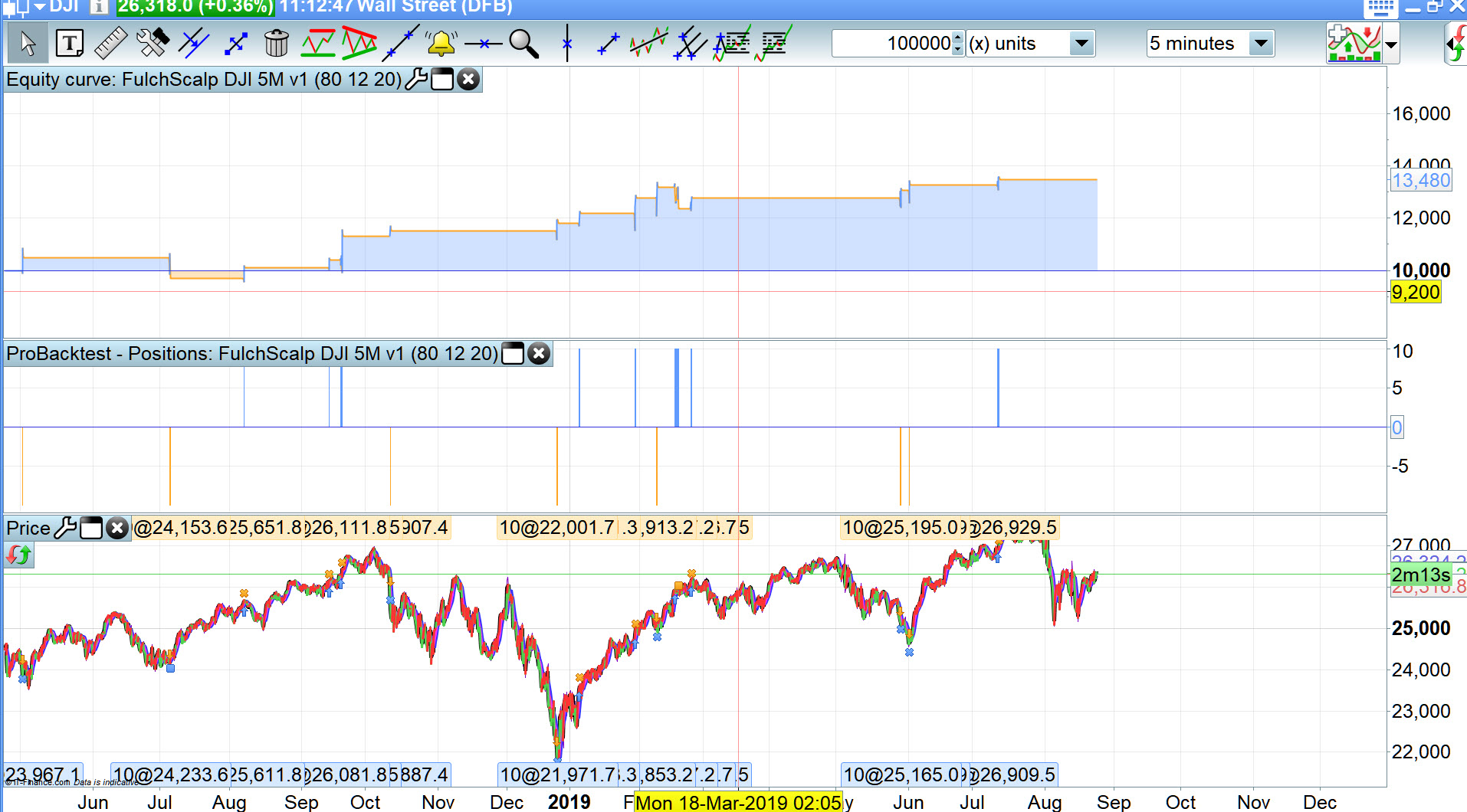
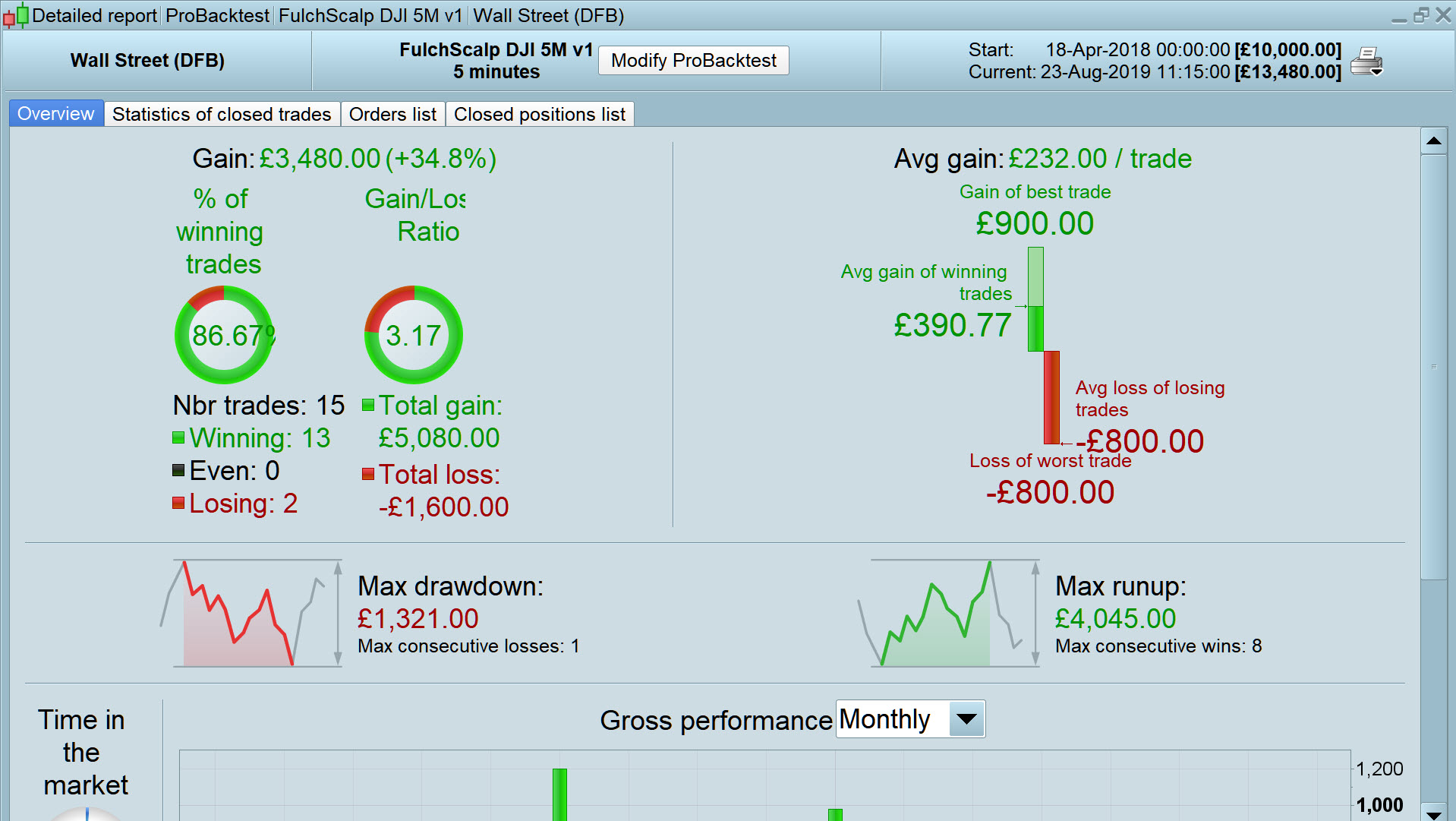
A quick optimise and I got below, I’ll work on it more, but in view of your comments above – re no trades – I thought I’d add results now. Spread = 4. Be good to reduce value of losing trades somehow?
Thank you for your sharing your hard work @nfulcher
EDIT / PS
Just realised that lot size = 10 so dd not too scary if lot size = 1 ! 🙂
TradeSize = 10 // £ per point
OrderDist = 3 // Set Order Distance in Pips
MySL = A8 // Set Stop Loss
MyBars = 4 // No of candles to average to calc Entry Point
EMA1 = A10 // Fast MA
EMA3 = A11 // Slow MA
k = 4 // No of bars to check EMA diverging
Thanks, Grahal, pretty good results on the 5min DJI – and yes I need to reduce the Trading Size down a bit :-).
Can you please explain the alphanumeric values you’ve used for the variables below (A8, A10 and A11)? I was under the impression these needed to be numeric values.
MySL = A8 // Set Stop Loss
MyBars = 4 // No of candles to average to calc Entry Point
EMA1 = A10 // Fast MA
EMA3 = A11 // Slow MA
please explain the alphanumeric values
Yeah I use the line numbers as the name of the variable.
The values are shown above the equity curve, so for A8 I chose 80 from the Optimiser, A10 – 12 and A11 – 20
hahah … getting better … but only a Live Forward Test will confirm.
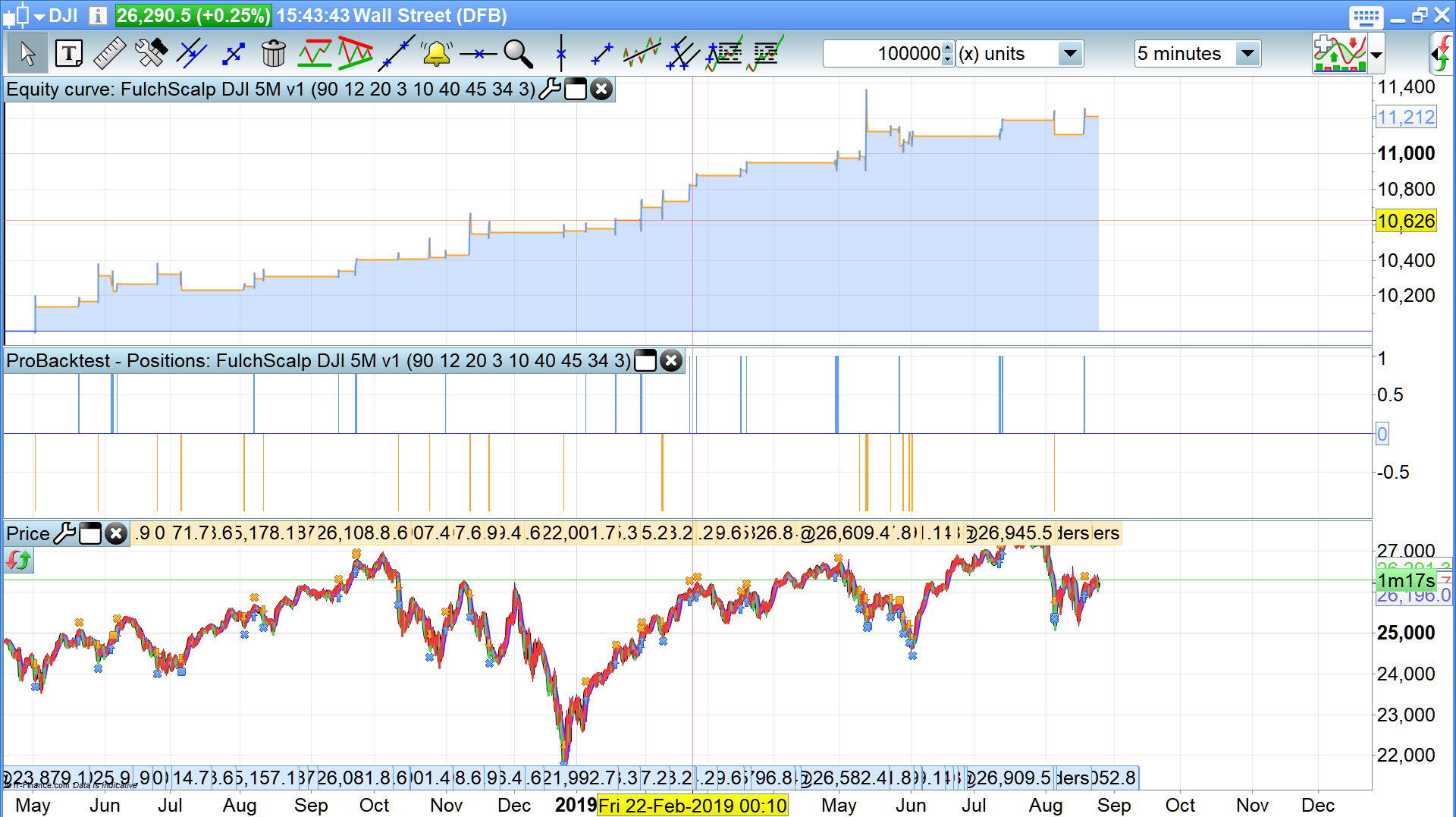
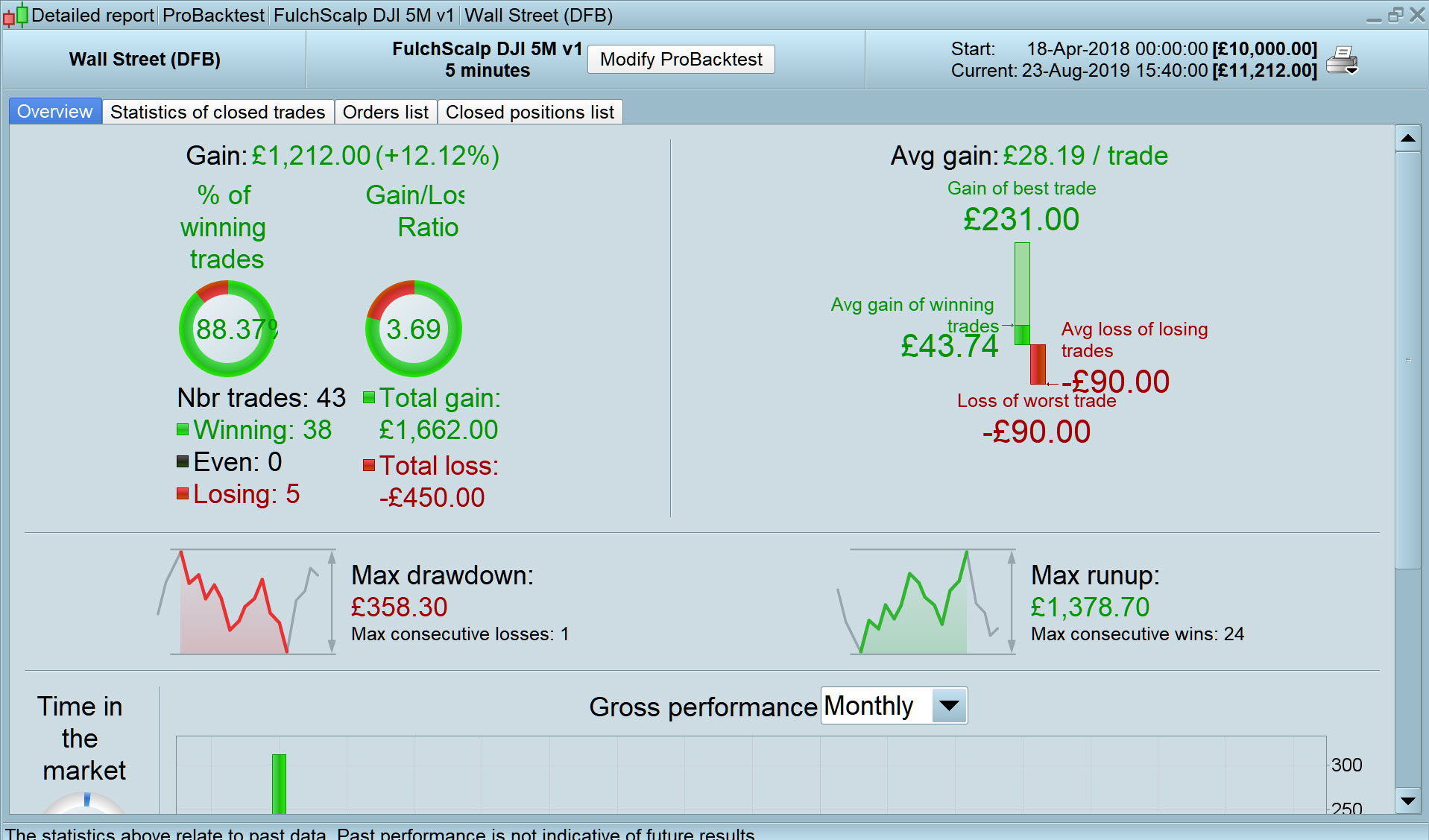
I did some Walk Forward Evaluation to arrive at attached, but I’m sure there is room for more improvement?
Interesting results Grahal,I’ll set this running on my IG demo account.
Is it possible to Backtest with a variable to represent the wider timeframe which sets the trigger – it might be interesting to test whether a 2H, 1H, 4H or daily trigger gives the best signal.
Alos, and maybe this is a separate post but can you advise, are there any good resources on the forum that explain how best to code for the different market times? I’m thinking if I have a promising strategy and want to try it with different market types (Indices, FX, etc) is there an elegant way to insert code blocks to manage the different trading times, time zones etc?
Many thanks.
I stand to be corrected, but in short the answers to your 2 questions are … 🙂
- No
- No
What I do is to flash through various Timeframes and a few Markets doing a backtest on max 10k bars (for speed of bt) and if a half decent equity curve shows itself then I dig deeper with appropriate range of values of values for the TF chosen. By appropriate I mean, for example, TP and SL need to be larger values for 1 hour than 1 min etc.
PS
I’ve set that v1 .itf going on demo also … we may both get virtual money rich together! 🙂
is there an elegant way to insert code blocks to manage the different trading times, time zones etc?
I misread your question, sorry,
I’m sure some of the Wizards on here could do something along those lines, but you would have to manually un-comment the respective block of code to match your chosen Market.