







Roberto asked me to raise this Topic to enable discussions on his System – HLHB Trend Catcher – DAX mtf – which can be found here …
https://www.prorealcode.com/prorealtime-trading-strategies/hlhb-trend-catcher-dax-mtf/
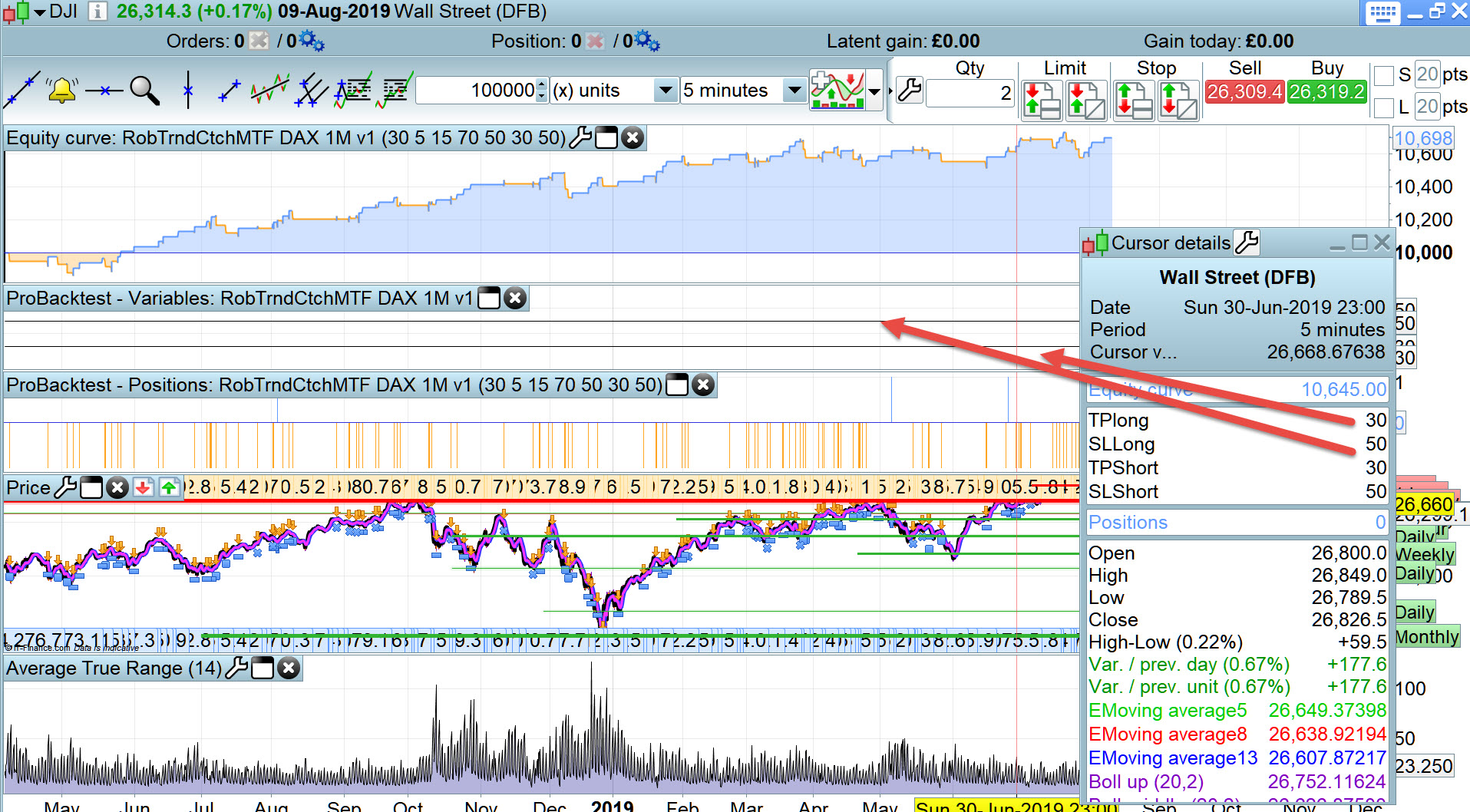
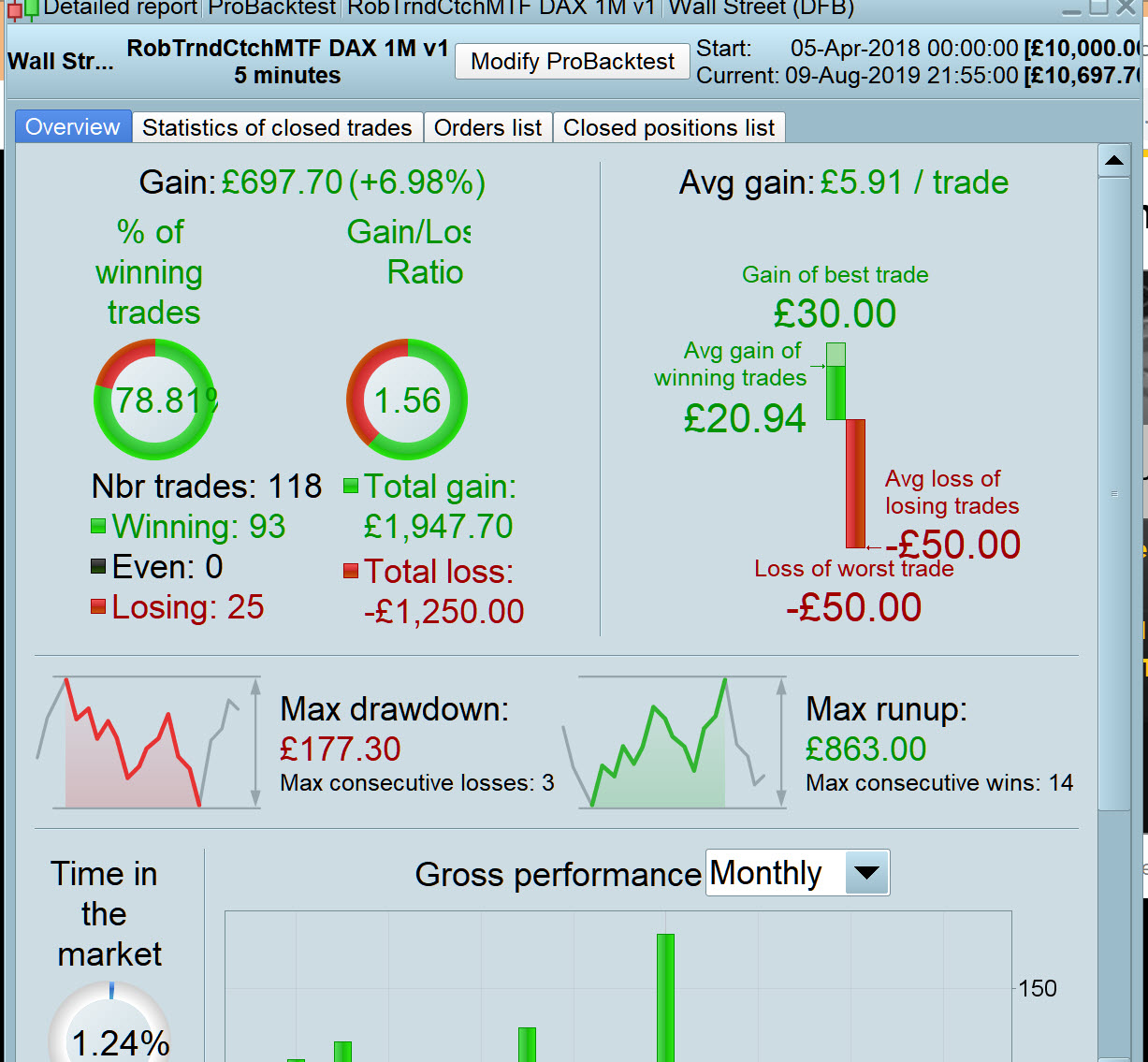
I wanted more trades and an increasing curve so I did some opti on DJI 5 mins … attached is the curve and results for spread = 4.
I was expecting a trail of either the TP or SL, but I don’t get any … see straight lines on the Graphed variables.
Any thoughts anyone?
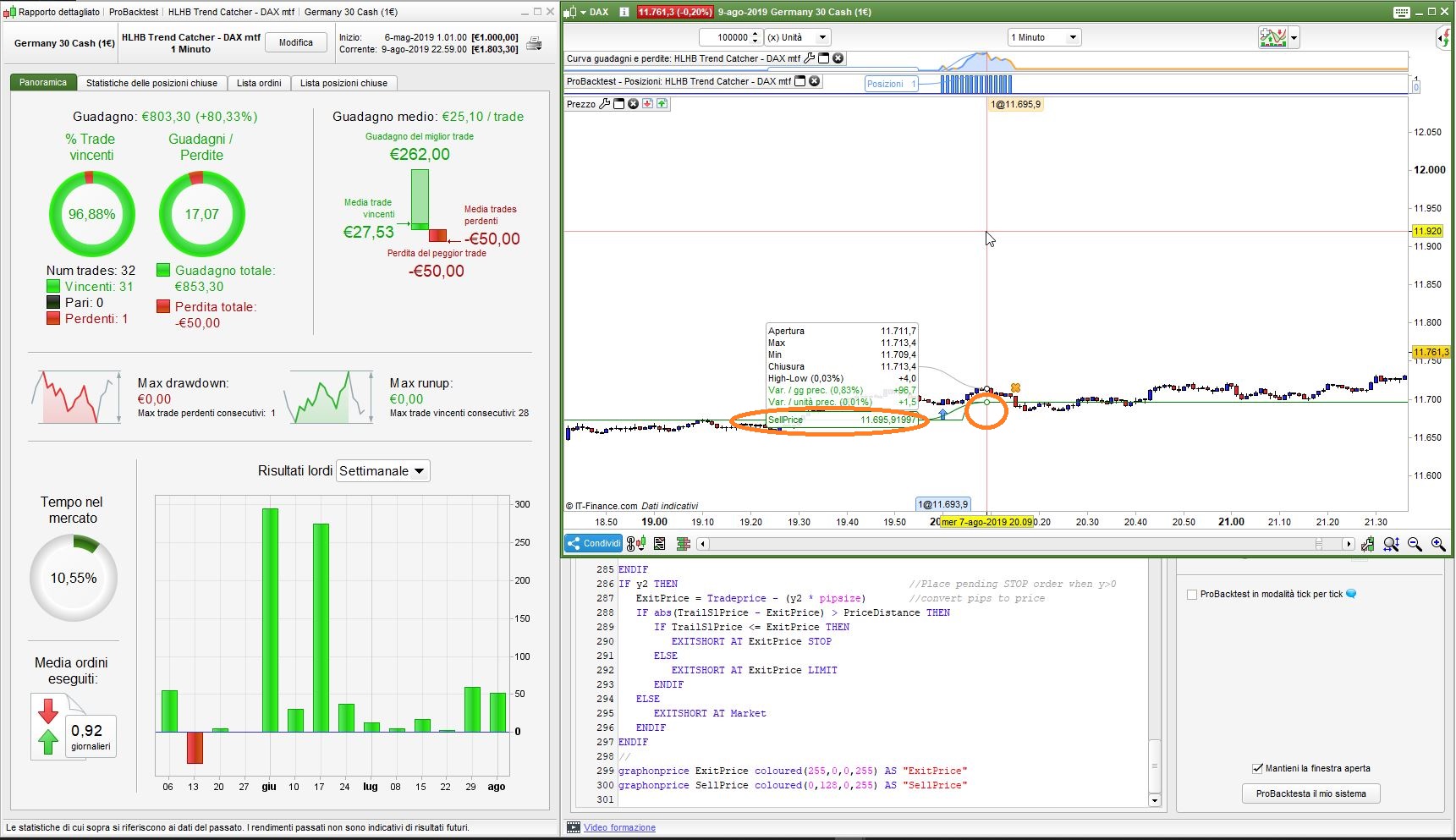
This is the trailing stop (ExitPrice & SellPrice) as from the original post.
I just added
graphonprice ExitPrice coloured(255,0,0,255) AS "ExitPrice"
graphonprice SellPrice coloured(0,128,0,255) AS "SellPrice"
to display them. As you can see the line increases as bars elapse in profit. The variables you GRAPHed are actually constants and won’t move at any time.
My fault Roberto … you explained / commented everything so well!
If I had only used Find – Trailing Stop I would have found the Section on TS.
Lesson learnt for me! 🙂
Least others can benefit also.
Looking good so far on Roberto original code!
I know it’s only 1 trade each, but I love the way it’s a quick in and out!
(My version on DJI 5 mins is also on it’s 1st trade … I’ll report when closed how it did!)
You wìll have to keep it running at least a few months before knowing if it’s really good, but it’s promising!
Excuse my poor math, I have a question regarding the trailing stop at line 261 and 270
//line261 &270
ProfitPerCent = max(ProfitPerCent[1],min(100,ProfitPerCent))
I guess u mean 1=100%? and maybe we should use 0.9 instead in case the market trends even further in the favourable direction? What are your opinions?
The purpose of that line is to allow a percentage (ProfitPerCent) in the range 1-100, in case it’s outside those boundaries and making sure it does not fall below the value retainded the previous candle.
But throughout the code, profitpercent has been adopting 0.1,0.2,0.3, instead of 10,20,30 to present percentage
Sorry, my previous post should have read:
The purpose of that line is to allow a percentage (ProfitPerCent) in the range Previous Bar-100
It makes sure the computation never falls backwards (whatever its value, I use 0.01 instead of 10) and never exceeds 100 (which is 100 times as much, 1 would be enough, but I did not care much about that, the main goal is that it does not drop below the previous bar’s value, otherwise the trailing would be meaningless).
I found that the strategy work well for DJI with 1min vs 30min TF as well with some tweak on the trailing stop. In my opinion the strategy is quite universal, especially on trendy markets. Has anyone tried this nice strategy on other markets? What are the results?
some tweak on the trailing stop
What were your tweaks on the Trailing Stop please?
Please could you post your tweaks as code or even your full version for DJI 1 min TF.
I’m running the system in live. It works quite well. Is there any instruments on which il could works well too?
I don’t know, I never tried other instruments.
AEParticipant
Senior
Hi
@robertogozzi!
Congrats for your strategy. It looks very well.
I saw that you use variable Z on RSI to do Walk Forward. Wich others variables do you recomend to improve with Walk Forward? What parameters did you used to do Walk Forward?
Thanks
