







TAC Volume MACD TIMING v1
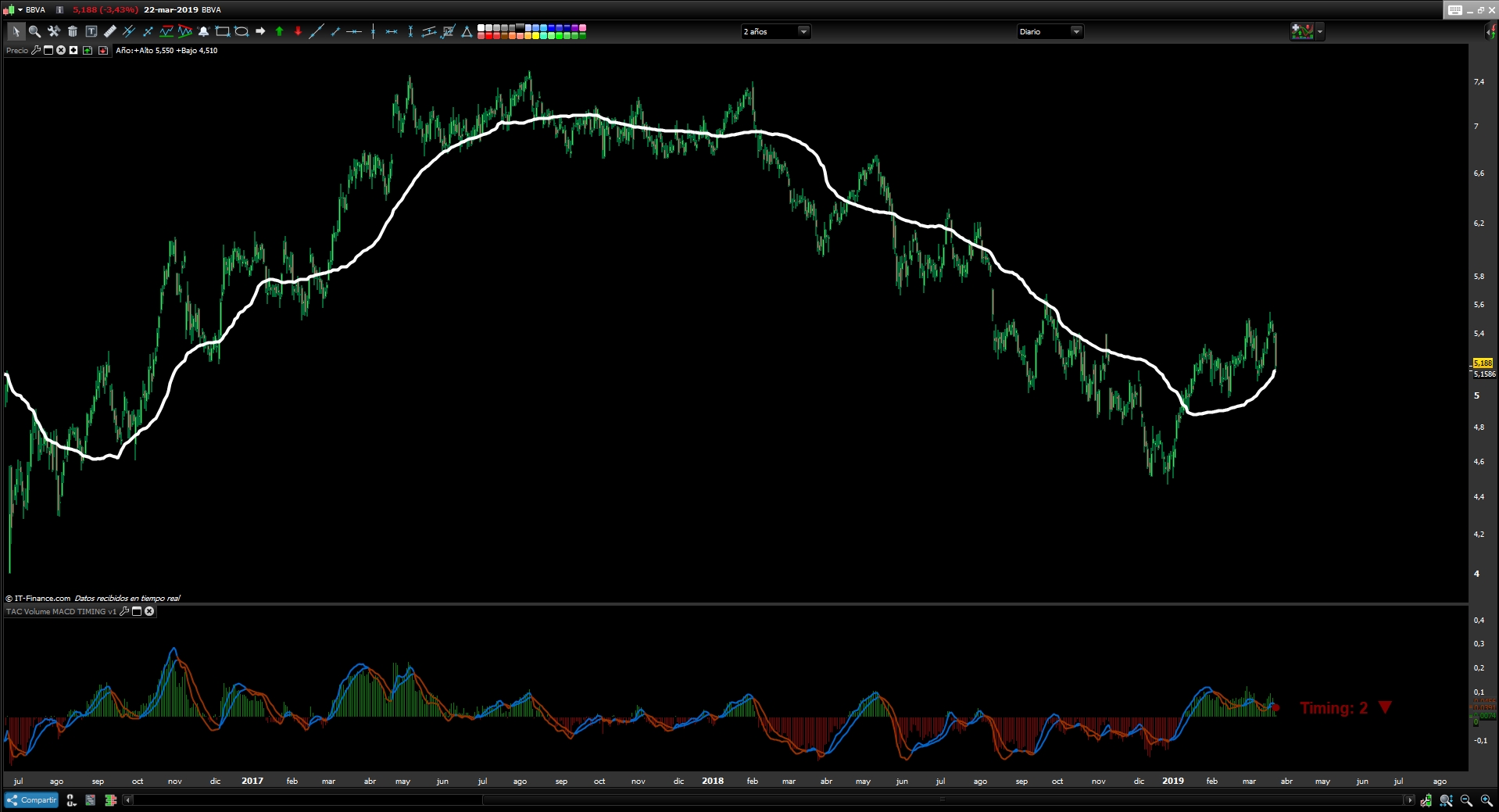
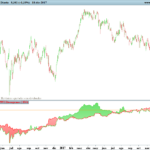
Multi-Indicator that combines several indicators to automate the movement of the price and trend based on the average of the entire volume distribution.
Wave: Average of the whole distribution of the volume in histogram form that measures the distance with the price, this provides in histogram mode the strength of the value based on the volume and marks the high point in the Histogram of the price reversal.
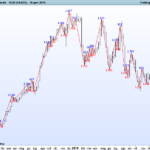
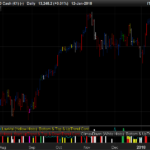
Timing: Recognizes all movements of the MACD indicator and lists them based on the trend obtained from the MACD and Wave indicators.
Bullish Trend
- Timing 1: Bullish Momentum
- Timing 2: Correction of Bullish Impulse
- Timing 3: Possible Reversal of the “Bearish” trend, Pause Trading
- Timing 4: Possible Reversal of the trend, Pause Trading
– The Timing 3 bullish trend will not work.
– The Timing 4 is a Timing of Pause, being this Timing the one that marks the bullish impulse in a market ceiling can be a trap. We have to wait for Timing 1 to confirm the continuation of the bullish momentum so as not to have a reversal of the movement and possible change of trend.
Bearish Trend
- Timing -1: Bearish Momentum
- Timing -2: Bullish Momentum of the Bearish trend
- Timing -3: Possible Reversion of the trend, Pause Trading
- Timing -4: Possible Continuation of the trend, Pause Trading
Documentation link
https://www.tiburonesdealetacorta.com/2019/03/tac-volume-macd-timing.html
///////////////////////////////////////////////////////////////////////
REM TAC Volume MACD TIMING
REM TAC Volume MACD TIMING | indicator
REM 01.09.2011
REM TAC @ www.tiburonesdealetacorta.com
REM Sharing www.tiburonesdealetacorta.com
////////////////////////////////////////////////////////////////////////

defparam drawonlastbaronly=true

pc=12
pl=26
ps=9
cero=0

n=60
lv1=0
lv2=0

for i= 0 to n do
lv1=lv1+close[i]*Volume[i]
lv2=lv2+Volume[i]
next

lv=lv1/lv2
Wave = close - lv

a=MACD[12,26,9](close)

hh=exponentialaverage[pc](close) - exponentialaverage[pl](close)
REM Signal
hh1=exponentialaverage[ps](hh)

if Wave crosses over 0 then
drawtext("●",barindex,hh1,Dialog,Bold,12) coloured(0,128,0)
DRAWLINE(barindex, hh1, barindex, hh1)
endif

if Wave crosses under 0 then
drawtext("●",barindex,hh1,Dialog,Bold,12) coloured(128,0,0)
DRAWLINE(barindex, hh1, barindex, hh1)
endif

if a<0 then
r=128
g=0
b=0
else
r=0
g=128
b=0
endif

//POSITIVO
IF HH>=0 and HH>HH1 and lv>lv[5] THEN
SENAL=1

ENDIF

IF HH>=0 AND HH<HH1 and lv>lv[5] THEN
SENAL=2
ENDIF

IF HH<=0 AND HH<HH1 and lv>lv[5] THEN
SENAL=3
ENDIF

IF HH<=0 AND HH>HH1 and lv>lv[5] THEN
SENAL=4
ENDIF

//NEGATIVO
IF HH<=0 and lv<lv[5] THEN
SENAL=-1
ENDIF

IF HH<=0 and HH>HH1 and lv<lv[5] THEN
SENAL=-2
ENDIF

IF HH>=0 and HH>HH1 and lv<lv[5] THEN
SENAL=-3
ENDIF

IF HH>=0 and HH<HH1 and lv<lv[5] THEN
SENAL=-4
ENDIF

TIMING = SENAL

if a crosses over 0 then
drawtext("●",barindex,hh,Dialog,Bold,12) coloured(r,g,b)
endif

if a crosses under 0 then
drawtext("●",barindex,hh,Dialog,Bold,12) coloured(r,g,b)
endif

if TIMING = 1 or TIMING = -2 then
r=0
g=128
b=0
DRAWTEXT(" Timing: #TIMING# ▲",barindex,hh1,SansSerif,Bold,20)coloured(0,128,0)

endif

if TIMING = 2 or TIMING = -1 then
r=128
g=0
b=0
DRAWTEXT(" Timing: #TIMING# ▼ ",barindex,hh1,SansSerif,Bold,20)coloured(128,0,0)
endif

if TIMING = 3 or TIMING = 4 or TIMING = -4 or TIMING = -3 then
r=255
g=165
b=0
DRAWTEXT(" Timing: #TIMING# ▬",barindex,hh1,SansSerif,Bold,20)coloured(255,165,0)
endif

if Wave>=0 then
rm=0
gm=128
bm=0
else
rm=128
gm=0
bm=0
endif

if hh>hh1 then
rh=0
gh=102
bh=204
else
rh=150
gh=50
bh=0
endif

if hh1<hh then
rh1=0
gh1=102
bh1=204
else
rh1=150
gh1=50
bh1=0
endif

return Wave/4 coloured (rm,gm,bm) style (histogram) as "Wave",hh coloured(rh,gh,bh) style(line,2) as "MACD",hh1 coloured(rh1,gh1,bh1)style(line,2) as "Signal", cero as "cero"
Comments
You must be logged in to post a comment.

Bonjour, je teste et j'utilise vos indicateurs depuis plusieurs années, et ils me sont devenus indispensables dans mes prises de décisions. Merci vraiment pour votre partage; Désireux de suivre de près la suite, est-il possible de m'autoriser à accéder à votre Blog ? Merci beaucoup.


Hallo Tac Bolsa, Thanks a lot for your coding above. As I am personally not very charmed of the MACD (delayed crossings), I adjusted the code and deleted the MACD calculation and simply replaced it for a weighted average.(see below) The average of the adjusted average volume seems to show good reversals of short term trends, if the average starts increasing from the lowest point, the probability of a succesful long position are reasonable. I am using it for 5 minutes trading, but also for trend watching on daily charts, and more timeframes inbetween. The Button ADD PRT Code does not function for me, so I copied my adustment below. /////////////////////////////////////////////////////////////////////// REM TAC Volume TEMA //////////////////////////////////////////////////////////////////////// iter = 60 //interations WA = 28 //wa of volume adjusted average zero=0 //null line in graph lv1=0 lv2=0 //Volume adjusted Average for i= 0 to iter do lv1=lv1+close[i]*Volume[i] lv2=lv2+Volume[i] next lv=lv1/lv2 Wave = (close - lv) TWave = weightedaverage[WA](Wave) if Wave>=0 then // setting color red or green of histogram rm=0 gm=128 bm=0 else rm=128 gm=0 bm=0 endif if TWave>=TWave[1] then // setting color red or green of histogram ra=0 ga=128 ba=0 else ra=128 ga=0 ba=0 endif return Wave coloured (rm,gm,bm) style (histogram) as "Wave", zero as "zero", TWave coloured (ra,ga,ba) style(line,3) as "AvWave"




Discontinued indicator. we are sorry.