




Simple triple average with visual color
February 20, 2020, 1:18 PM
Indicators
5 Comments
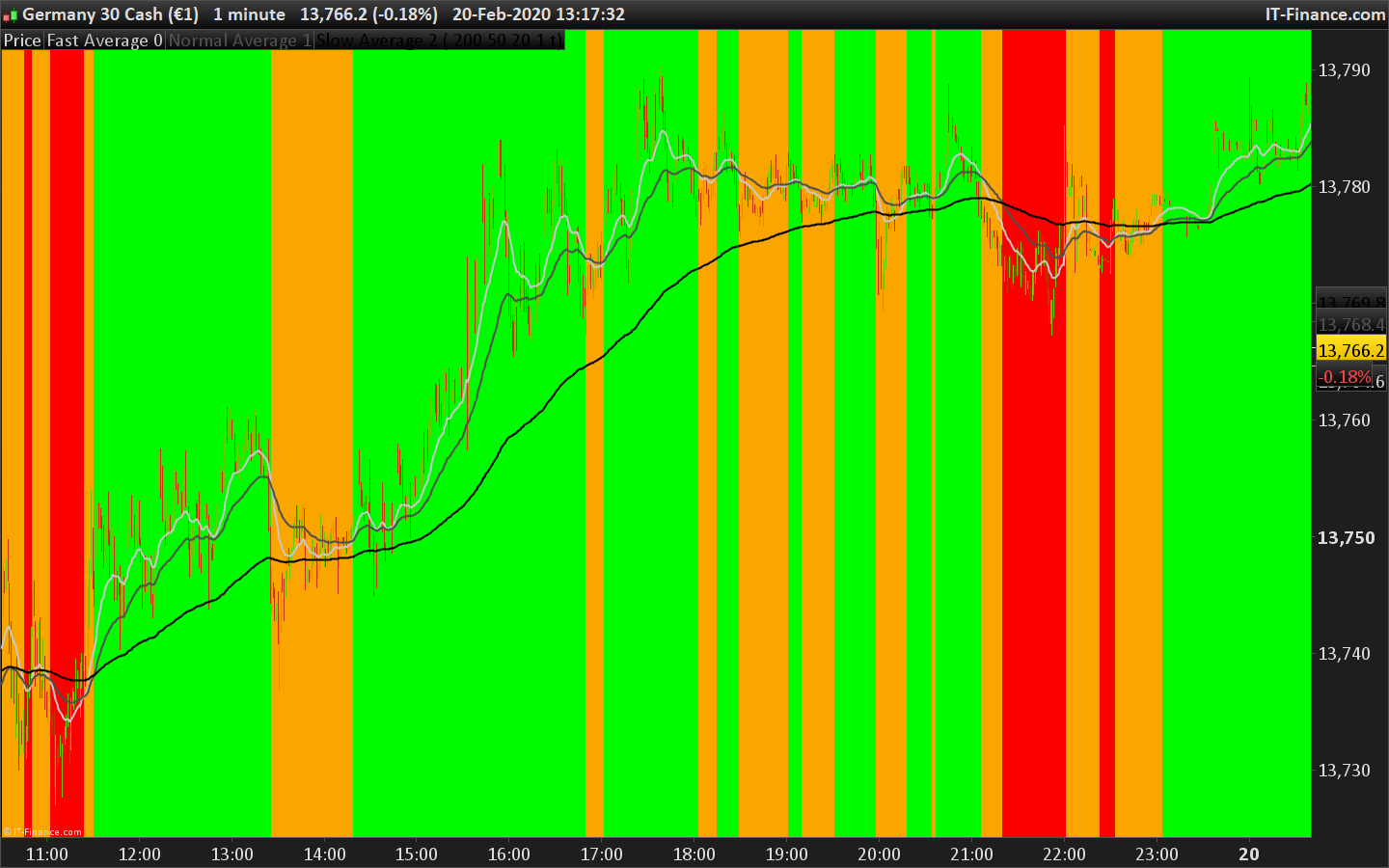
Hi all.
Simple trend indicator based on moving average, define your moving average parameter and watch the result. You can apply in on the price chart or below it to get the trend direction or pullback infos quickly.
green = fast moving average> normal and normal> slow.
red = fast moving average <normal and normal <slow.
yellow = green or red is not correct.
// Author: Tom's - Leofi
// Name: Terminus indicator
// Description: Trend average indicator

// Var indicator
emaSlow = Average[slow, type](close)
emaNormal = Average[normal, type](close)
emaFast = Average[fast, type](close)

// Logic
if (emaFast > emaNormal and emaNormal > emaSlow) then
 backgroundcolor(0,250,0)
elsif (emaFast < emaNormal and emaNormal < emaSlow) then
 backgroundcolor(250,0,0)
else
 backgroundcolor(250,165,0)
endif

// Boolean draw indicator
if (drawIndicator) then
 indicatorAlpha = 250
else
 indicatorAlpha = 0
endif

return emaFast coloured(200, 200, 200, indicatorAlpha) STYLE(line, 2) as "Fast Average 0", emaNormal coloured(80, 80, 80, indicatorAlpha) STYLE(line, 2) as "Normal Average 1", emaSlow coloured(0, 0, 0, indicatorAlpha) STYLE(line, 2) as "Slow Average 2"
Download
Filename:
Terminus-indicator.itf
Downloads:
149
Junior
Dev java, php, html, css, javascript..
Author’s Profile


Loading...