







OnChart Stochastic
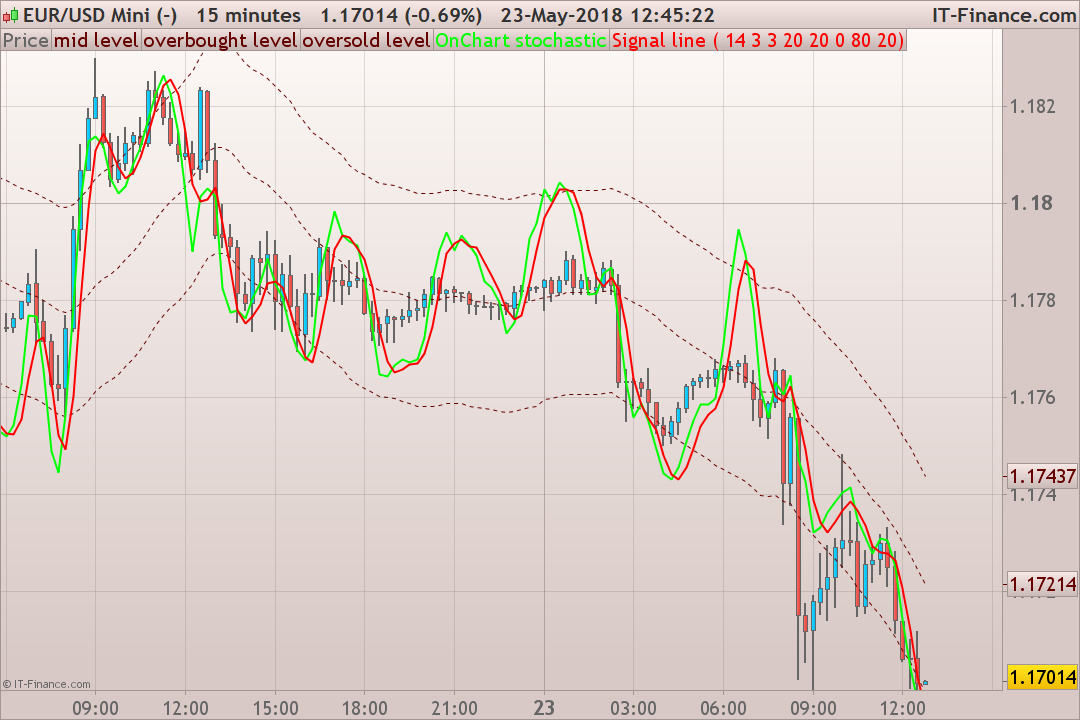
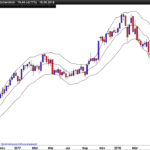
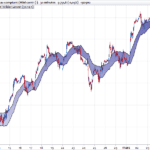
The “onChart Stochastic” indicator plots a stochastic oscillator directly overlaid on the price chart.
The price range of the stochastic is calculated with the daily Average True Range of the last 20 periods (days).
This price range is then applied centered over a moving average on price. Consequently, the overbought and oversold levels are the upper and lower bands of the channel. By using this kind of approach, any bounded oscillator could be applied on the price chart, like the way this indicator does (RSI, CCI, etc.).
Converted from a MT4 indicator by a request in the English forum.
//PRC_OnChart Stochastic | indicator
//23.05.2018
//Nicolas @ www.prorealcode.com
//Sharing ProRealTime knowledge

// --- settings
KPeriod = 26
Slowing = 5
DPeriod = 5
ATRperiod = 20
maPeriod = 20
maMethod = 0
overBought = 80
overSold = 20
// --- end of settings

maPrice = customclose

dTR = 0
for i = 0 to ATRperiod-1
 dTR=dTR+max(abs(Dhigh(i)-Dlow(i)),max(abs(Dhigh(i)-Dclose(i+1)),abs(Dlow(i)-Dclose(i+1))))
next

avgRange = dTR/ATRperiod
maValue = average[maPeriod,maMethod](maPrice)
stochValue = Stochastic[Kperiod,Slowing](maPrice)
signalValue = average[Dperiod,maMethod](stochValue)
//----
Buffer1=maValue
Buffer2=maValue+(avgRange*(overBought-50)/100)
Buffer3=maValue-(avgRange*(50-  overSold)/100)
Buffer4=maValue+(stochValue -50)/100*avgRange
Buffer5=maValue+(signalValue-50)/100*avgRange

return Buffer1 coloured(102,0,0) style(dottedline,1) as "mid level", Buffer2 coloured(102,0,0) style(dottedline,1) as "overbought level", Buffer3 coloured(102,0,0) style(dottedline,1) as "oversold level", Buffer4 coloured(0,255,0) style(line,2) as "OnChart stochastic", Buffer5 coloured(255,0,0) style(line,2) as "Signal line"
Comments
You must be logged in to post a comment.



Ya esta lo he conseguido estas son las imagenes https://www.screencast.com/t/upBvffuN ademas ahora se pueden cambiar tanto los parametros de los dos osciladores como la media mobil si se pone en 100 o en 200 ademas la linea discontinua de puntos azul es el eje de los estocasticos y al mismo tiempo esta media movil muy bueno el indicador Nicolas
Hola Nicolas A ver cogiendo tus conocimientos he realizado un nuevo codigo no con uno sino con dos osciladores asi me permite programar mi Sistema de trenes (que explico en el codigo) sin embargo como casi siempre hasta que aprenda mas algo no hago bien y no dibuja las flechas de entrada y salida Este Sistema llamado de "Trenes" da trades de altisima probabilidad y con mas del 85 % de aciertos

Buongiono e grazie : l'immagine sopra ritrae l'indicatore sul TF 15 min ma a me funziona solo DAY e H1 per il 15 min / 5 min devo apportare qualche modifica ??? grazie