




Moving Average Daily
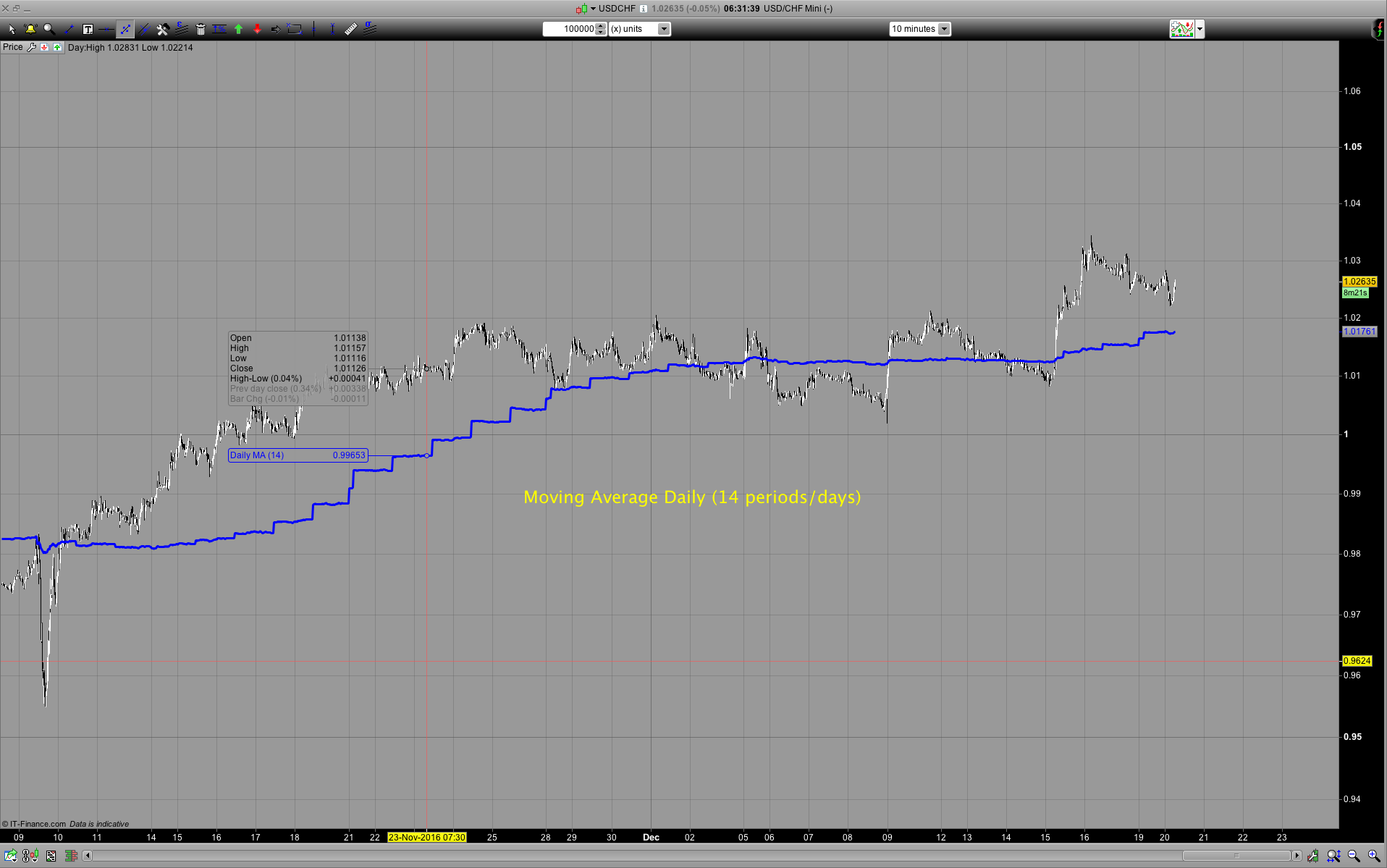
At this stage ProRealtime doesn’t have multi timeframe capabilities. However one easy possibility is to use the moving average of the daily timeframe with the options of DOpen, DHigh, DLow, DClose and that’s what this indicator enables you to do. You can select the number of periods ie. Days: number of periods/days (please note there’s a limit depending on the timeframe you use this on and there’s a difference between PRT and IG data periods) open/high/low/close, etc… If you are going to use this in a live trading account you will need to set: DEFPARAM Preloadbars = Here is the table of how much Preloadbars you will need depending how many periods you want to look back. The column max days shows the maximum of what you can set Preload to.
As an example of you are using a 10 minute timeframe the maximum DEFPARAM Preloadbars = 5000 // maximum is 5000 and this is equal to the moving average of 35 days.
| DEFPARAM Preloadbars = | |||
| 60 | 24 | 5000 | |
| Minutes | bars per hour | bars per day | max days |
| 1 | 60 | 1440 | 3 |
| 5 | 12 | 288 | 17 |
| 10 | 6 | 144 | 35 |
| 15 | 4 | 96 | 52 |
| 30 | 2 | 48 | 104 |
| 60 | 1 | 24 | 208 |
You should find this indicator useful if you are trading mean reversion system and want to make an entry a timeframe less than the daily while using the daily moving average as the mean.
REMINDER: if you want the indicator to appear in the Price section of the chart, you must add it by clicking on the spanner icon on the little Price tab in the Price window.
// Please note if you're using IG there's a smaller number of days you can use and the smaller the timeframe the small number of days you can use
periods = p // days

LMA=0 // Loop MA
FOR i = 0 TO periods-1 DO  // Need -1 so the Result is the number of periods we actually want
 LMA = DClose(i) + LMA // Don't think this is possible CustomClose[(i)]
Next

LMAactual = (LMA / (periods))

RETURN LMAactual AS "Daily MA"
