







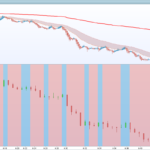
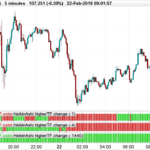
Heikin-Ashi candle smoothed
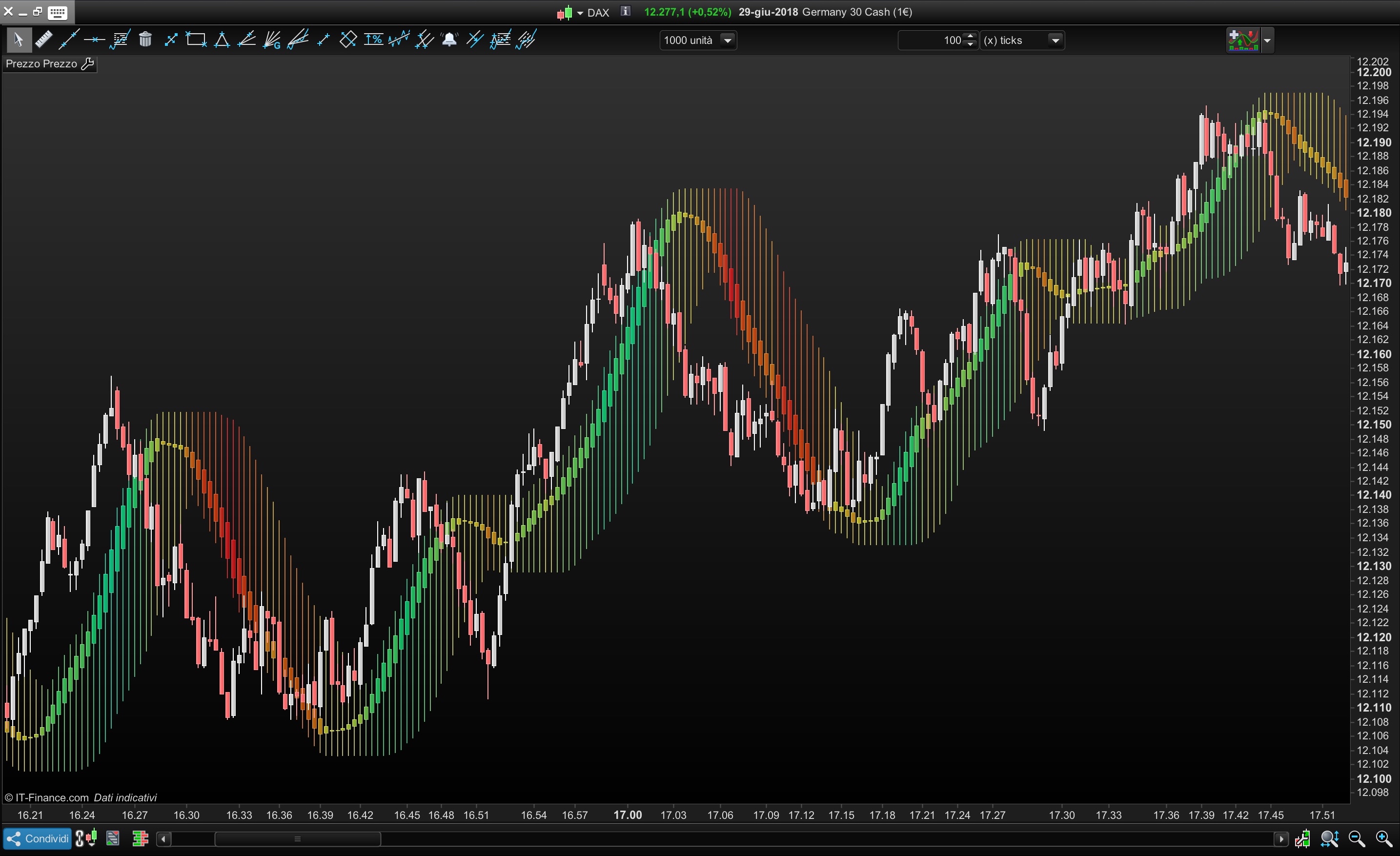
You can use this indicators in different ways
- Moving Average
- Range area
- Filtered area of market movement
You can set :
- Average period of candle=HeikinPeriod
- Average Type (simple,exponential,triangular, etc) = AverageType
- Average period of impression channel (Highest/Lowest) = ChannelPeriod
- Transparency of the candle =Transparency
//ALE - 28.06.2018
//@PROREALCODE
/////////
//HeikinPeriod =40
//AverageType  =5
//ChannelPeriod=10
//TransParency =15
/////////
IF BarIndex=0 THEN
xClose = (open+high+low+close)/4
xOpen = open
xHigh = high
xLow = low
ELSE
xClose = (open+high+low+close)/4
xOpen = (xOpen[1]+xClose[1])/2
xHigh = Max(max(high, xOpen), xClose)
xLow = Min(min(Low, xOpen), xClose)
endif
//Smoothed Heikin-Ashi
xxclose=Average[max (1,HeikinPeriod),AverageType](xclose)
xxOpen = Average[max (1,HeikinPeriod),AverageType](xOpen)
xxHigh = Average[max (1,HeikinPeriod),AverageType](xHigh)
xxLow  = Average[max (1,HeikinPeriod),AverageType](xLow)


//Colour Setting
MyDi = xxclose-xxclose[1]
r=50+(200-MyDi*100)
g=50+(200+MyDi*100)
b=50+(0+MyDi*30)
//Build channel with Highest and Lowest of Heikin-Ashi smoothed candle
DRAWCANDLE(xxOpen, highest[max(1, ChannelPeriod)](xxHigh), lowest[max(1, ChannelPeriod)](xxlow), xxClose) Coloured (R,G,b,MAX(50,Transparency*10))


Return

Comments
You must be logged in to post a comment.


Hi all, Still seeking help with this indicator. I love using it but my candles are all yellow, and I do not know how to change them to display as red and green. I have tried the suggestions above, but they haven't solved the issue. The code I am using is: //@PROREALCODE IF BarIndex=0 THEN xClose = (open+high+low+close)/4 xOpen = open xHigh = high xLow = low ELSE xClose = (open+high+low+close)/4 xOpen = (xOpen[1]+xClose[1])/2 xHigh = Max(max(high, xOpen), xClose) xLow = Min(min(Low, xOpen), xClose) endif //Smoothed Heikin-Ashi xxclose=Average[max (1,HeikinPeriod),AverageType](xclose) xxOpen = Average[max (1,HeikinPeriod),AverageType](xOpen) xxHigh = Average[max (1,HeikinPeriod),AverageType](xHigh) xxLow = Average[max (1,HeikinPeriod),AverageType](xLow) //Colour Setting MyDi = xxclose-xxclose[1] r=50+(200-MyDi*100) g=50+(200+MyDi*100) b=50+(0+MyDi*30) //Build channel with Highest and Lowest of Heikin-Ashi smoothed candle DRAWCANDLE(xxOpen, highest[max(1, ChannelPeriod)](xxHigh), lowest[max(1, ChannelPeriod)](xxlow), xxClose) Coloured (R,G,b,MAX(50,Transparency*10)) I would really appreciate some help with this. Thank you Return

to remove color, just edit the code and comment to color selection //Colour Setting //MyDi = xxclose-xxclose[1] //r=50+(200-MyDi*100) //g=50+(200+MyDi*100) //b=50+(0+MyDi*30) and remove: Coloured (R,G,b,MAX(50,Transparency*10)) from your code.
Hi All, My coding knowledge is very poor, and I would really appreciate some help adding this indicator. I get the following message when I try to add the indicator - Syntax error: The following variable is undefined: heikinperiod The following variable is undefined: averagetype The following variable is undefined: channelperiod The following variable is undefined: transparency Could someone please help me to fix this error? Thank you Corinne

Beautiful! Bravo ! A work of art!