




Heikin-Ashi candle smoothed
June 30, 2018, 2:46 PM
Indicators
19 Comments
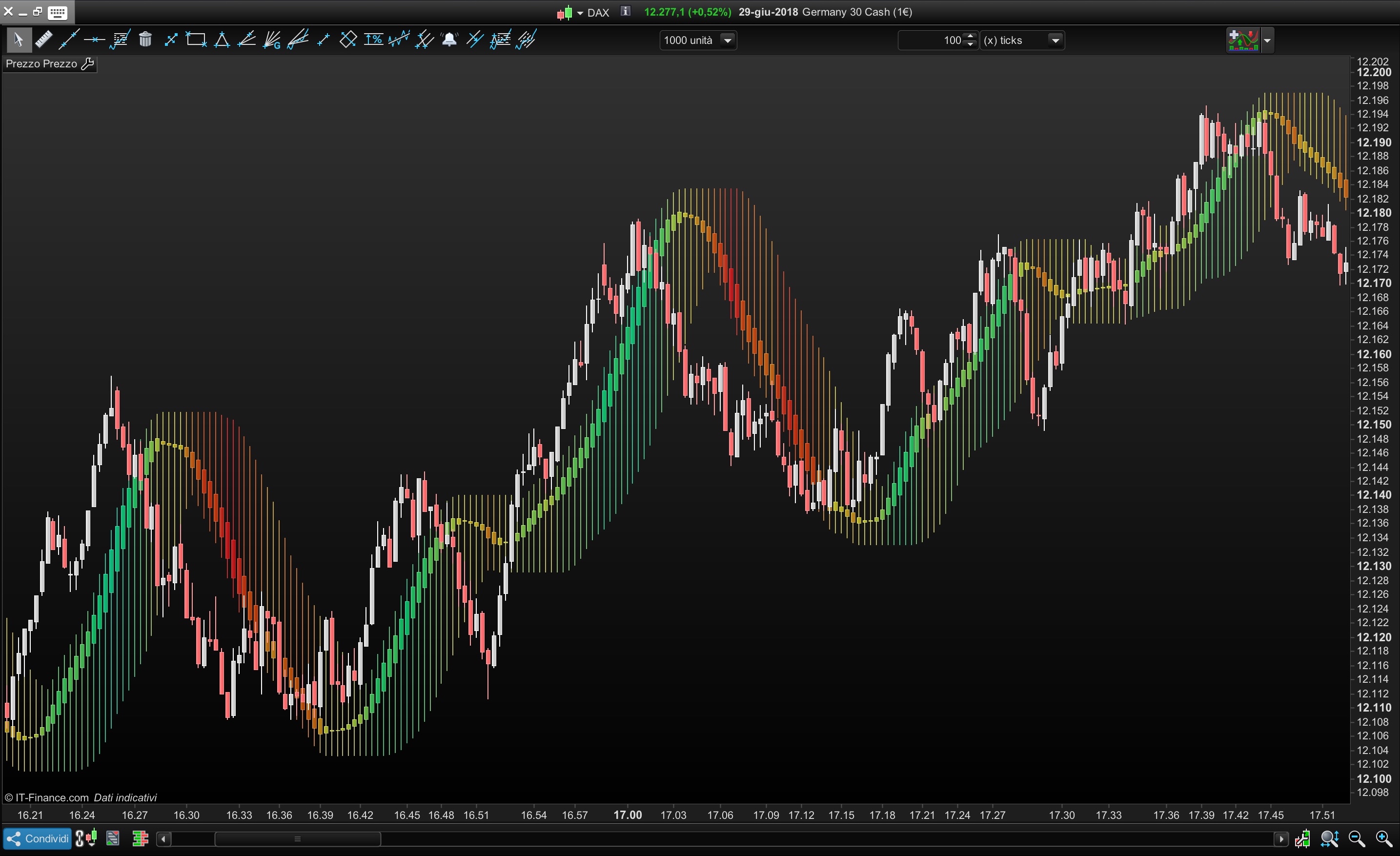
You can use this indicators in different ways
- Moving Average
- Range area
- Filtered area of market movement
You can set :
- Average period of candle=HeikinPeriod
- Average Type (simple,exponential,triangular, etc) = AverageType
- Average period of impression channel (Highest/Lowest) = ChannelPeriod
- Transparency of the candle =Transparency
//ALE - 28.06.2018
//@PROREALCODE
/////////
//HeikinPeriod =40
//AverageType  =5
//ChannelPeriod=10
//TransParency =15
/////////
IF BarIndex=0 THEN
xClose = (open+high+low+close)/4
xOpen = open
xHigh = high
xLow = low
ELSE
xClose = (open+high+low+close)/4
xOpen = (xOpen[1]+xClose[1])/2
xHigh = Max(max(high, xOpen), xClose)
xLow = Min(min(Low, xOpen), xClose)
endif
//Smoothed Heikin-Ashi
xxclose=Average[max (1,HeikinPeriod),AverageType](xclose)
xxOpen = Average[max (1,HeikinPeriod),AverageType](xOpen)
xxHigh = Average[max (1,HeikinPeriod),AverageType](xHigh)
xxLow  = Average[max (1,HeikinPeriod),AverageType](xLow)


//Colour Setting
MyDi = xxclose-xxclose[1]
r=50+(200-MyDi*100)
g=50+(200+MyDi*100)
b=50+(0+MyDi*30)
//Build channel with Highest and Lowest of Heikin-Ashi smoothed candle
DRAWCANDLE(xxOpen, highest[max(1, ChannelPeriod)](xxHigh), lowest[max(1, ChannelPeriod)](xxlow), xxClose) Coloured (R,G,b,MAX(50,Transparency*10))


Return
Download
Filename:
Heikin_Candle_smoothed-with-colors.itf
Downloads:
419
Download
Filename:
Heikin_Candle_smoothed.itf
Downloads:
594
Master
My name is Alessandro, i'm a trader since 2006
You can find me on my website: <a href="http://www.automatictrading.it/" rel="dofollow">www.automatictrading.it</a>
<strong>(trading programming services Italy)</strong>
Italy
Author’s Profile


Loading...