




Climatic Volume X
August 31, 2020, 3:39 PM
Indicators
8 Comments
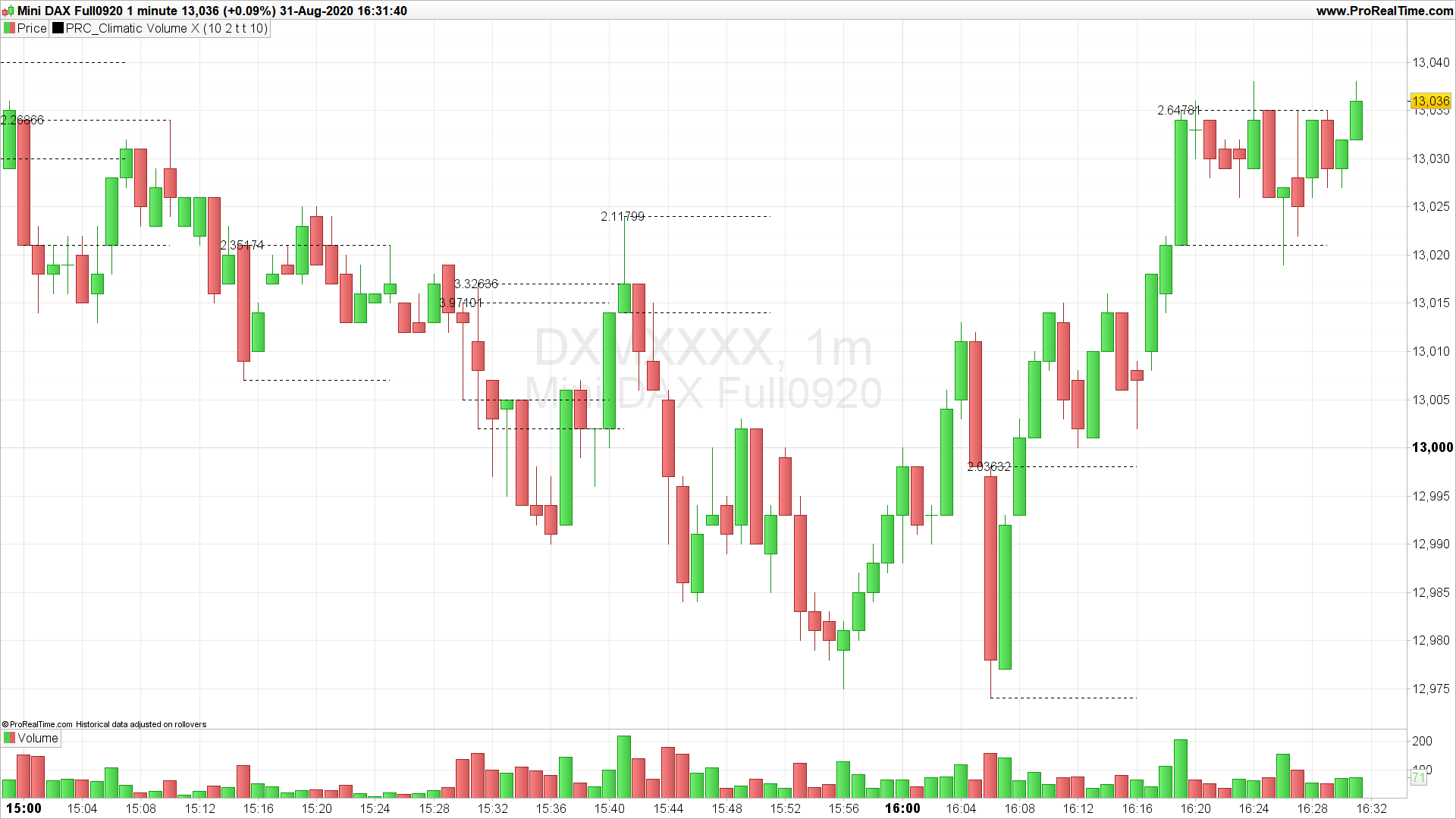
The Climatic Volume X indicator detects when a candlestick has a relative volume higher than the “HighVolume” settings.
The relative Volume is equal to the current candlestick volume divided by the average of volumes calculated with the last “length” bars.
It is an indicator where high volume climatic candles are marked with resistance lines and support that could be used as breakout thresholds.
Converted from TradingView code following a request in the indicator’s forum.
The below code is for PRT v11 only. You can download the compatible v10.3 itf file at the bottom of this page.
//PRC_Climatic Volume X | indicator
//31.08.2020
//Nicolas @ www.prorealcode.com
//Sharing ProRealTime knowledge
//converted from tradingview
//https://www.prorealcode.com/topic/conversion-indicador-cvx-de-tradingview/
//PRT V11 only

// --- settings
Length = 10 //average length for Volume
HighVolume = 2 //minval=0.01  High Volume
showrelativevolume= 1 //Show Relative Volume (1=true)
showlines = 1 //Show Lines (1=true)
Extendlines= 10 //Extend Lines
// --- end of settings

AverageVolume = average[Length](volume)
RelativeVolume = volume / AverageVolume

dt = time - time[1]

if RelativeVolume > HighVolume and showrelativevolume then
 drawtext("#RelativeVolume#",barindex,high,sansserif,standard,16)
endif
if RelativeVolume > HighVolume and showlines then
 drawsegment(barindex,low,barindex+ExtendLines,low) style(dottedline)
 drawsegment(barindex,high,barindex+ExtendLines,high) style(dottedline)
endif

return
Download
Filename:
PRC_Climatic-Volume-X-v10.3.itf
Downloads:
186
Download
Filename:
PRC_Climatic-Volume-X.itf
Downloads:
268
Master
I created ProRealCode because I believe in the power of shared knowledge. I spend my time coding new tools and helping members solve complex problems.
If you are stuck on a code or need a fresh perspective on a strategy, I am always willing to help. Welcome to the community!
Author’s Profile


Loading...