


Works Space Sample

Viewing 9 posts - 1 through 9 (of 9 total)
  • Author
    Posts
  • #202519 quote
    ZeroCafeineZeroCafeine
    Participant
    Senior

    Hi everyone one, hope you are fine


    Some know where I can find some samples of work space? Or maybe you can share some of yours 🙂?


    I know they have 2 sample with the free PRT account, and also I know we don’t have the same needs, but it’s just for getting some ideas 😊


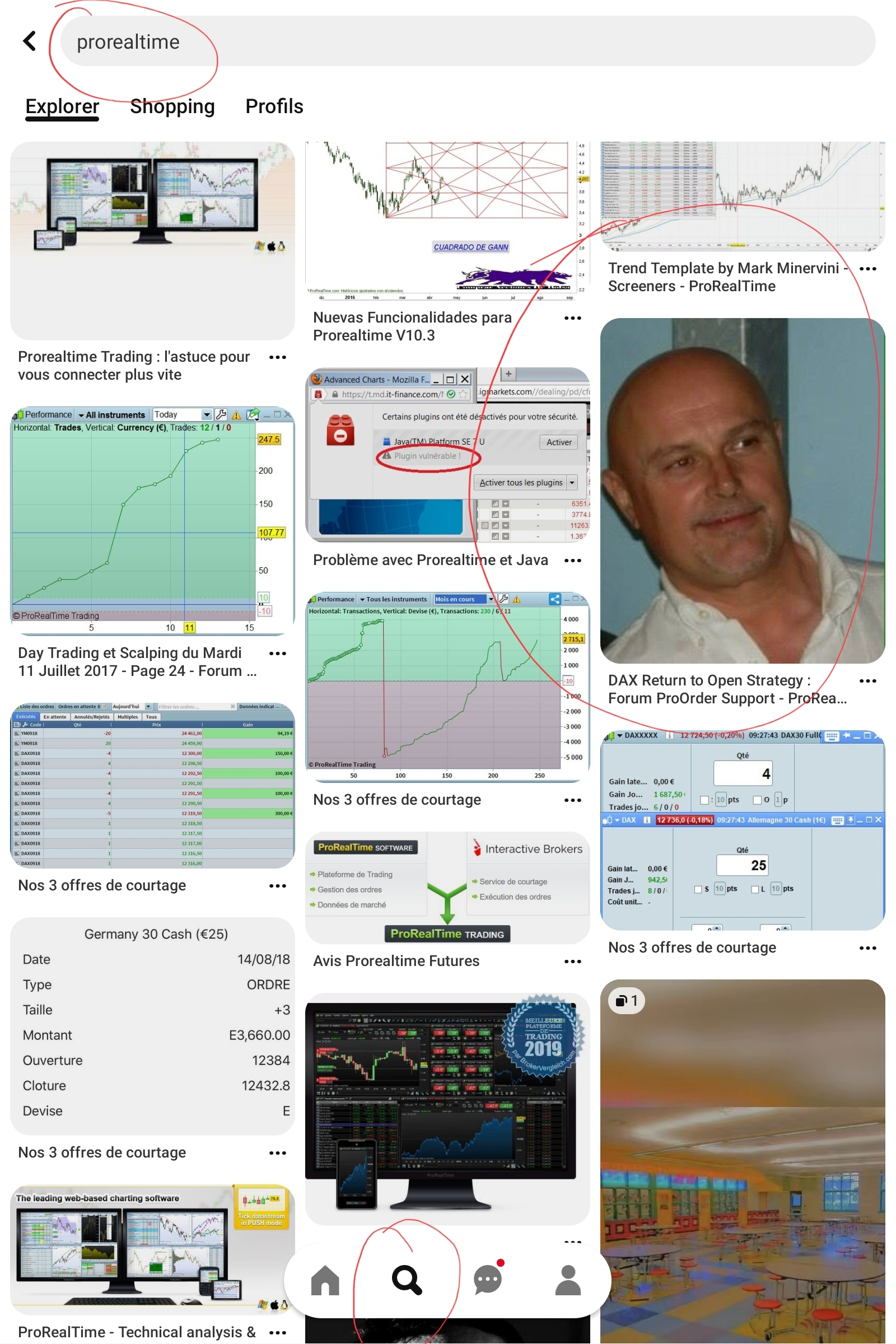
    I had done a search on Pinterest and here is the result I found Roberto 😄

    Screenshot_20221014-091043_Pinterest.jpg Screenshot_20221014-091043_Pinterest.jpg
    #202523 quote
    NicolasNicolas
    Keymaster
    Legend

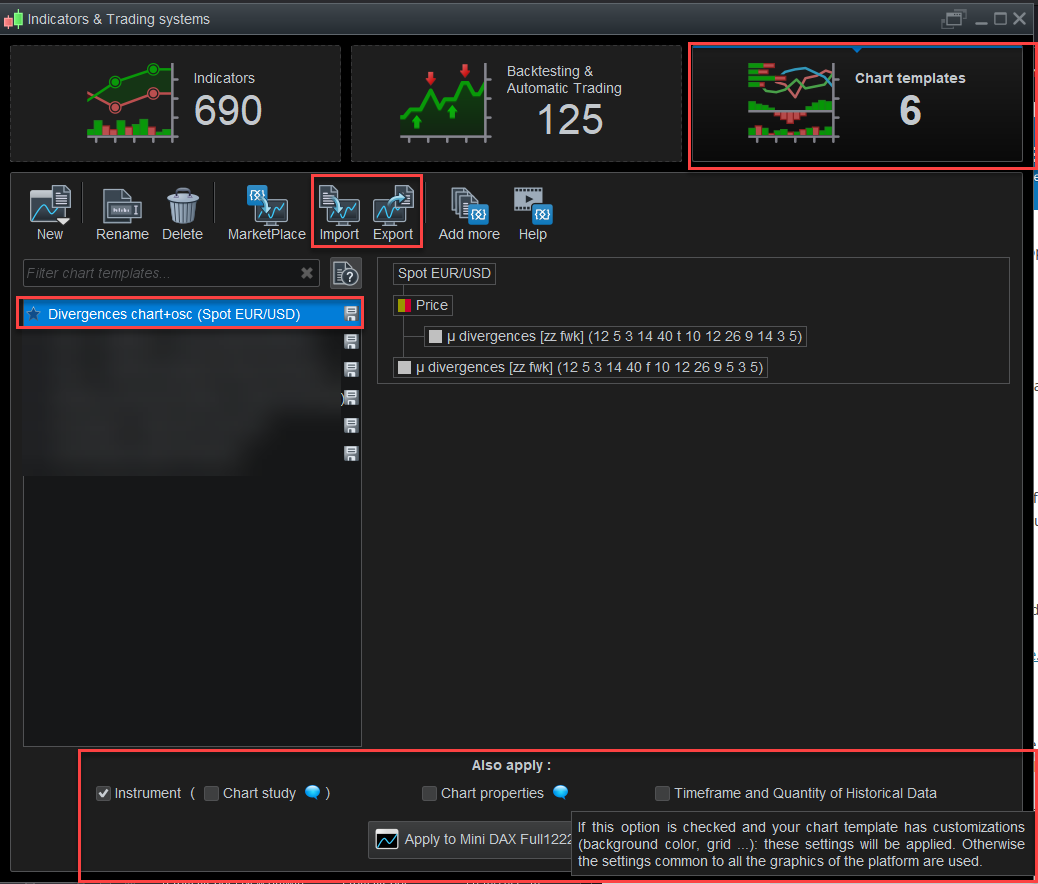
    In ProRealTime version 12, you can now export (and therefore import) complete “Chart Templates”, i.e. the complete interface of your platform, including the associated indicators that are placed on your charts, colors, fonts, grids, etc., graphic studies also .. (see attached image).

    A new category will therefore be created in the Library for this purpose, everyone will be able to share their “Chart Templates” itf files there šŸ™‚

    So you can already “have fun” preparing your templates to share them with your friends and the community ! šŸ™‚ I think it will be live in November.

    ZeroCafeine thanked this post
    prorealtime-chart-templates.png prorealtime-chart-templates.png
    #202536 quote
    GraHalGraHal
    Participant
    Legend

    Does the new option ‘saving chart Templates’ in V12 also include export / import of bespoke / user preferred layouts for Detailed Report?

    #202541 quote
    GraHalGraHal
    Participant
    Legend

    I’m referring above to the Detailed Report Dashboard layout.

    It takes loads time to make the Detailed Report Dashboard user friendly (i.e. not require scrolling up, down, sideways to fill 1 screen size … as with PRT default layouts) and so it be great if a ‘user originated layout’ for Detailed Report Dashboard could be exported then imported to another Account.

    ZeroCafeine thanked this post
    #202544 quote
    NicolasNicolas
    Keymaster
    Legend

    I don’t think so GraHal sorry.

    #202552 quote
    GraHalGraHal
    Participant
    Legend

    I emailed re ‘Detailed Report Dashboard Configuration’ direct to PRT as a Suggestion for Improvement, I sent my suggestion in English and French … makes it easier for them šŸ™‚

    JC_Bywan and JS thanked this post
    #202616 quote
    GraHalGraHal
    Participant
    Legend

    I don’t think so GraHal sorry.

    Mmm seems it might be so??Ā  Although the ‘may contain’ suggests you may be correct Nicolas.

    Reply back from PRT (already! šŸ™‚ ) following my emailed Suggestion …

    Thank you for your message and your continued interest in our platform.

    What you are asking for is not currently an existing feature of V11 but this has been implemented on V12: you will be able to import/export work-spaces templates which may contain a custom display of detailed reports, which will then be imported as such.

    #202663 quote
    NicolasNicolas
    Keymaster
    Legend

    Ok.. wait šŸ˜† I’m asking the v12 expert and let you know!

    GraHal thanked this post
    #202701 quote
    NicolasNicolas
    Keymaster
    Legend

    I confirm that I stated previously, the detailed report configuration is not exported in the new “chart template” feature, sorry again šŸ™

    GraHal thanked this post
Viewing 9 posts - 1 through 9 (of 9 total)
  • You must be logged in to reply to this topic.
ProRealAI ProRealAI New

From idea to ProBuilder code in seconds.

Your coding copilot for ProRealTimeā„¢. Ask in plain English — get clean, ready-to-paste indicators, screeners and systems.

Available in 7 languages
Try ProRealAI

Works Space Sample


Platform Support: Charts, Data & Broker Setup

New Reply
Author
Summary

This topic contains 8 replies,
has 3 voices, and was last updated by NicolasNicolas

4 years ago.

Topic Details
Forum: Platform Support: Charts, Data & Broker Setup
Language: English
Started: 10/14/2022
Status: Active
Attachments: 2 files
ProRealCode ProRealCode
Loading...