Use of classical Indicator

Viewing 4 posts - 1 through 4 (of 4 total)

  • Author
    Posts
  • #117460 quote
    ZigoZigo
    Participant
    Master

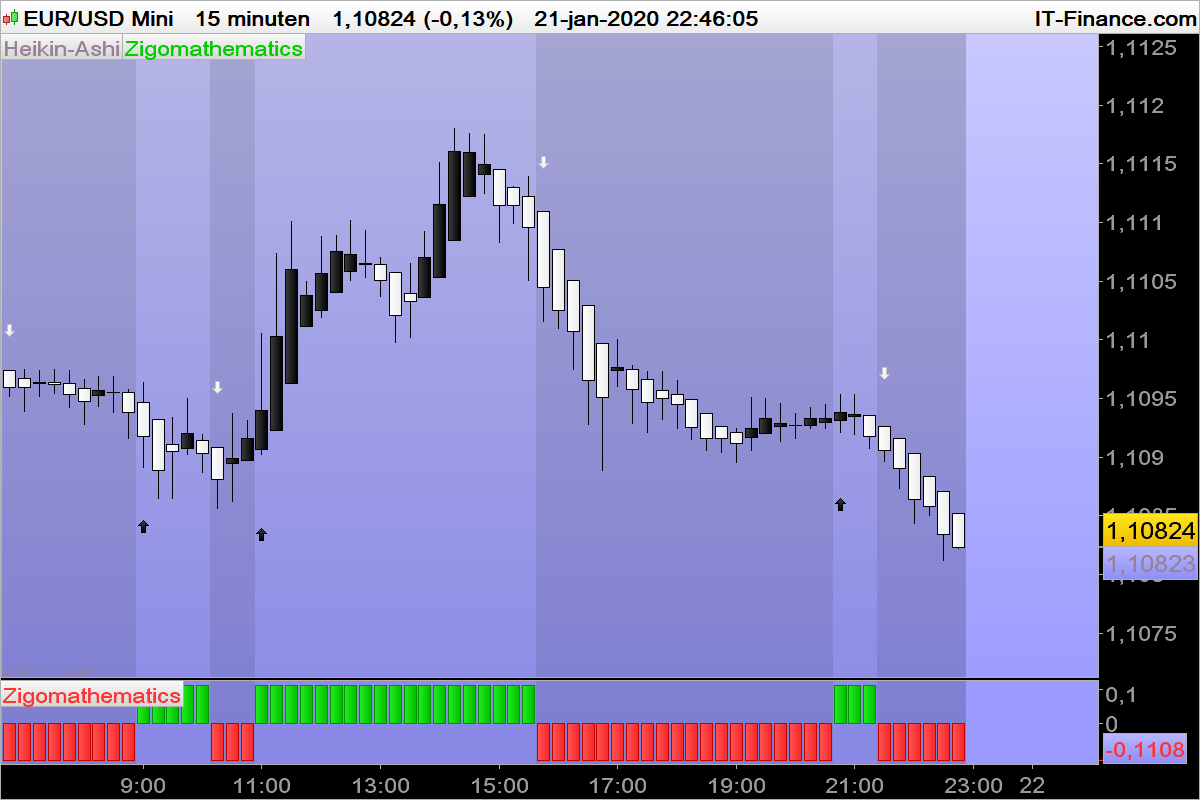
    Use of a classical Indicator.
    The Indicator can be set under (above)the graphic and in the graphic.

    //Compute %R Williams Indicator twice, once with the High and second with the low instead of the close
    c1=Williams[11](high)
    c2=Williams[11](low)
    //Compare with the Overbought conditions
    if c1 >-20 and c1 > c1[1] then
    b = close+(0.1*close)-close
    //Compare with the Oversold conditions
    elsif c2 < -80 and c2 < c2[1] then
    b=close -(0.1*close)-close
    endif
    
    //Backgroundcolors and arrow's up and down
    
    if b >= 0 then
    BACKGROUNDCOLOR(0,0,0,25)
    if b crosses over 0 then
    DRAWARROWUP(barindex, low-1.5*AverageTrueRange[14](close))coloured(0,0,0,255)
    endif
    elsif b < 0 then
    BACKGROUNDCOLOR(0,0,0,45)
    if b crosses under 0 then
    DRAWARROWDOWN(barindex, high +1.5*AverageTrueRange[14](close))coloured (255,255,255,255)
    endif
    endif
    return b
    
    Nicolas thanked this post
    EURUSD-15-minuten.png EURUSD-15-minuten.png
    #117465 quote
    ZigoZigo
    Participant
    Master

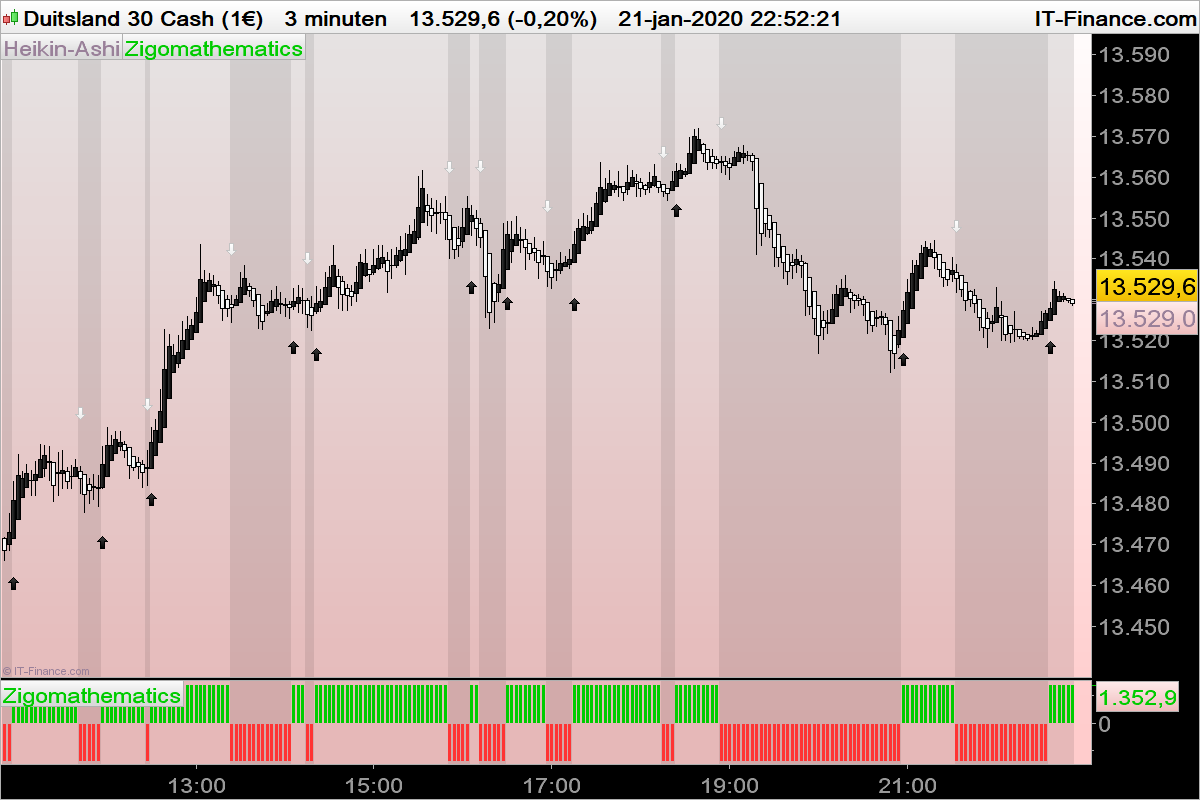
    The same Indicator can be used in Forex as well in indices and shares

    DAX-3-minuten-1.png DAX-3-minuten-1.png
    #117469 quote
    VonasiVonasi
    Moderator
    Master

    Zigo – Thank you for your post but the ‘New Members’ forum is not the place for topics relating to indicators so I have moved your post to the ProBuilder forum which is. Please try to post in the correct forum with future topics.

    Also when posting try not to include your comments within the inserted code. I have tidied up your post and moved it to the correct forum. 🙂

    #117483 quote
    NicolasNicolas
    Keymaster
    Legend

    Thanks for sharing this new indicator with the community, I appreciate a lot! The “ZigoMathematics” indicator 😆

Viewing 4 posts - 1 through 4 (of 4 total)
  • You must be logged in to reply to this topic.

ProRealAI ProRealAI New

Stuck on this ProBuilder code?

Describe what this topic is trying to build, in plain English, and ProRealAI writes the ProRealTime™ indicator, screener or system for you.

Available in 7 languages
Try ProRealAI

Use of classical Indicator


ProBuilder: Indicators & Custom Tools

New Reply
Author
author-avatar
Zigo @zigo Participant
Summary

This topic contains 3 replies,
has 3 voices, and was last updated by NicolasNicolas

6 years, 8 months ago.

Topic Details
Forum: ProBuilder: Indicators & Custom Tools
Language: English
Started: 01/21/2020
Status: Active
Attachments: 2 files
ProRealCode ProRealCode
Loading...