Stop & Target

Viewing 9 posts - 1 through 9 (of 9 total)
  • Author
    Posts
  • #4640 quote
    Seb
    Participant
    Average

    Hi everyone,

    I have a question concerning stop losses and targets, not really for a specific strategy.

    Stop loss for longs: How would I code a stop loss that is 3 points below the lowest low of the 5 bars preceding the signal bar (also include the signal bar itself)? The stop must not trail the position.

    Stop loss for shorts: How would I code a stop loss that is 3 points above the highest high of the 5 bars preceding the signal bar (also include the signal bar itself)? The stop must not trail the position.

    Target for longs/shorts: How would I code a target that is twice the distance between the entry level and the stop level away from the entry level? (target is 2 * risk)

    Greetings, Seb

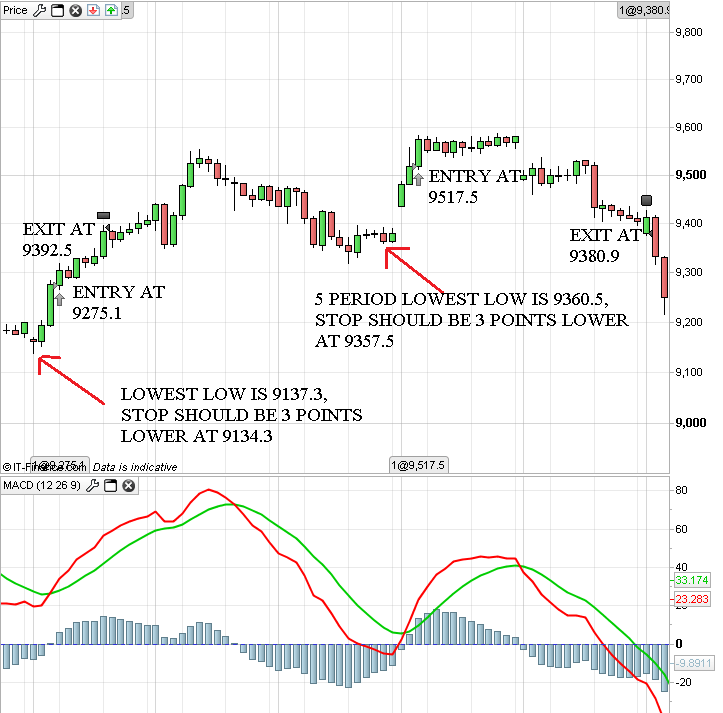
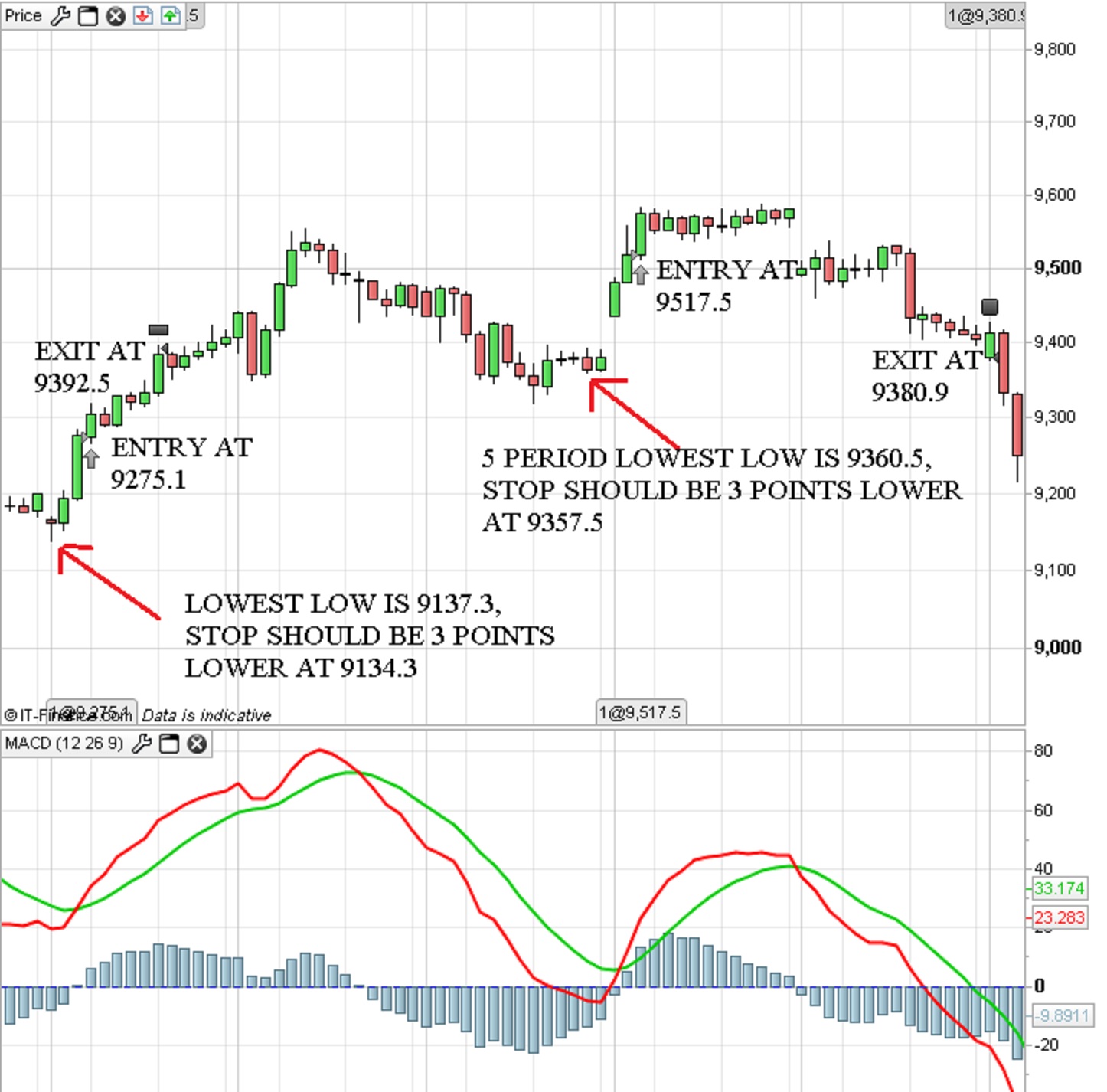
    PRT.png PRT.png PRT.jpg PRT.jpg
    #4644 quote
    Nicolas
    Keymaster
    Master

    Hello Seb,

    You should use the LOSS instruction that defines a stoploss in pips/points values. To find a this value you’ll have to subtract your lowest low value to the current open price (which represent the price where your trade is executed) and then add your 3 points distance to the result.

    Here is a simple code example for what you want to achieve here :

    myMACD = MACD[12,26,9](close)
    long = myMACD crosses over 0
    
    IF long AND NOT LONGONMARKET THEN
     BUY 1 LOT AT MARKET
     SET STOP LOSS (Open-Lowest[5](low))+3*pipsize
    ENDIF


    And vice-versa for the SELL stoploss. For the takeprofit parameter, you’ll just have to use the TARGET instruction.

    #4683 quote
    Seb
    Participant
    Average

    Thank you Nicolas, I completed the MACD example with the target instruction, long-only to begin with:

    myMACD = MACD[12,26,9](close)
    long = myMACD crosses over 0
    
    IF long AND NOT LONGONMARKET THEN
    BUY 1 LOT AT MARKET
    SET STOP LOSS (Open-Lowest[5](low))+3*pipsize
    SET TARGET PROFIT 2*((Open-Lowest[5](low))+3*pipsize)
    ENDIF

    It doesn’t give me the results I was looking for unfortunately. I uploaded an image in the attachment with the ProBacktest entry and exit points.

    The first entry is at 9275.1. The 5 period low is 9137.3, the stop should be 3 points lower at 9134.3. This gives the position a risk of 9275.1 – 9134.3 = 140.8. The target should be two times the risk, at 9275.1 + (2*140.8) = 9556.7. The position exits at 9392.5 though?!

    The second position opens at 9517.5. The 5 period low is 9360.5, so the stop should be 3 points lower at 9357.5. The position gets stopped out at 9380.9 though?!

    I have no clue why it takes different exit points, do you know what causes this?

    #4688 quote
    Nicolas
    Keymaster
    Master

    You got a more clear view of your code with variable for your SL and TP like this :

    myMACD = MACD[12,26,9](close)
    long = myMACD crosses over 0
    
    IF long AND NOT LONGONMARKET THEN
    BUY 1 LOT AT MARKET
    
    mySL = (Open-Lowest[5](low))+3*pipsize
    
    SET STOP LOSS mySL
    SET TARGET PROFIT 2*mySL
    ENDIF

    Your stoploss and takeprofit values are different because each conditions are only tested once a bar. In live trading, that’ll be different because SL and TP would be written into the broker order book.

    You can debug and see your “mySL” variable on backtest result by adding this line below at the end of your code :

    GRAPH mySL as "stoploss"

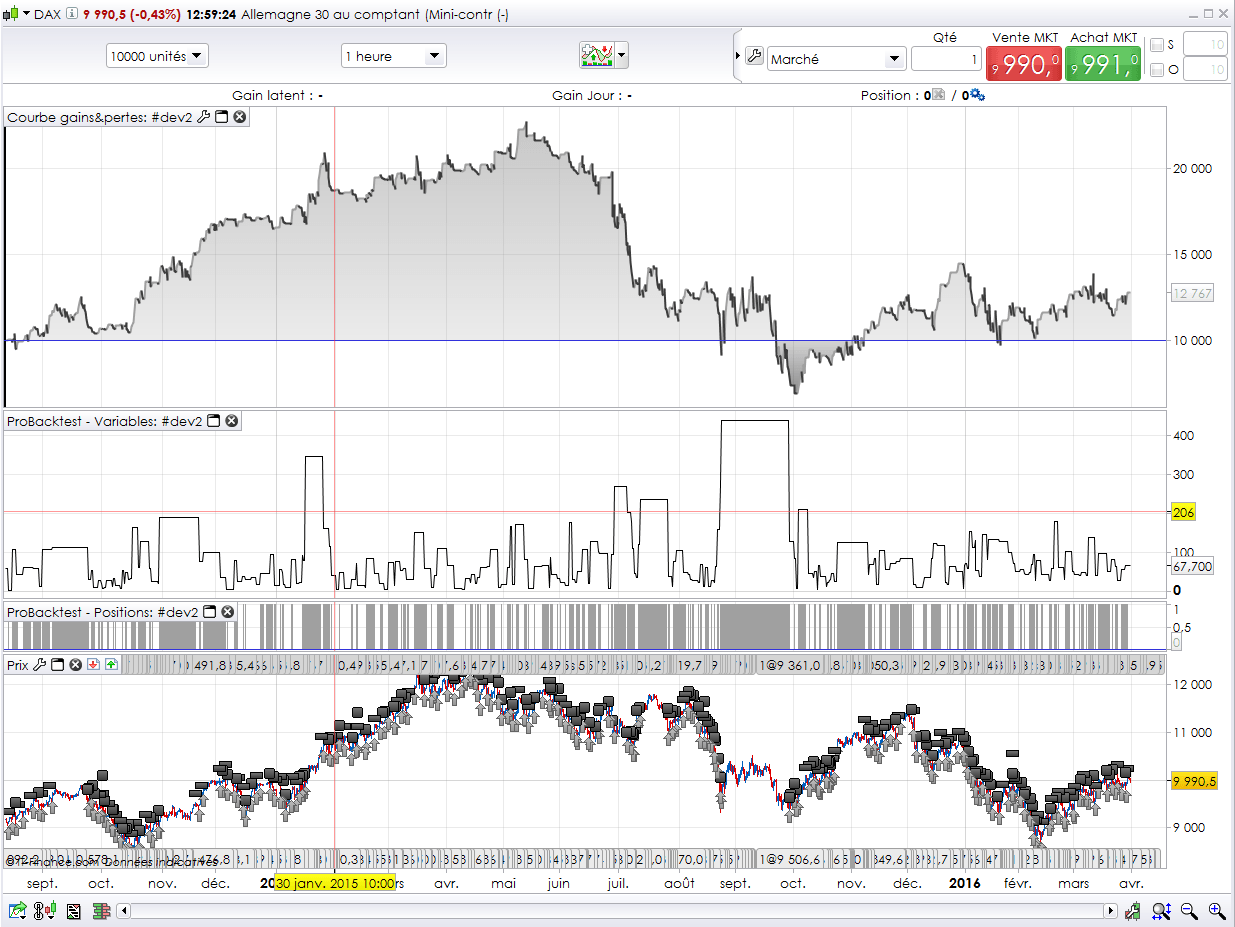
    Then you’ll get your variable drawn on chart like the picture attached.

    debugging-prorealtime-code-GRAPH-DAX.png debugging-prorealtime-code-GRAPH-DAX.png
    #4703 quote
    Seb
    Participant
    Average

    Merci,

    The graph shows that the stoploss value stays constant from the signal bar and the exits are the according to the SL and TP commands.

    But the stoploss value doesn’t represent the distance from the 5 period lowest low to the entry plus the extra 3 points strangely enough. Could it be that the mySL line is not correct?

    #4707 quote
    Nicolas
    Keymaster
    Master

    If the “mySL” variable is not set to another value, it is normal that it has the same value until a new order is launched.

    Have you tried with Close instead of Open in the stoploss and takeprofit calculation?

    #4714 quote
    Seb
    Participant
    Average

    Yes, replacing “Open” with “Close” does the trick, many thanks!

    By the way, is it possible to set multiple targets to scale out of a position?

    #4724 quote
    Nicolas
    Keymaster
    Master

    It is not possible as PRT is position centric and there are no way to do partial close of orders. Sorry.

    #4727 quote
    Seb
    Participant
    Average

    No problem, thanks for your help

Viewing 9 posts - 1 through 9 (of 9 total)
  • You must be logged in to reply to this topic.

Stop & Target


ProOrder: Automated Strategies & Backtesting

New Reply
Author
author-avatar
Seb @seb Participant
Summary

This topic contains 8 replies,
has 2 voices, and was last updated by Seb

9 years, 11 months ago.

Topic Details
Forum: ProOrder: Automated Strategies & Backtesting
Language: English
Started: 03/30/2016
Status: Active
Attachments: No files
Logo Logo
Loading...