Problem with Date and time Constants

Viewing 4 posts - 1 through 4 (of 4 total)
  • Author
    Posts
  • #80432 quote
    MrFridayMrFriday
    Participant
    New

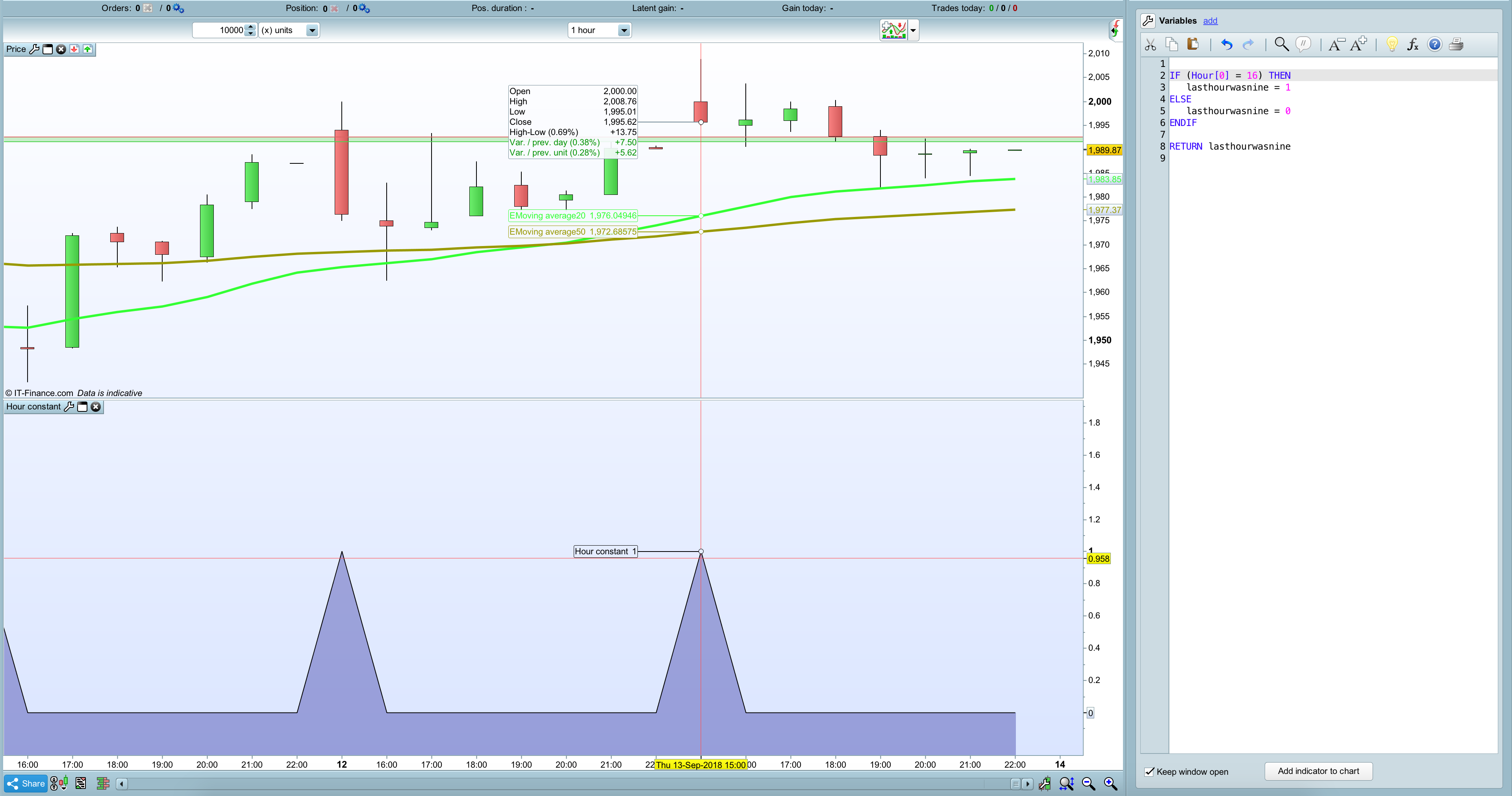
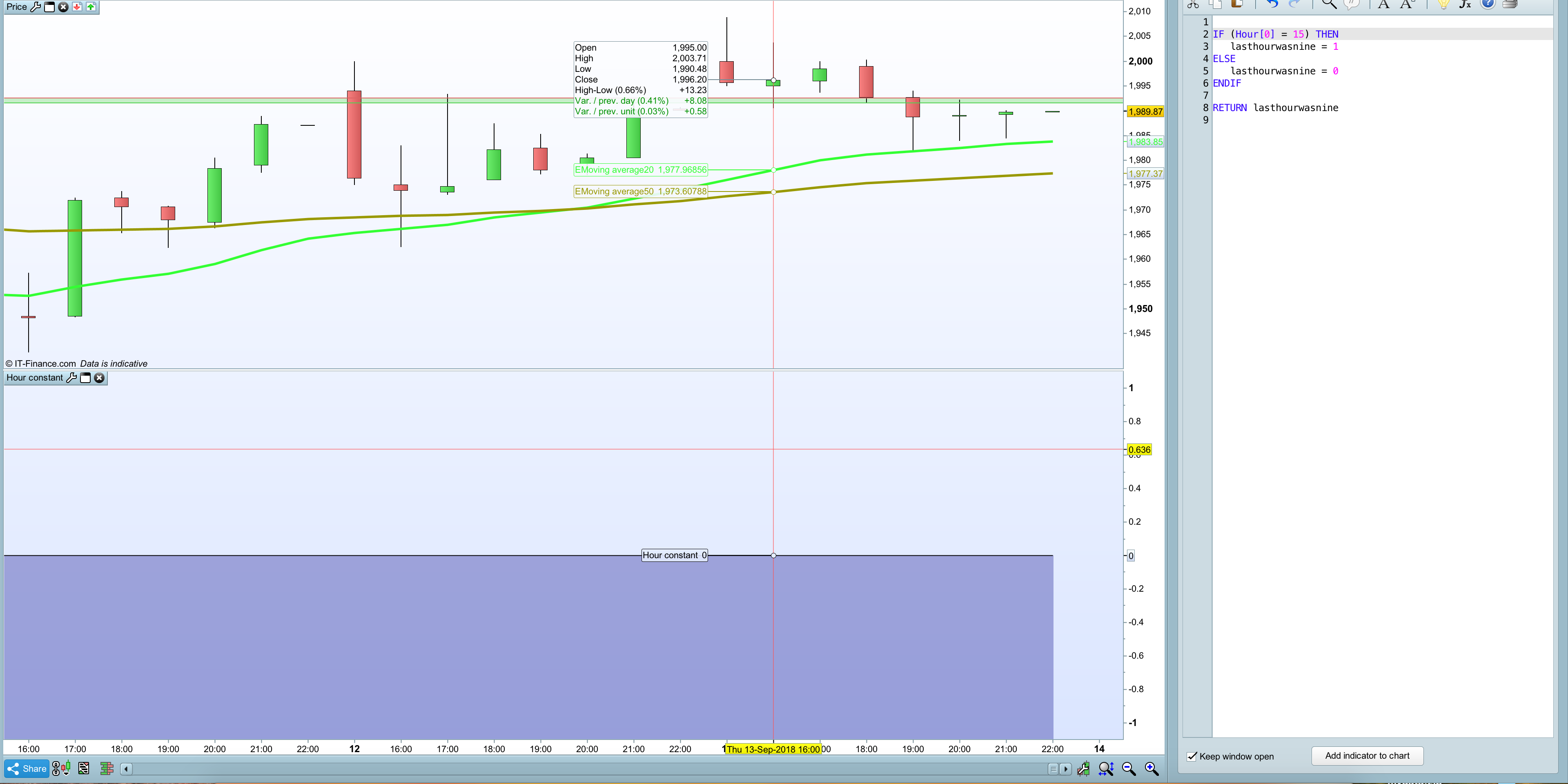
    I’ve ran into a problem concerning the Constant Date and time and specific the Hour. When i try to create a simple formula it does not return the correct info. For example:

    IF (Hour[1] = 15) THEN
    signal = 1
    ELSE
    signal = 0
    ENDIF
    RETURN signal

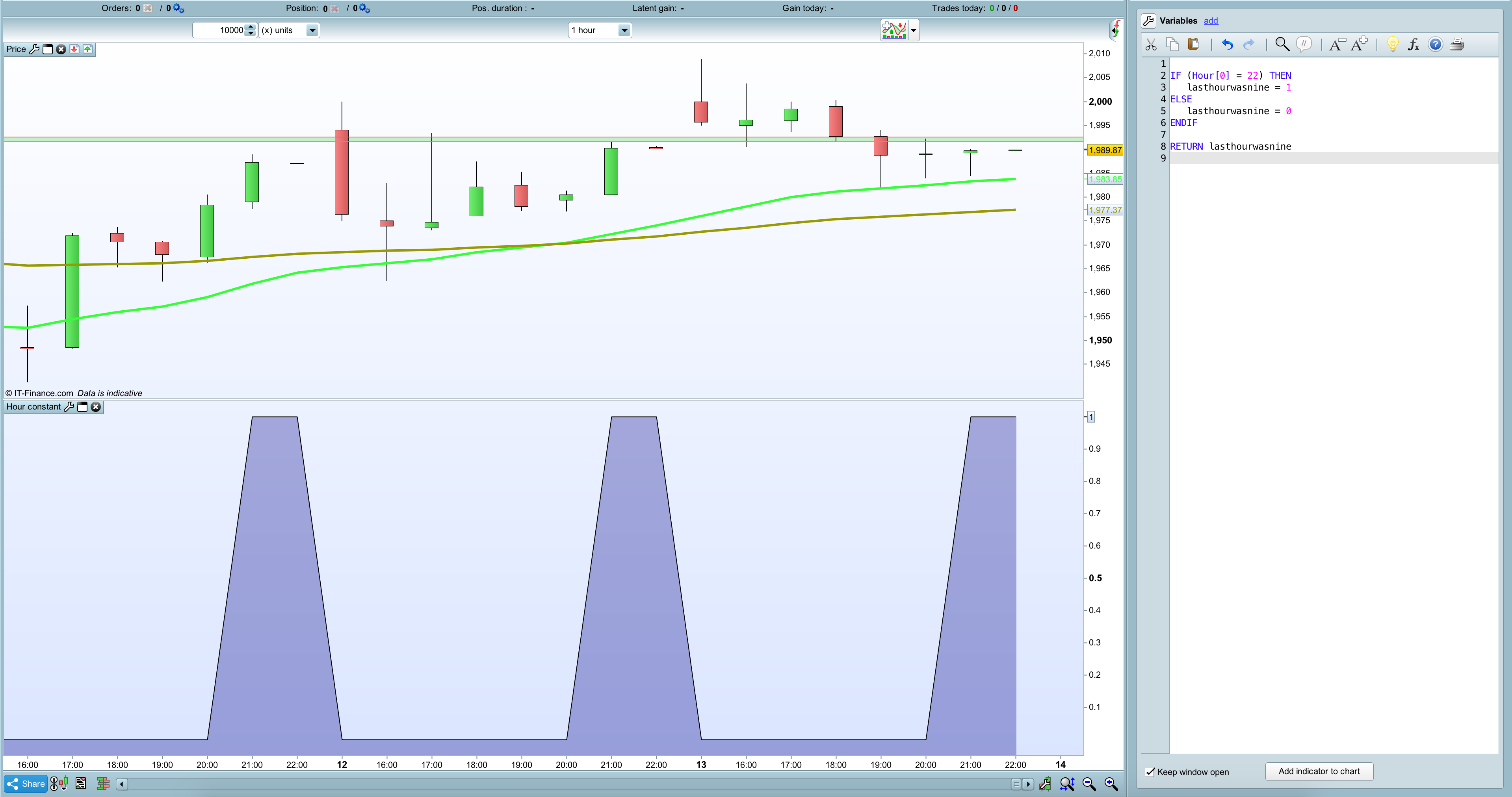
    This returns nothing but when i change 15 to 16 it returns a signal at 15:00. It is getting weirder when i fill in 22:00 then it returns a signal at 21:00 and 22:00. Did anyone ran into this problem as well and where you able to fix it?

    ps i added some screenshots of the results.

    Screen-Shot-2018-09-14-at-09.31.05.png Screen-Shot-2018-09-14-at-09.31.05.png Screen-Shot-2018-09-14-at-09.31.19.png Screen-Shot-2018-09-14-at-09.31.19.png Screen-Shot-2018-09-14-at-09.31.44.png Screen-Shot-2018-09-14-at-09.31.44.png
    #80437 quote
    NicolasNicolas
    Keymaster
    Legend

    Code is read at Close. To get the Hour of when the candle begins, you should use OPENHOUR instead.

    MrFriday thanked this post
    #80439 quote
    MrFridayMrFriday
    Participant
    New

    Thanks for the quick solution. This helped me a lot.

    #80454 quote
    VonasiVonasi
    Moderator
    Master

    Hello MrFriday. I see that this is your first topic – welcome to the forums.

    When putting code in your posts it is preferred that you insert it using the ‘Insert PRT Code’ button to make it more readable for others. I have tidied up your post for you but if you could use the ‘Insert PRT Code’ button in future posts it would be much appreciated 🙂

Viewing 4 posts - 1 through 4 (of 4 total)
  • You must be logged in to reply to this topic.

ProRealAI ProRealAI New

Stuck on this ProBuilder code?

Describe what this topic is trying to build, in plain English, and ProRealAI writes the ProRealTime™ indicator, screener or system for you.

Available in 7 languages
Try ProRealAI

Problem with Date and time Constants


ProBuilder: Indicators & Custom Tools

New Reply
Author
author-avatar
MrFriday @mhderochemont Participant
Summary

This topic contains 3 replies,
has 3 voices, and was last updated by VonasiVonasi

8 years ago.

Topic Details
Forum: ProBuilder: Indicators & Custom Tools
Language: English
Started: 09/14/2018
Status: Active
Attachments: 3 files
ProRealCode ProRealCode
Loading...