


Populate description text?

Viewing 3 posts - 1 through 3 (of 3 total)
  • Author
    Posts
  • #130046 quote
    robdavrobdav
    Participant
    Veteran

    Some native indicators include descriptive/instructional text within them (example in attachment). Is this possible for custom indicators and screeners for that matter? If so, how is it done?

    Thanks

    Rob

    #130051 quote
    robertogozzirobertogozzi
    Moderator
    Legend

    You forgot attaching your example.

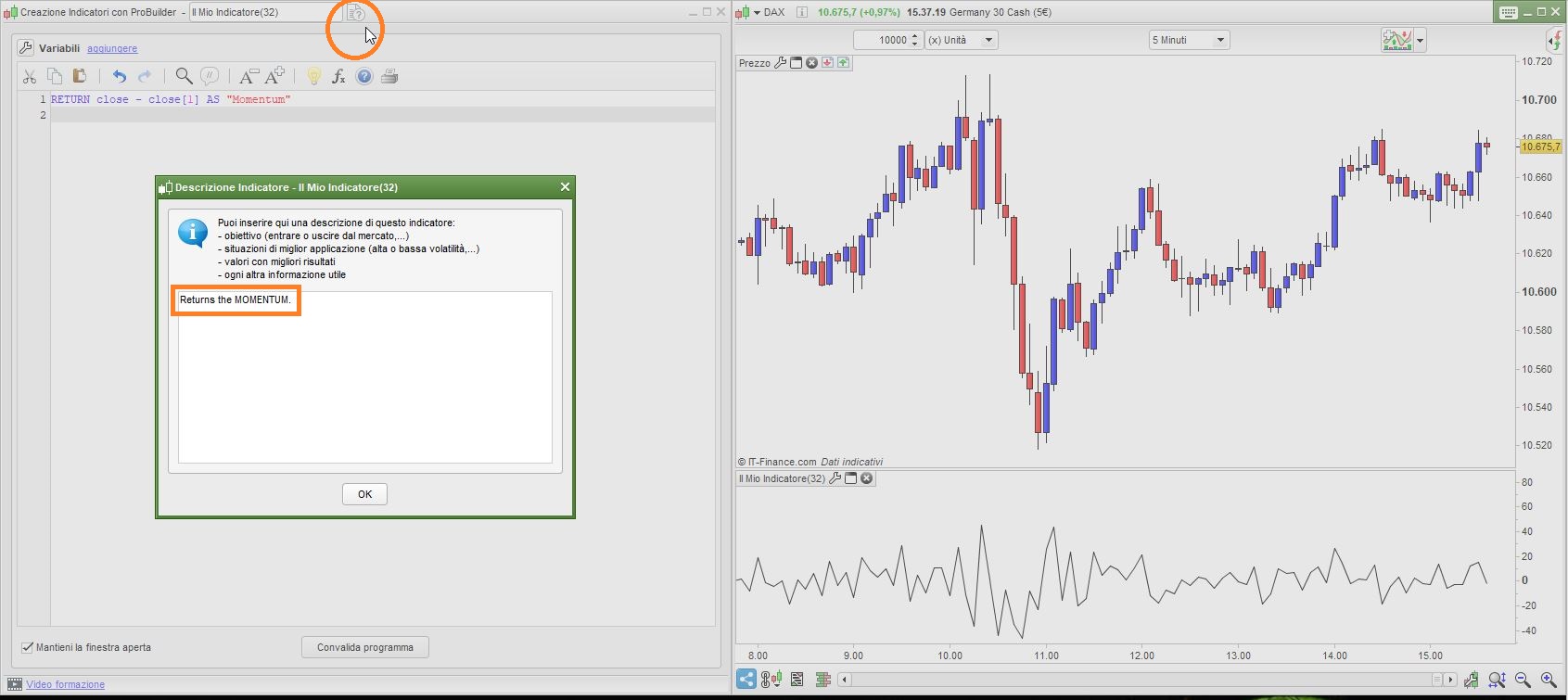
    If I am guessing right, though, then you have to click on the TEXT icon on the right side of the indicator’s name, then enter the text you want in the TEXT box that opens.

    Once you’ve done, save it and that text will appear as a note to users when they want to load it on the chart.

    robdav thanked this post
    x-1.jpg x-1.jpg
    #130053 quote
    robdavrobdav
    Participant
    Veteran

    Thanks Roberto.

    That’s well hidden!

Viewing 3 posts - 1 through 3 (of 3 total)
  • You must be logged in to reply to this topic.

ProRealAI ProRealAI New

Stuck on this ProBuilder code?

Describe what this topic is trying to build, in plain English, and ProRealAI writes the ProRealTime™ indicator, screener or system for you.

Available in 7 languages
Try ProRealAI

Populate description text?


ProBuilder: Indicators & Custom Tools

New Reply
Author
author-avatar
robdav @robdav Participant
Summary

This topic contains 2 replies,
has 2 voices, and was last updated by robdavrobdav

6 years, 5 months ago.

Topic Details
Forum: ProBuilder: Indicators & Custom Tools
Language: English
Started: 05/05/2020
Status: Active
Attachments: 1 files
ProRealCode ProRealCode
Loading...

