placer des traits sur bougie signal

Viewing 5 posts - 1 through 5 (of 5 total)
  • Author
    Posts
  • #250822 quote
    geronimangeroniman
    Participant
    Average

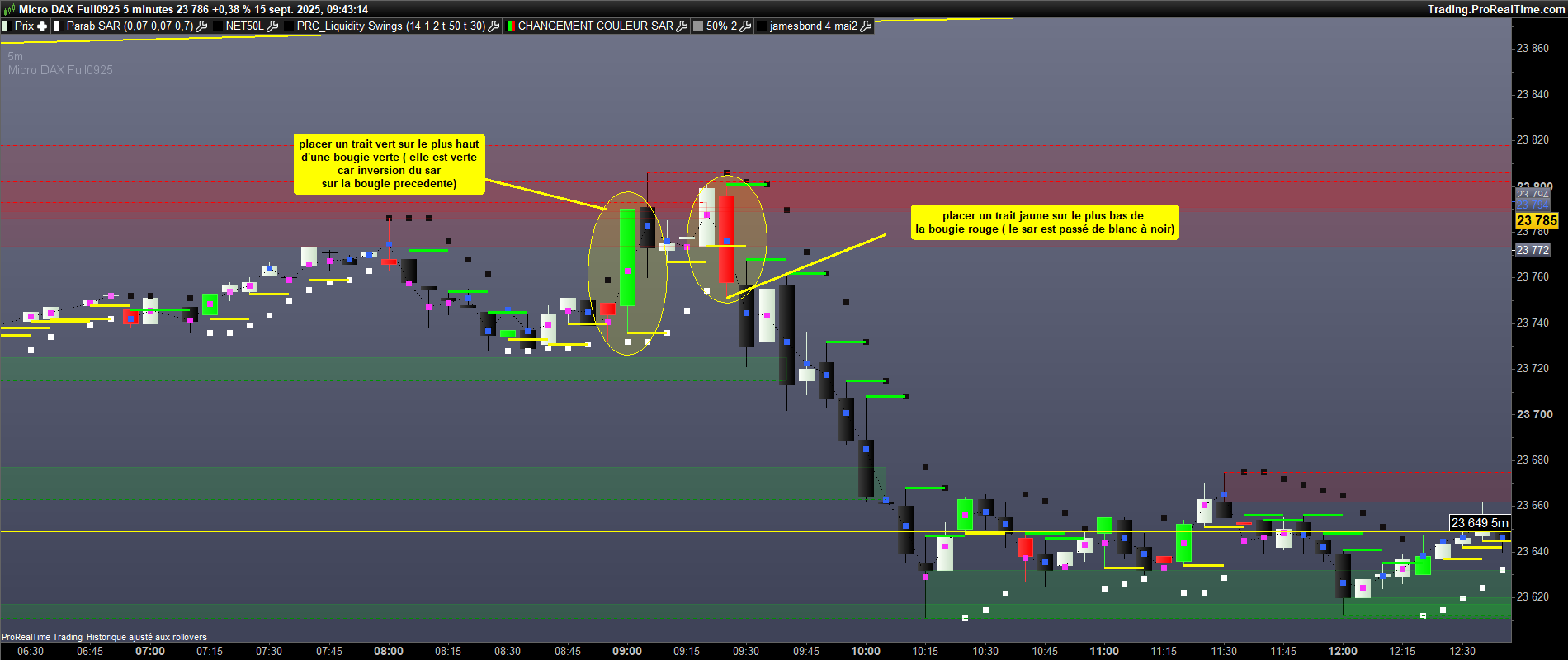
    avec le sar 0.07/0.07/0.7 les signaux sont clairs. quand il y a une inversion de sar de baissier (noir) à haussier(blanc), la bougie passe vert. J’aimerais placer un trait vert sur le plus haut de cette bougie. Et inversement quand le sar passe de blanc à noir, la bougie devient rouge et il faudrait placer un trait jaune ( plus visible que le rouge) sur le plus bas de cette bougie. Merci .

    DXSXXXX-5-minutes-1.png DXSXXXX-5-minutes-1.png
    #250829 quote
    JC_BywanJC_Bywan
    Moderator
    Master

    Bonjour,

    Voici pour à la fois afficher les traits et le changement de couleur de bougie dans un indicateur à ajouter dans la fenêtre du prix.

    Si c’était juste pour un bout de code à greffer dans un autre code, qui traçait déjà les changements de couleur de bougies, mais n’était pas fourni dans la requête, alors il faudra supprimer les 2 lignes drawcandle superflues.

    monsar=SAR[0.07,0.07,0.7]
    
    if high crosses over monsar then
    DRAWCANDLE(open, high, low, close) coloured(0,255,0)
    DRAWSEGMENT(barindex, high, barindex+2, high) coloured(0,255,0) style(line,3)
    endif
    
    if low crosses under monsar then
    DRAWCANDLE(open, high, low, close) coloured(255,0,0)
    DRAWSEGMENT(barindex, low, barindex+2, low) coloured(255,255,0) style(line,3)
    endif
    
    return
    Iván González and robertogozzi thanked this post
    #250857 quote
    geronimangeroniman
    Participant
    Average

    super merci

    #250858 quote
    geronimangeroniman
    Participant
    Average

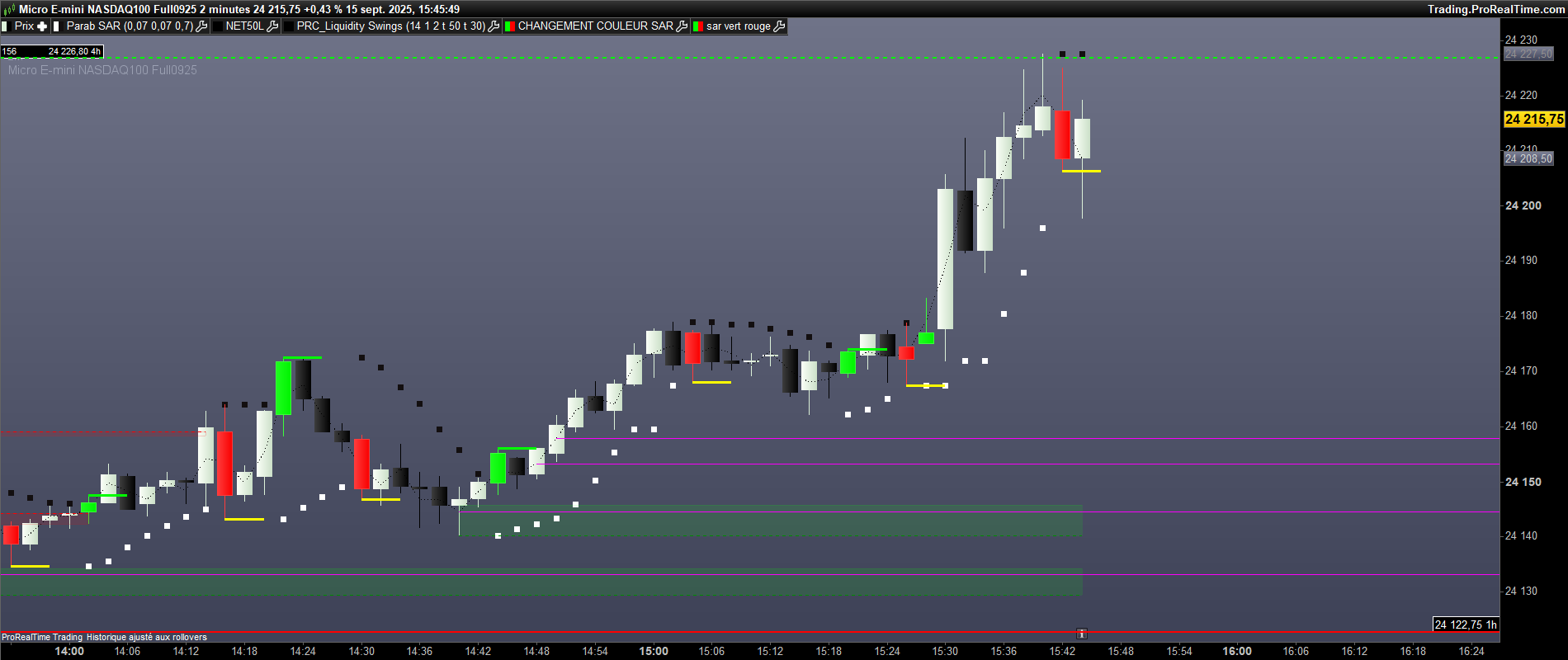
    Roberto , certaines bougies vertes/rouges n’affichent pas les traits vert/jaune. Voici un nexemple sur le NQ m2.

    mnq-15sept.png mnq-15sept.png
    #250860 quote
    geronimangeroniman
    Participant
    Average

    Jai oublié de dire que si une bougie rouge est cassée à la hausse alors buy donc trait vert sur le plus haut . Et inversement. Merci bien.

Viewing 5 posts - 1 through 5 (of 5 total)

  • You must be logged in to reply to this topic.

ProRealAI ProRealAI New

Stuck on this ProBuilder code?

Describe what this topic is trying to build, in plain English, and ProRealAI writes the ProRealTime™ indicator, screener or system for you.

Available in 7 languages
Try ProRealAI

placer des traits sur bougie signal


ProBuilder : Indicateurs & Outils Personnalisés

New Reply
Author
author-avatar
geroniman @geroniman Participant
Summary

This topic contains 4 replies,
has 2 voices, and was last updated by geronimangeroniman
1 year ago.

Topic Details
Forum: ProBuilder : Indicateurs & Outils Personnalisés
Language: French
Started: 09/15/2025
Status: Active
Attachments: 2 files
ProRealCode ProRealCode
Loading...