new indicators does not show

Viewing 3 posts - 1 through 3 (of 3 total)
  • Author
    Posts
  • #87238 quote
    ullle73ullle73
    Participant
    Senior

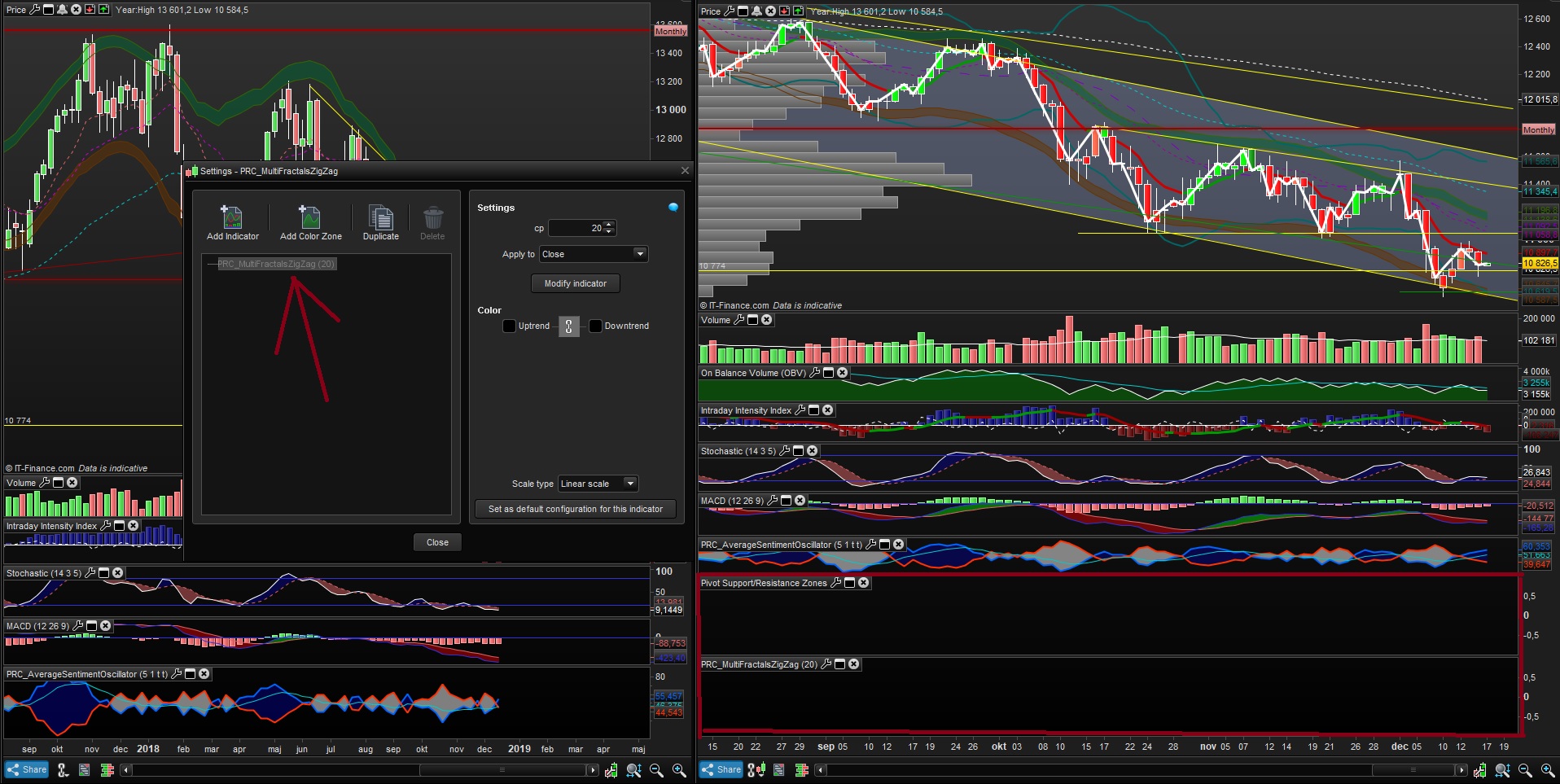
    all new indicators i add does not show, its all black like its invisable.

    See pic:

    konstigt.jpg konstigt.jpg
    #87240 quote
    robertogozzirobertogozzi
    Moderator
    Legend

    Because they both RETURN nothing (take a look at the last line of their code), since they are made to only plot/draw objects on the price chart, not below.

    You need to click on the sparrow on the upper left corner of the price chart, then select ADD INDICATOR and choose the one you want, then repeat the operation for the next indicator.

    ullle73 thanked this post
    #87256 quote
    robertogozzirobertogozzi
    Moderator
    Legend

    I apologize for using the wrong word SPARROW.

    The correct word is SPANNER.

Viewing 3 posts - 1 through 3 (of 3 total)
  • You must be logged in to reply to this topic.

ProRealAI ProRealAI New

Stuck on this ProBuilder code?

Describe what this topic is trying to build, in plain English, and ProRealAI writes the ProRealTime™ indicator, screener or system for you.

Available in 7 languages
Try ProRealAI

new indicators does not show


ProBuilder: Indicators & Custom Tools

New Reply
Author
author-avatar
ullle73 @jonas_rydqvist Participant
Summary

This topic contains 2 replies,
has 2 voices, and was last updated by robertogozzirobertogozzi
7 years, 9 months ago.

Topic Details
Forum: ProBuilder: Indicators & Custom Tools
Language: English
Started: 12/17/2018
Status: Active
Attachments: 1 files
ProRealCode ProRealCode
Loading...