Max number of orders

Viewing 6 posts - 1 through 6 (of 6 total)

  • Author
    Posts
  • #190365 quote
    GabyGaby
    Participant
    Average

    Hi all,

    seeking confirmation if my understanding how the setting of max number of orders allowed per trading day (from 00:00 GMT) works (part of Automatic Trading settings).

    Example: limit sets to = 4

    When the first trade is executed the Position opened counts for 1

    Then if the order is amended with Stop loss and take profit the count goes up to 3 (but still < 4 limit).

    Then if the first order is closed, then the counter is then updated to 2 (two orders executed but zero left running).

    ==========

    Second trade, same day:

    Position is opened = counter goes up to 3

    Position is amended with stop loss and take profit = counter goes up to 5 and therefore > the limit therefore the strategy quits and the order is forced to close.

    In conclusion: in order to allow 2 trades per each day, I need to set this parameter to minimum 6 if my trades include stop loss and take profit levels.

    Is my understanding correct, in your view?

    Many thanks, Gaby

    #190382 quote
    NicolasNicolas
    Keymaster
    Legend

    It depends mainly on how you count your orders, if you use TRADEINDEX with pending orders, then in this case each of your order (takeprofit/stoploss) change the TRADEINDEX.

    #190397 quote
    PeterStPeterSt
    Participant
    Master

    But Nicolas, how would you count the “real” orders ? Like Entry and Exit (= 2 orders) or In+Out (= 1 order) ? Both would suffice (for what Gaby wants to know, but for me actually the same), but for both I would not readily have a solution. There’s finicky stuff with StrategyProfit <> StrategyProfit[1] but this is not really reliable (IIRC this relates to Spread being added after the Exit(-bar) and that changing StrategyProfit *again*.

    ?

    #190419 quote
    NicolasNicolas
    Keymaster
    Legend

    We are all used to count the market orders if you buy/sellshort at market with a variable increase.

    Or use this snippet:

    ( (not onmarket and onmarket[1] and not onmarket[2]) or (tradeindex(1)=tradeindex(2) and tradeindex(1)=barindex[1] and tradeindex(1)>0) )

    New keywords will come in the weeks to come:
    ShortTriggered[N] / LongTriggered[N]
    Allows to know if a Short / Long position has been opened on the candlestick N (optional default N is 0)

    #190423 quote
    GabyGaby
    Participant
    Average

    Apologies Nicolas, I did not understand your answer.

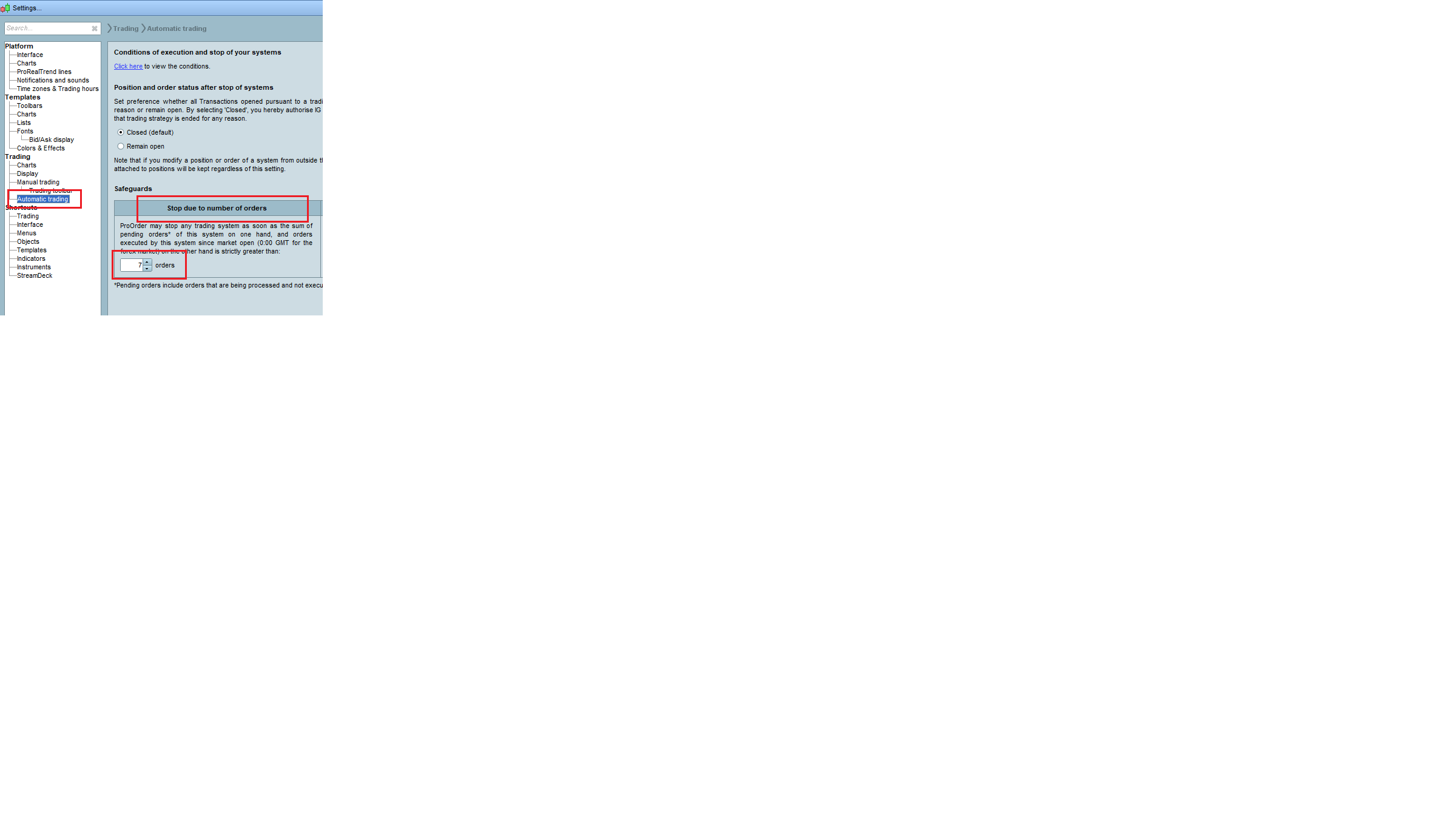
    I do not count orders in my code; it is Prorealcode that counts the orders and then check the configuration of the parameter called”stop due to number of orders”.

    I have attached a picture of the configuration, hoping it is more clear.

    Again, what it is not clear to me from the description is: what orders ProrealCode is counting, to then compare the parameter level that in the meantime I have increased to 7 to avoid unwanted order closing.

    Thanks. Bye, Gaby

    Stop-Due-to-number-of-orders.png Stop-Due-to-number-of-orders.png
    #190436 quote
    PeterStPeterSt
    Participant
    Master
    ( (not onmarket and onmarket[1] and not onmarket[2])

    That does not work with two (or more) trades within one bar. 😉

    tradeindex(1)=tradeindex(2)

    What does that do in normal (English) language ? :-]

Viewing 6 posts - 1 through 6 (of 6 total)

  • You must be logged in to reply to this topic.

ProRealAI ProRealAI New

Stuck on this ProBuilder code?

Describe what this topic is trying to build, in plain English, and ProRealAI writes the ProRealTime™ indicator, screener or system for you.

Available in 7 languages
Try ProRealAI

Max number of orders


ProOrder: Automated Strategies & Backtesting

New Reply
Author
author-avatar
Gaby @gaby Participant
Summary

This topic contains 5 replies,
has 3 voices, and was last updated by PeterStPeterSt

4 years, 6 months ago.

Topic Details
Forum: ProOrder: Automated Strategies & Backtesting
Language: English
Started: 03/23/2022
Status: Active
Attachments: 1 files
ProRealCode ProRealCode
Loading...