Max Drawdown/Max runup not showing

Viewing 5 posts - 1 through 5 (of 5 total)

  • Author
    Posts
  • #133805 quote
    DavHamDavHam
    Participant
    Junior

    Hi,


    Some vital info does not show up when I backtest my strategy, why? See attached files.

    Capture-3.png Capture-3.png Capture2.png Capture2.png
    #133808 quote
    GraHalGraHal
    Participant
    Master

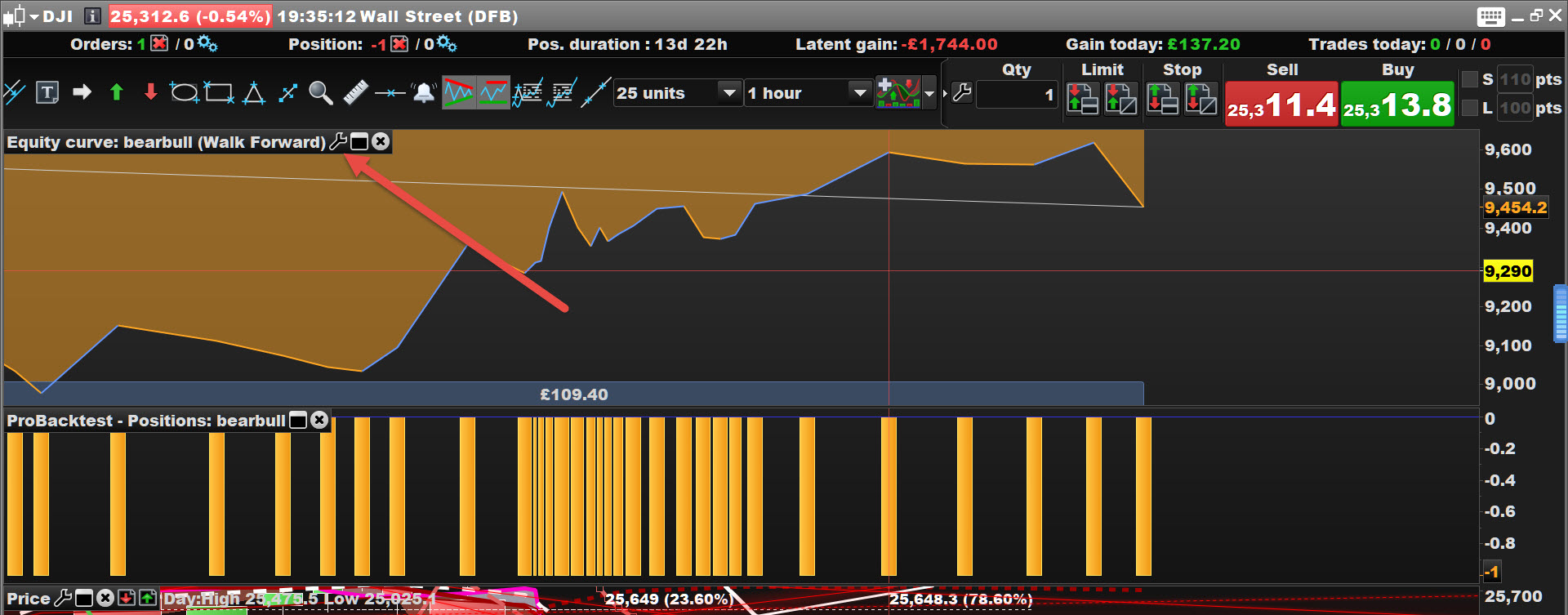
    Click the wrench / spanner and then click on Details and then see if those fields are populated?

    Let us know?

    #133812 quote
    DavHamDavHam
    Participant
    Junior

    Where can I find the wrench / spanner?

    #133813 quote
    GraHalGraHal
    Participant
    Master

    At the red arrowhead on attached

    Dav.jpg Dav.jpg
    #133895 quote
    AlfredAlfred
    Participant
    Average

    You can close the detail report, then reopen. It should be show the data again.

    GraHal thanked this post
Viewing 5 posts - 1 through 5 (of 5 total)

  • You must be logged in to reply to this topic.

ProRealAI ProRealAI New

Stuck on this ProBuilder code?

Describe what this topic is trying to build, in plain English, and ProRealAI writes the ProRealTime™ indicator, screener or system for you.

Available in 7 languages
Try ProRealAI

Max Drawdown/Max runup not showing


ProOrder: Automated Strategies & Backtesting

New Reply
Author
author-avatar
DavHam @davham Participant
Summary

This topic contains 4 replies,
has 3 voices, and was last updated by AlfredAlfred

6 years, 4 months ago.

Topic Details
Forum: ProOrder: Automated Strategies & Backtesting
Language: English
Started: 05/29/2020
Status: Active
Attachments: 3 files
ProRealCode ProRealCode
Loading...