How do I enable count down timer

Viewing 5 posts - 1 through 5 (of 5 total)

  • Author
    Posts
  • #21868 quote
    ck1066ck1066
    Participant
    Average

    Hi,

    On PRT 10.2 it was easy to enable the count down timer, normally shown on the right had side of the chart.

    How do I enable it on PRT 10.3?

    #21872 quote
    NicolasNicolas
    Keymaster
    Legend

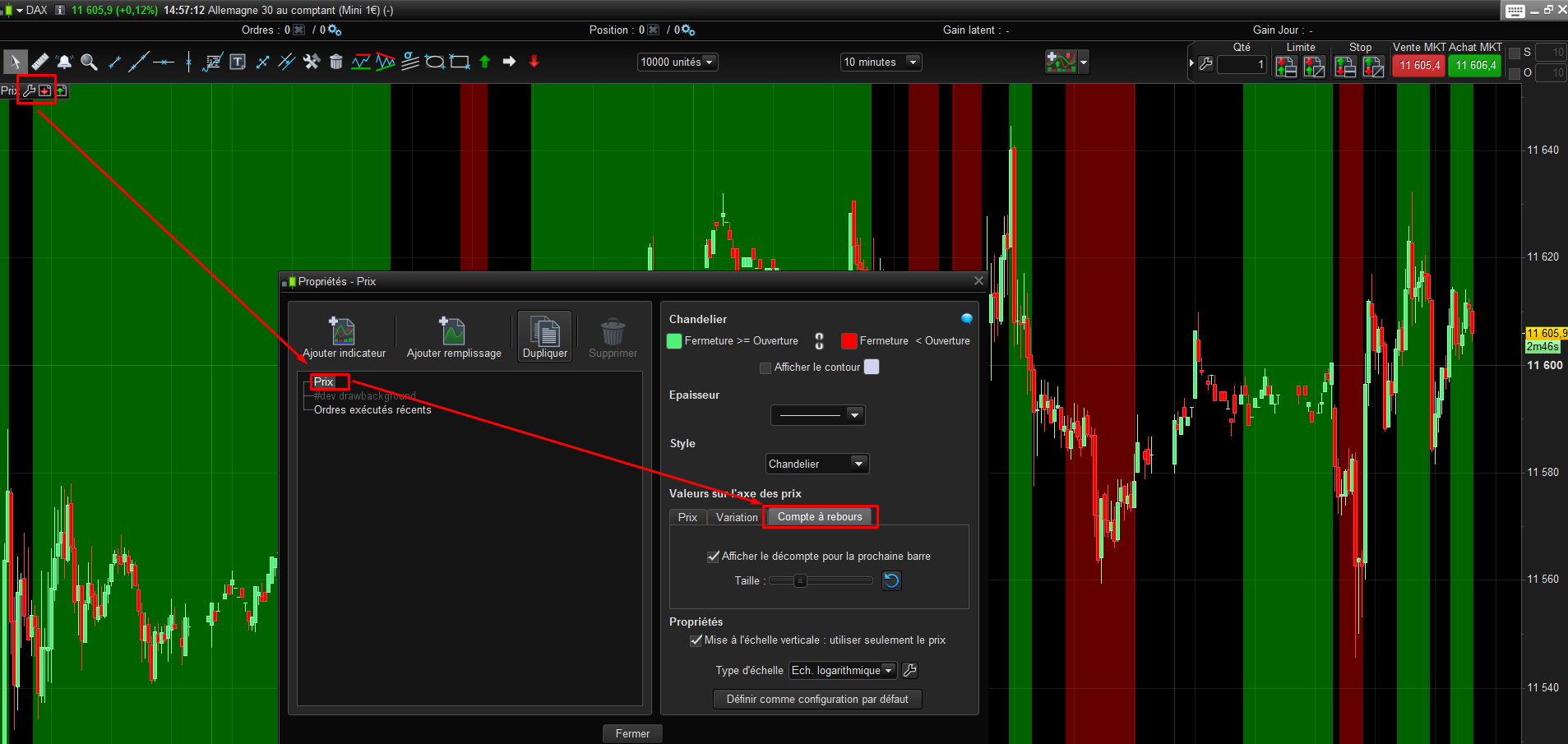
    Use the wrench of the price chart (upper left side) and then click on the “countdown” tabs and set it (see screenshot attached, sorry French platform)..

    countdown-timer-prorealtime.png countdown-timer-prorealtime.png
    #21879 quote
    ck1066ck1066
    Participant
    Average

    Thanks Nicolas that worked.

    #193819 quote
    gone_mexicogone_mexico
    Participant
    Junior

    I’m on v11.1 and you don’t get tabs when configuring the price. Do you know where to find this setting on v11.1?

    #193820 quote
    PeterStPeterSt
    Participant
    Master

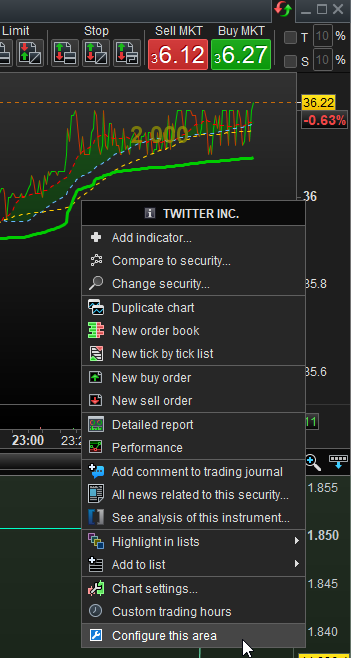
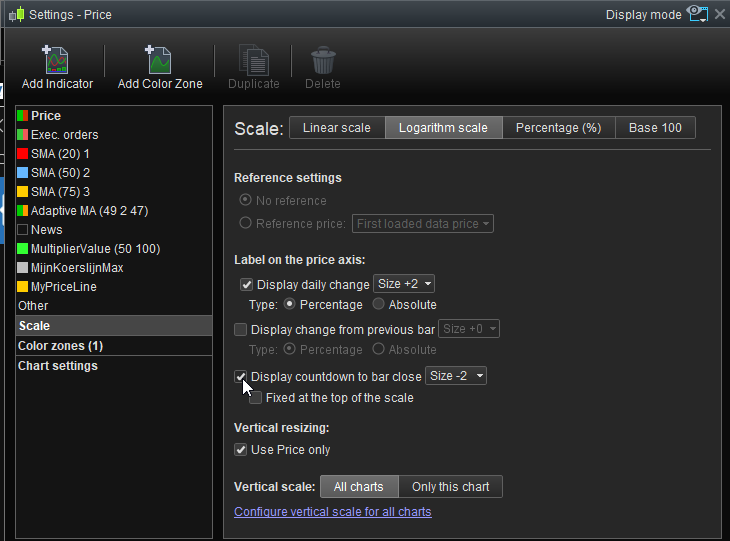
    Right click in the right margin area. Select what you see under the mouse.
    Switch On per second attachment.

    image_2022-05-25_092245636.png image_2022-05-25_092245636.png image_2022-05-25_092323355.png image_2022-05-25_092323355.png
Viewing 5 posts - 1 through 5 (of 5 total)

  • You must be logged in to reply to this topic.

ProRealAI ProRealAI New

From idea to ProBuilder code in seconds.

Your coding copilot for ProRealTime™. Ask in plain English — get clean, ready-to-paste indicators, screeners and systems.

Available in 7 languages
Try ProRealAI

How do I enable count down timer


Platform Support: Charts, Data & Broker Setup

New Reply
Author
author-avatar
ck1066 @ck1066 Participant
Summary

This topic contains 4 replies,
has 2 voices, and was last updated by PeterStPeterSt

4 years, 4 months ago.

Topic Details
Forum: Platform Support: Charts, Data & Broker Setup
Language: English
Started: 01/20/2017
Status: Active
Attachments: 3 files
ProRealCode ProRealCode
Loading...