Increase position size after certain number of trades

Viewing 4 posts - 16 through 19 (of 19 total)
  • Author
    Posts
  • #73908 quote
    NicolasNicolas
    Keymaster
    Legend

    This is a workaround I’m now used to because of many debugs sessions.. but preloading bars could also possibly be necessary in some cases, like calling long periods indicators.

    #73912 quote
    theLeprechauntheLeprechaun
    Participant
    Junior

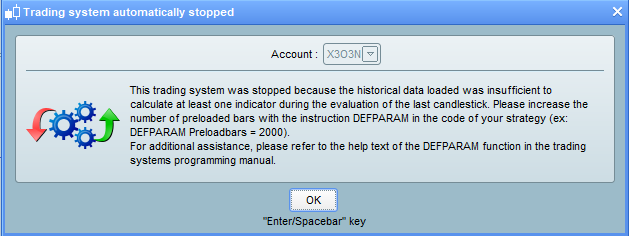
    I tried on the live demo and I got an error because of the defparam preloadbars=0 – it is on the first attachment.

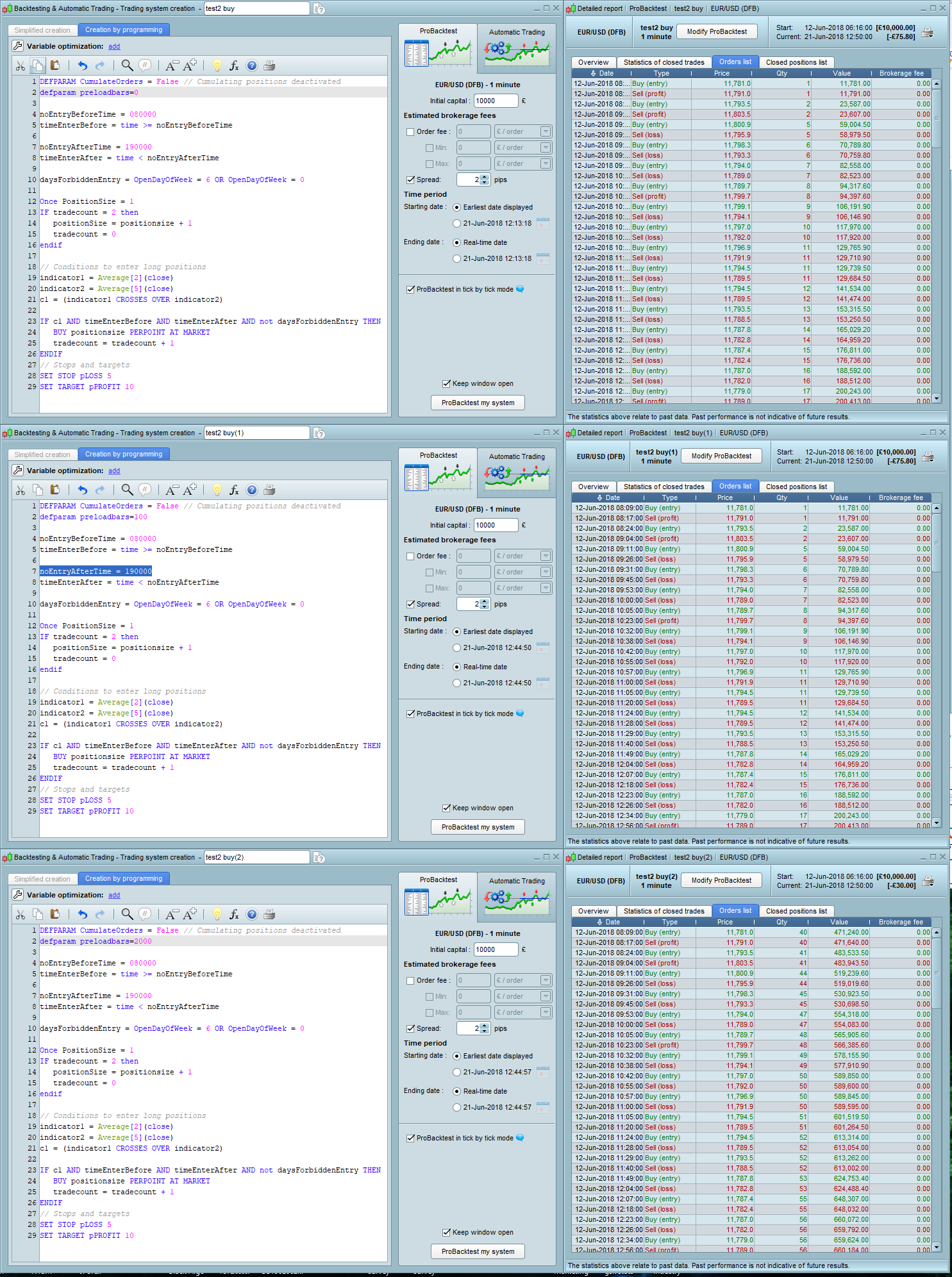
    After, I tested the same strategy with 3 variations: first with defparam preloadbars=0, second with defparam preloadbars=100 and third with defparam preloadbars=2000.

    The results are in the second attachment and are strange.

    Now, with defparam preloadbars=0 is missing from time to time the correct trading size – from size 2 goes to size 5 and sometimes it does one trade at a certain size, sometimes 2 trades.

    And the same is with defparam preloadbars=100.

    error.png error.png test7.png test7.png
    #73915 quote
    theLeprechauntheLeprechaun
    Participant
    Junior

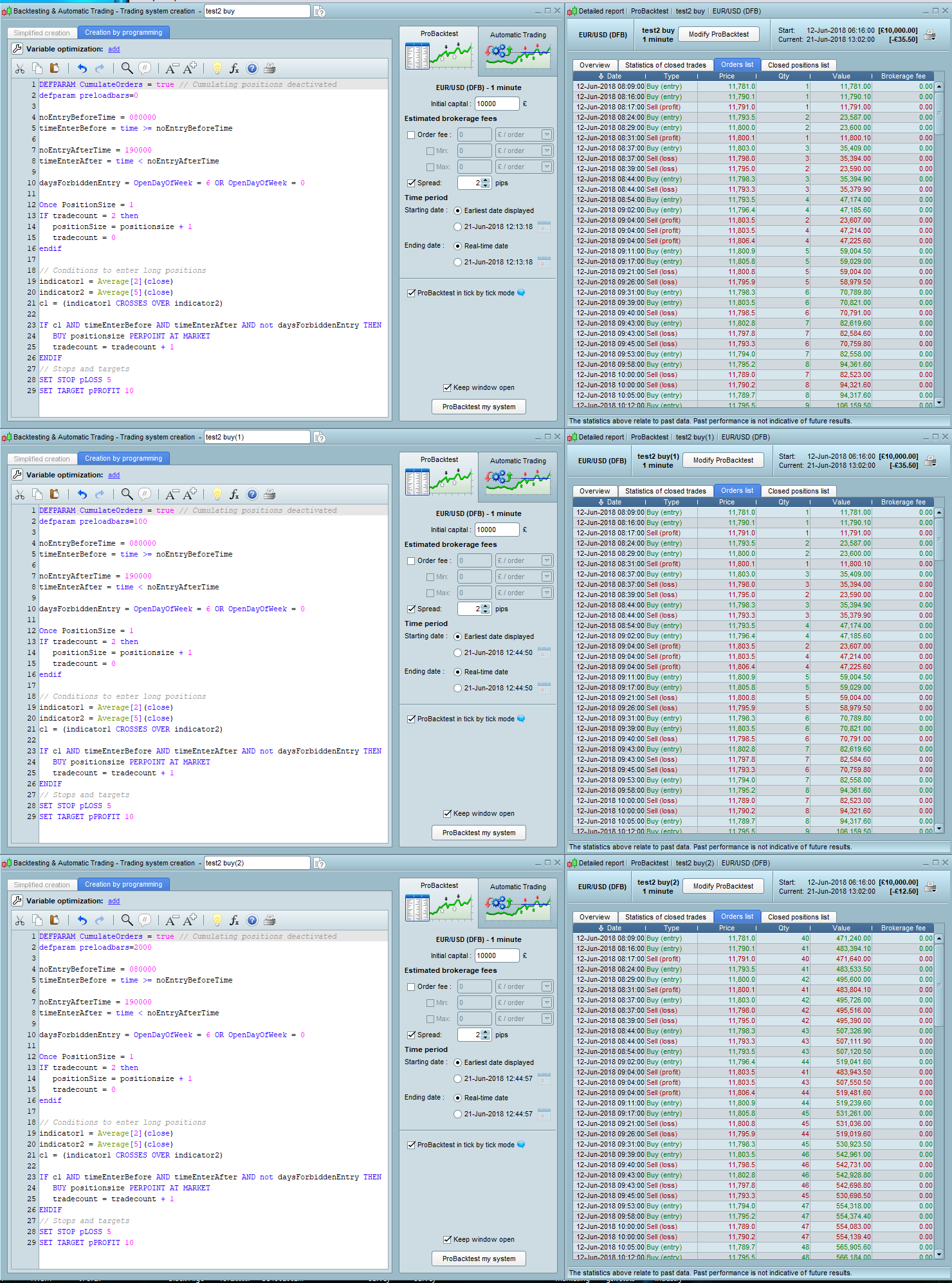
    I now tried with DEFPARAM CumulateOrders = true, and it has traded with the correct size. However, it is not possible to do live trading this way. Maybe there is a way to limit the number of Cumulate Orders to 1 or 2? Maybe it could work?

    test8.png test8.png
    #73933 quote
    VonasiVonasi
    Moderator
    Master

    You must have changed something else because I can set this code running in my live demo:

    // Definition of code parameters
    DEFPARAM CumulateOrders = False // Cumulating positions deactivated
    DEFPARAM preloadbars = 0
    // Prevents the system from creating new orders to enter the market or increase position size before the specified time
    noEntryBeforeTime = 080000
    timeEnterBefore = time >= noEntryBeforeTime
     
    // Prevents the system from placing new orders to enter the market or increase position size after the specified time
    noEntryAfterTime = 190000
    timeEnterAfter = time < noEntryAfterTime
     
    // Prevents the system from placing new orders on specified days of the week
    daysForbiddenEntry = OpenDayOfWeek = 6 OR OpenDayOfWeek = 0
     
    Once PositionSize = 1
    IF tradecount = 5 then
    positionSize = positionsize + 1
    tradecount = 0
    endif
     
    // Conditions to enter long positions
    indicator1 = Average[5](close)
    indicator2 = Average[20](close)
    c1 = (indicator1 CROSSES OVER indicator2)
     
    IF Not OnMarket and c1 AND timeEnterBefore AND timeEnterAfter AND not daysForbiddenEntry THEN
    BUY positionsize PERPOINT AT MARKET
    tradecount = tradecount + 1
    ENDIF
     
    // Stops and targets
    SET STOP pLOSS 15
    SET TARGET pPROFIT 30
    
Viewing 4 posts - 16 through 19 (of 19 total)
  • You must be logged in to reply to this topic.
ProRealAI ProRealAI New

Stuck on this ProBuilder code?

Describe what this topic is trying to build, in plain English, and ProRealAI writes the ProRealTime™ indicator, screener or system for you.

Available in 7 languages
Try ProRealAI

Increase position size after certain number of trades

ProOrder: Automated Strategies & Backtesting

New Reply
Author
Summary

This topic contains 18 replies,
has 3 voices, and was last updated by VonasiVonasi

8 years, 3 months ago.

Topic Details
Forum: ProOrder: Automated Strategies & Backtesting
Language: English
Started: 06/20/2018
Status: Active
Attachments: 9 files
ProRealCode ProRealCode
Loading...