Hello,
Is it possible to have a strategy exit on the next open but then re-enter on that same open for next trade?
For example, in an existing position on Monday. On Monday’s close the exit condition is true (and so is the entry condition). So on Tuesday’s open we should exit existing trade but also enter next trade (because of Monday’s signal).
Any help is greatly appreciated,
Dburgh
 Leo
LeoParticipant
Veteran
You can close a trade on Monday and open a pending order for the Tuesday
I do not want to close the trade on Monday. I need to close the trade on Tuesday’s open (and also re-enter next trade on Tuesday’s open). Is this possible?
This will do the trick, at the end of each bar it first closes any open trade (no matter their direction), then it opens a new one according to your conditions:
IF OnMarket THEN
   SELL      AT MARKET
   EXITSHORT AT MARKET
ENDIF
.
.
IF My_Conditions THEN
   BUY/SELLSHORT ......
ENDIF
Since each strategy is executed at the closing of every bar, on a Daily TF each day it’ll close the previous day’s trade and eventually enter a new one.
Hey, this makes sense. However, I am still unable to get the desired effect.
Can you try a simple example.
Entry: buy if low[0] <= low[1]
Exit: hold for 1 bar
I have tried a few iterations and this is the closest I can get to desired results, but it still does not exit and re-enter on the same bar. Thanks for the help.
if onmarket and barindex – tradeindex >= 0 then
sell at market
endif
if low[0] <= low[1] and not onmarket then
buy 1 shares at market
endif
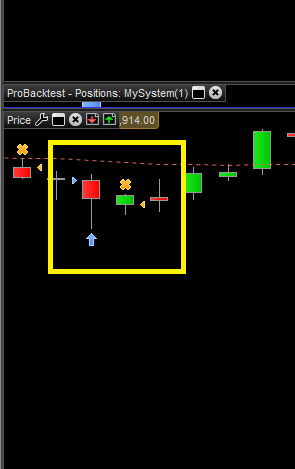
Attachment: The trade inside the yellow box has correct entry. The bar prior to the entry bar did have the entry rule true (low[0] <= low[1]). The exit is also correct. However, we should have also re-entered on the small green bar (exit bar) because the entry bar also had low[0] <= low[1]
You need not check how many bars have elapsed, if you put this code at the very beginning of your strategy (just after DEFPARAMs and CONSTANT/VARIABLE initialization):
IF OnMarket THEN
   SELL      AT MARKET
   EXITSHORT AT MARKET
ENDIF
your trades won’t live longer than a SINGLE bar!
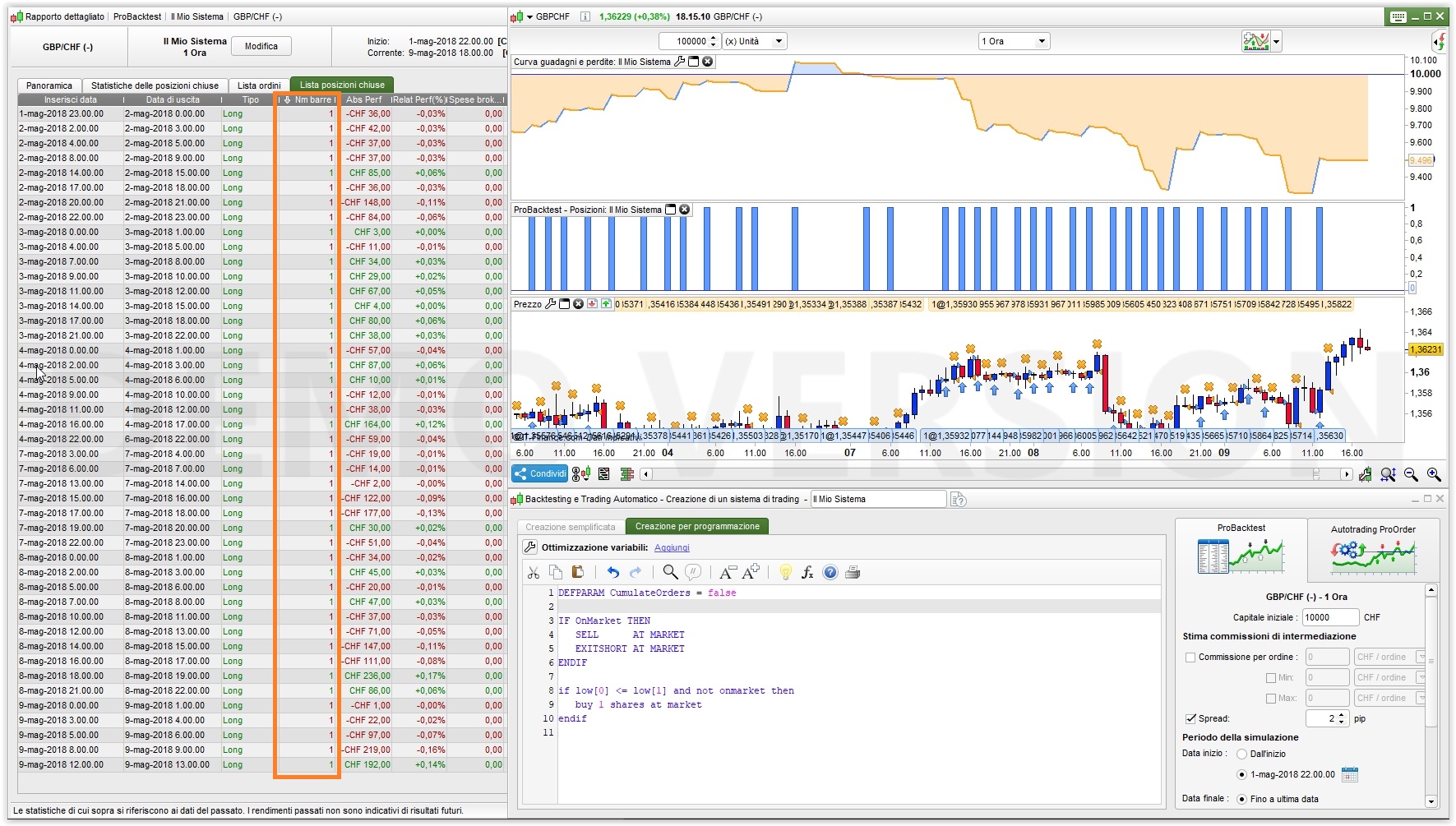
Try this one (I tested it on Gbp/Chf, 1-hour TF, from May 1st till now)
DEFPARAM CumulateOrders = false

IF OnMarket THEN
   SELL      AT MARKET
   EXITSHORT AT MARKET
ENDIF

if low[0] <= low[1] and not onmarket then
   buy 1 shares at market
endif
Thank you for your help on this. However, in your example, it is still not doing what I’d expect and am asking.
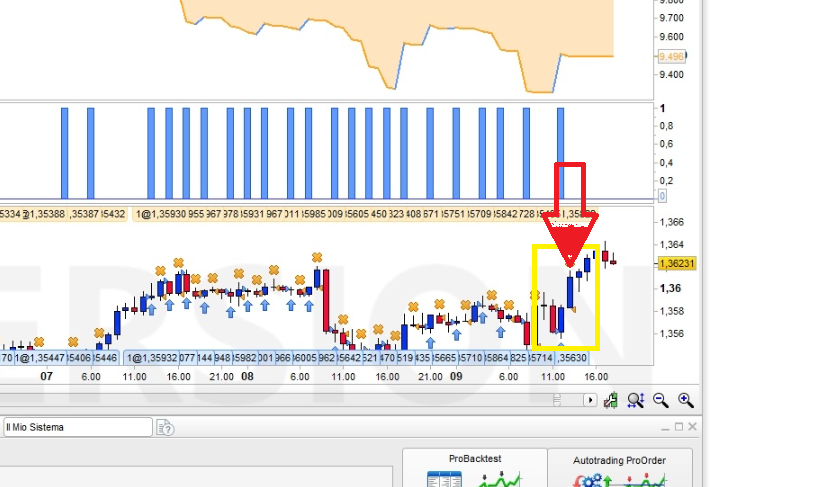
You can see that the entry inside the yellow box is correct. However, how come it does not re-enter on the exit bar (with red arrow above)? The previous bar (which we entered on) had entry condition true.
Thanks
Run this verion and you’ll see the differences:
DEFPARAM CumulateOrders = true

IF OnMarket THEN
   SELL      AT MARKET
   EXITSHORT AT MARKET
ENDIF

if low[0] <= low[1] then//and not onmarket then
   buy 1 shares at market
endif
Setting the first line to TRUE and commenting the ONMARKET condition in line 8 changes the behaviour of ProOrder.
I think this is may be due to ONMARKET requiring a candle to be considered TRUE when a trade is started, but I am not sure about this, let’s hope @Nicolas help us when back to work from sunbathing!
Yeah, let’s hope he can help as this still does not work. This is actually worse as holds trades for more than 1 bar now lol
There must be something wrong with your system, I ran it on both GbpChf and DAX, 1-hour TF, from the beginning till now and both executed more than 12,000 trades, ALL of them closed after ONE bar!
Yes, if we set cumulateOrders = false (not true) then it will hold for only 1 bar. But still the issue about no re-entry.
Set cumulateorders=true and count in variables if we are on market or not:
DEFPARAM CumulateOrders = true
defparam preloadbars=0

IF OnMarket and count=1 THEN
SELL      AT MARKET
EXITSHORT AT MARKET
count=0
ENDIF

if low[0] <= low[1] and count=0 then//and not onmarket then
buy 1 shares at market
count=1
endif
You will prevent cumulating orders while allowing close and open of orders on the same candle. Is that what you wanted?
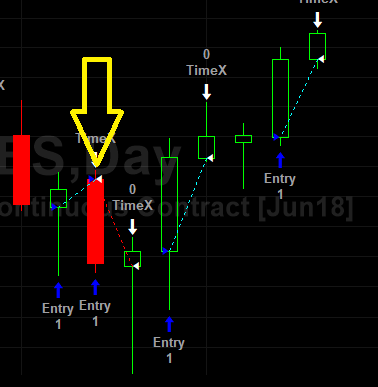
Ok, so this is mimicking the same idea but merging the trades? As opposed to the attached image?
Anyway to not merge the trades so it is similar to the attached image?
Hello,
Any help on this? It has been 6 days or so and still no resolution. If it is not possible then please let me know else please help me understand how to achieve this.
Thanks,
David
It seems you’ve already been given solutions.