Hi there!
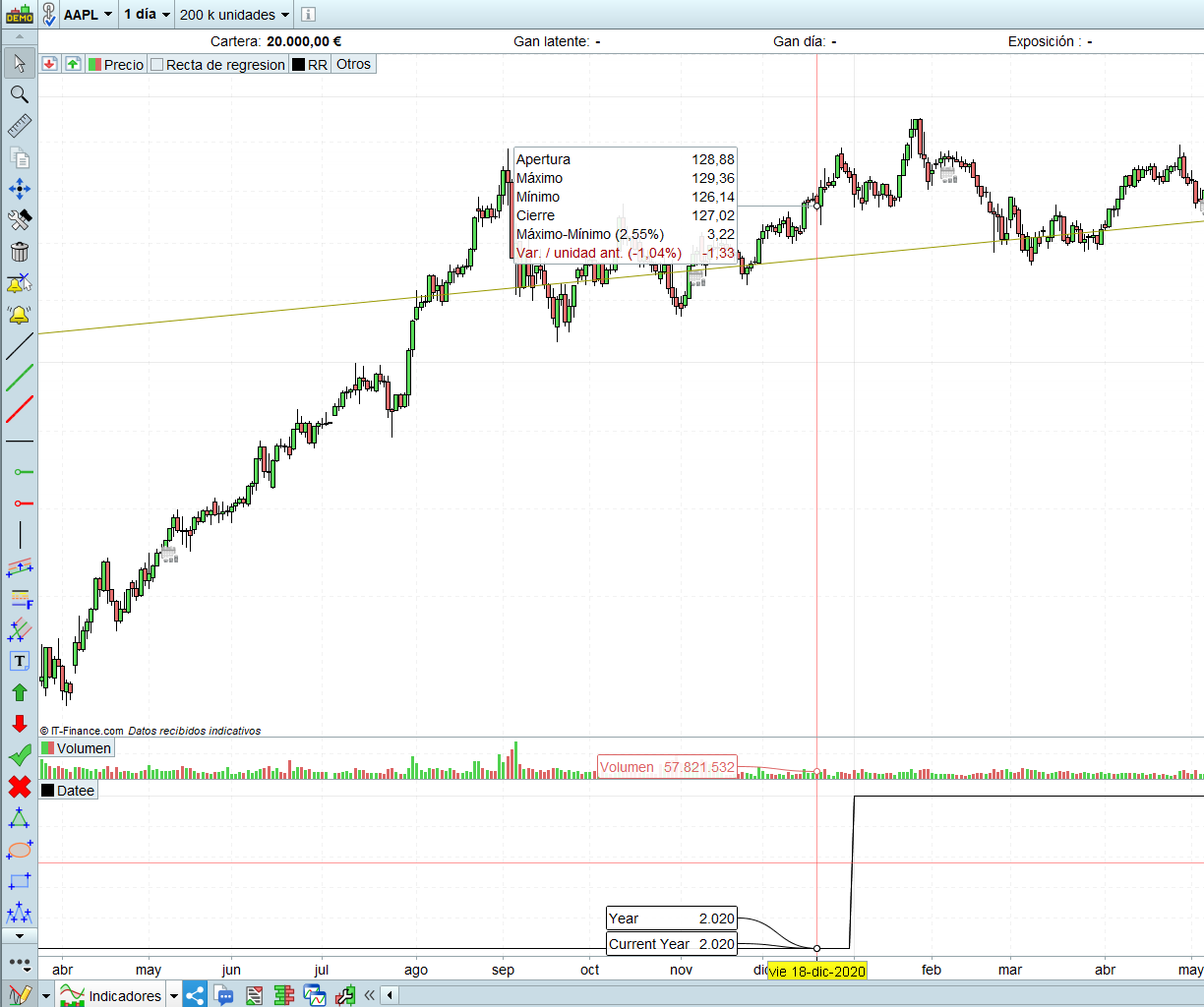
I thought that the CurrentYear gives the PRESENT dat year (2021 right now), but it doesn’t, it gives me the exact same result as Year, so… what is supposed to be the difference?
I attach a capture that shows that it gives the same result. It happens the same with every Current*** variable.
Thanks in advance!
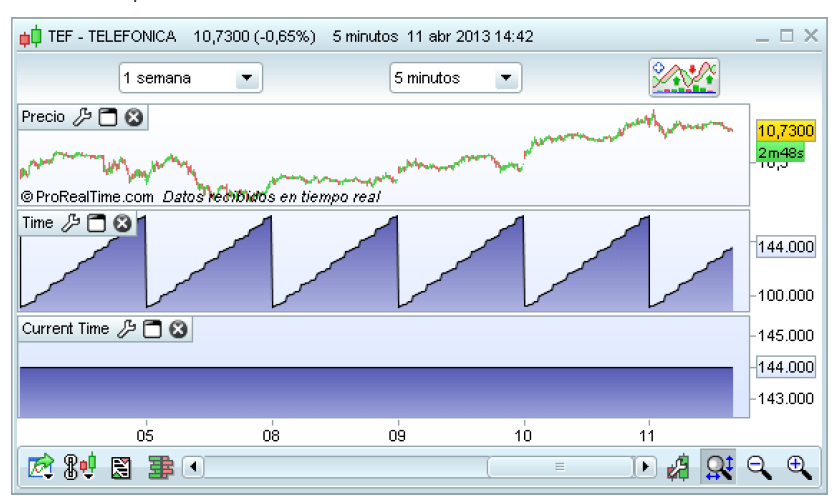
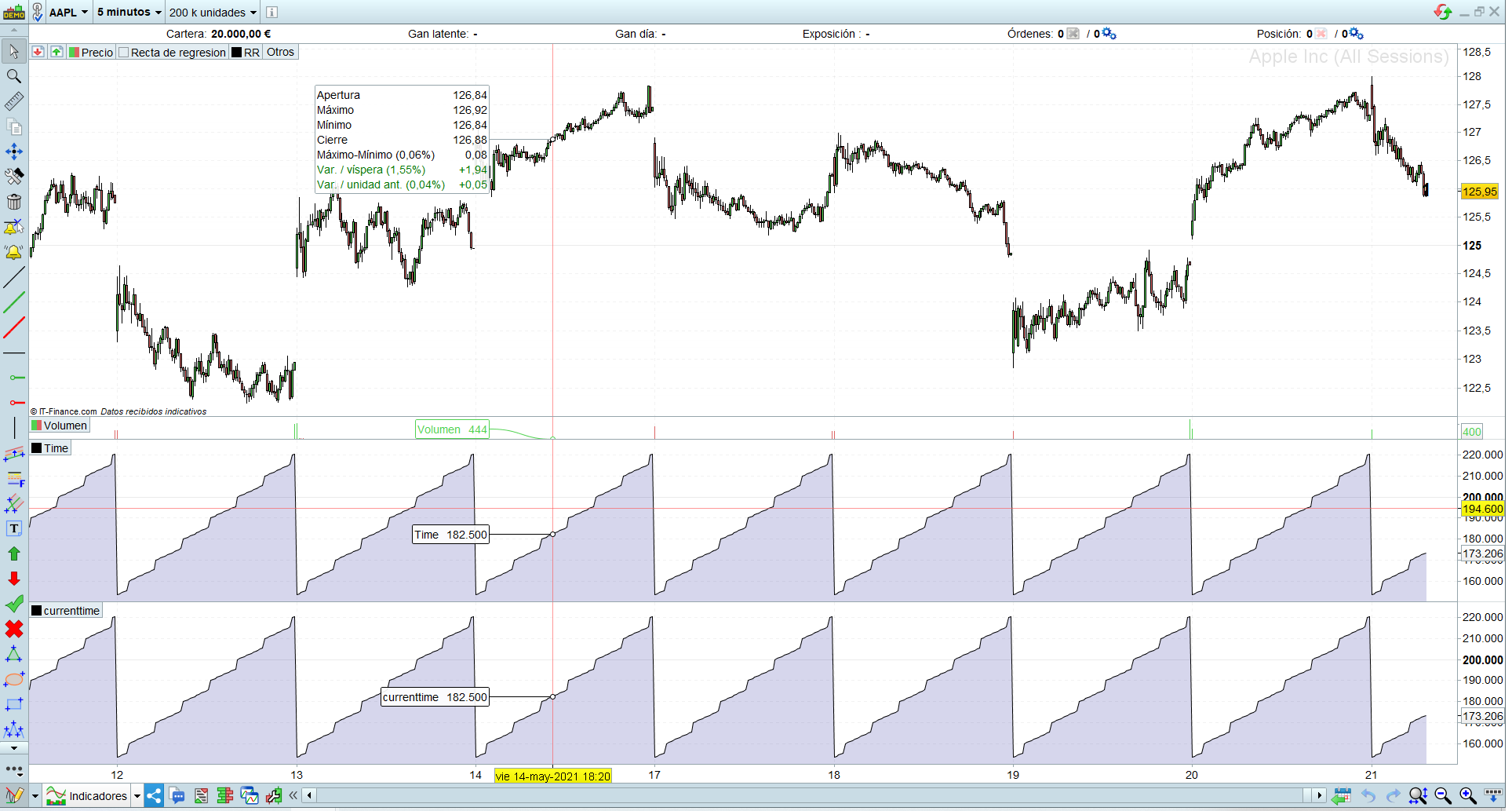
This are two captures, the first one is from the Manual, and the next one is the same test I did on my machine.
Why is it different??
Thank you very much for the confussion ProBuilder…
I couldnt upload 2 pics in the same post, here is the 2nd one (the one with MY test)!
When you deal with YEAR, MONTH, DAY, DAYOFWEEK,TIME,… it’s that when a bar CLOSES.
When you deal with OPENYEAR, OPENMONTH, OPENDAY, OPENDAYOFWEEK, OPENTIME,… it’s that when a bar OPENS.
CURRENT is an optional prefix for YEAR, MONTH, DAY, DAYOFWEEK,TIME,…
When you deal with YEAR, MONTH, DAY, DAYOFWEEK,TIME,… it’s that when a bar CLOSES.
When you deal with OPENYEAR, OPENMONTH, OPENDAY, OPENDAYOFWEEK, OPENTIME,… it’s that when a bar OPENS.
CURRENT is an optional prefix for YEAR, MONTH, DAY, DAYOFWEEK,TIME,…
Open or close is irrelevant.
Current is supposed to return “Get the current time in HHMMSS format.”
CurrentTime
Whilst time is supposed to return “Represents the time of each bar loaded in the chart (24h format). Value may be divided by 10.000 to get the human reading : 131.500 / 10.000 = 13:15 (example of a N bar selected on the 15 minutes timeframe).”
TIME
Therefore, time is supposed to return the time on each bar and currenttime the present time, independent on the bar we are on, but this doesnt work as expected…
@prtdbdb
Do not use quote when not needed, as it makes posts longer and more difficult to read. It’s just the two of us.
To better know what those keywords return you may add this indicator to your chart:
RETURN Time AS "Time",OpenTime AS "OpenTime",CurrentTime AS "CurrentTime"
In case of discrepancies between the returned values and documentation you should hit Ctrl+M to open a ticket with the Assistance, as I cannot deal that issue.