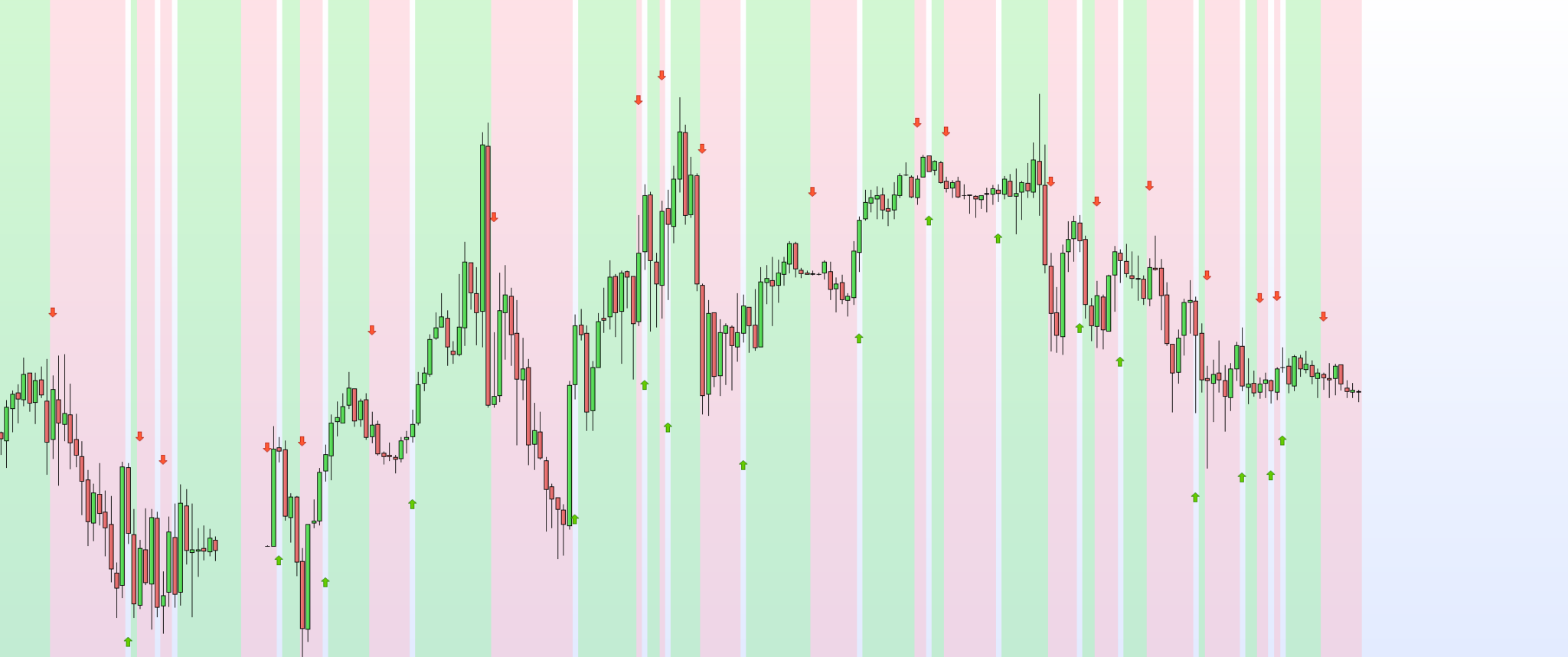
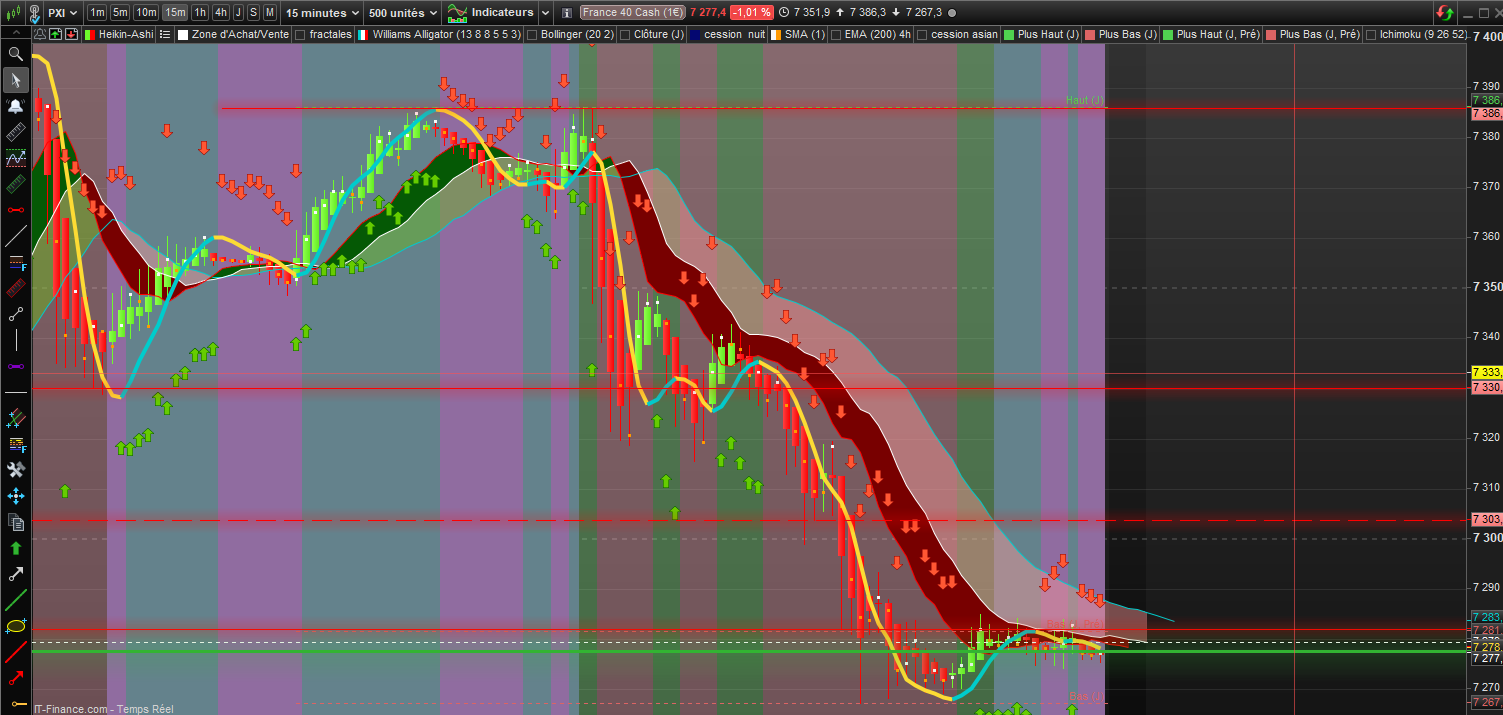
Comment afficher que la première occurrence de ce code

Viewing 5 posts - 1 through 5 (of 5 total)

  • Author
    Posts
  • #242144 quote
    artphotartphot
    Participant
    New

    //base hull 15, Apitradeguru protégé
    //MMS5=Average[1]
    //MMS35=Average[35]
    //condition1= MMS5 crosses over MMS35
    //condition2= MMS35 crosses over MMS5
    Condition1= Hullaverage[15] [1]> Hullaverage [15][2]
    Condition2= Hullaverage[15] [1]< Hullaverage [15][2]

    IF condition1 THEN
    ACHAT1 = 1
    else
    ACHAT1 = 0
    ENDIF
    IF condition2 THEN
    VENTE1 = -1
    ELSE
    vente1 = 0
    ENDIF
    if ACHAT10 then
    drawarrowup(barindex,low-averagetruerange[14]*1.5) coloured(102, 204, 0)
    elsif vente10 then
    drawarrowdown(barindex,high+averagetruerange[14]*1.5) coloured(255, 87, 51)
    endif

    // Couleur du fond du graphique
    //le A
    IF (condition1) THEN//vert
    r=144
    v=238
    b=144
    A=100
    ELSIF(condition2) THEN //rouge
    r=255
    v=182
    b=193
    A=100
    else
    r=undefined
    v=undefined
    b=undefined
    A=0
    endif
    BACKGROUNDCOLOR(r,v,b,A)

    return

    Capture-decran-04-01-2025-14.03.53.png Capture-decran-04-01-2025-14.03.53.png
    #242146 quote
    robeen12robeen12
    Participant
    Veteran

    Bonjour,

    voici ma solution :

    //base hull 15, Apitradeguru protégé
    //MMS5=Average[1]
    //MMS35=Average[35]
    //condition1= MMS5 crosses over MMS35
    //condition2= MMS35 crosses over MMS5
    Condition1= Hullaverage[15] [1]> Hullaverage [15][2]
    Condition2= Hullaverage[15] [1]< Hullaverage [15][2]

    if Condition1 AND NOT CONDITION1[1] then
    drawarrowup(barindex,low-averagetruerange[14]*1.5) coloured(102, 204, 0)
    else
    if Condition2 AND NOT Condition2[1] then
    drawarrowdown(barindex,high+averagetruerange[14]*1.5) coloured(255, 87, 51)
    endif

    // Couleur du fond du graphique
    //le A
    IF (condition1) THEN//vert
    r=144
    v=238
    b=144
    A=100
    ELSIF(condition2) THEN //rouge
    r=255
    v=182
    b=193
    A=100
    else
    r=undefined
    v=undefined
    b=undefined
    A=0
    endif
    BACKGROUNDCOLOR(r,v,b,A)
    ENDIF
    return

    artphot thanked this post
    Capture-decran-2025-01-04-a-14.53.43.png Capture-decran-2025-01-04-a-14.53.43.png
    #242151 quote
    fifi743fifi743
    Participant
    Master

    vous pourriez mettre votre code dans add prt code SVP
    voir screen

    artphot thanked this post
    Capture-decran-2025-01-04-160707.png Capture-decran-2025-01-04-160707.png
    #242153 quote
    artphotartphot
    Participant
    New

    Merci une fois vu, çà parait simple! ah ah! bravo et encore merci

    #242169 quote
    robeen12robeen12
    Participant
    Veteran
    Bonjour,
    
    voici ma solution :
    
    //base hull 15, Apitradeguru protégé
    //MMS5=Average[1]
    //MMS35=Average[35]
    //condition1= MMS5 crosses over MMS35
    //condition2= MMS35 crosses over MMS5
    Condition1= Hullaverage[15] [1]> Hullaverage [15][2]
    Condition2= Hullaverage[15] [1]< Hullaverage [15][2]
    
    if Condition1 AND NOT CONDITION1[1] then
    drawarrowup(barindex,low-averagetruerange[14]*1.5) coloured(102, 204, 0)
    else
    if Condition2 AND NOT Condition2[1] then
    drawarrowdown(barindex,high+averagetruerange[14]*1.5) coloured(255, 87, 51)
    endif
    
    // Couleur du fond du graphique
    //le A
    IF (condition1) THEN//vert
    r=144
    v=238
    b=144
    A=100
    ELSIF(condition2) THEN //rouge
    r=255
    v=182
    b=193
    A=100
    else
    r=undefined
    v=undefined
    b=undefined
    A=0
    endif
    BACKGROUNDCOLOR(r,v,b,A)
    ENDIF
    return
Viewing 5 posts - 1 through 5 (of 5 total)
  • You must be logged in to reply to this topic.

ProRealAI ProRealAI New

Stuck on this ProBuilder code?

Describe what this topic is trying to build, in plain English, and ProRealAI writes the ProRealTime™ indicator, screener or system for you.

Available in 7 languages
Try ProRealAI

Comment afficher que la première occurrence de ce code


ProBuilder : Indicateurs & Outils Personnalisés

New Reply
Author
author-avatar
artphot @artphot Participant
Summary

This topic contains 4 replies,
has 3 voices, and was last updated by robeen12robeen12

1 year, 8 months ago.

Topic Details
Forum: ProBuilder : Indicateurs & Outils Personnalisés
Language: French
Started: 01/04/2025
Status: Active
Attachments: 3 files
ProRealCode ProRealCode
Loading...