CLOSE croesses under MA doesn’t work?

Viewing 5 posts - 1 through 5 (of 5 total)
  • Author
    Posts
  • #139959 quote
    thomas2004chthomas2004ch
    Participant
    Senior

    Hi,

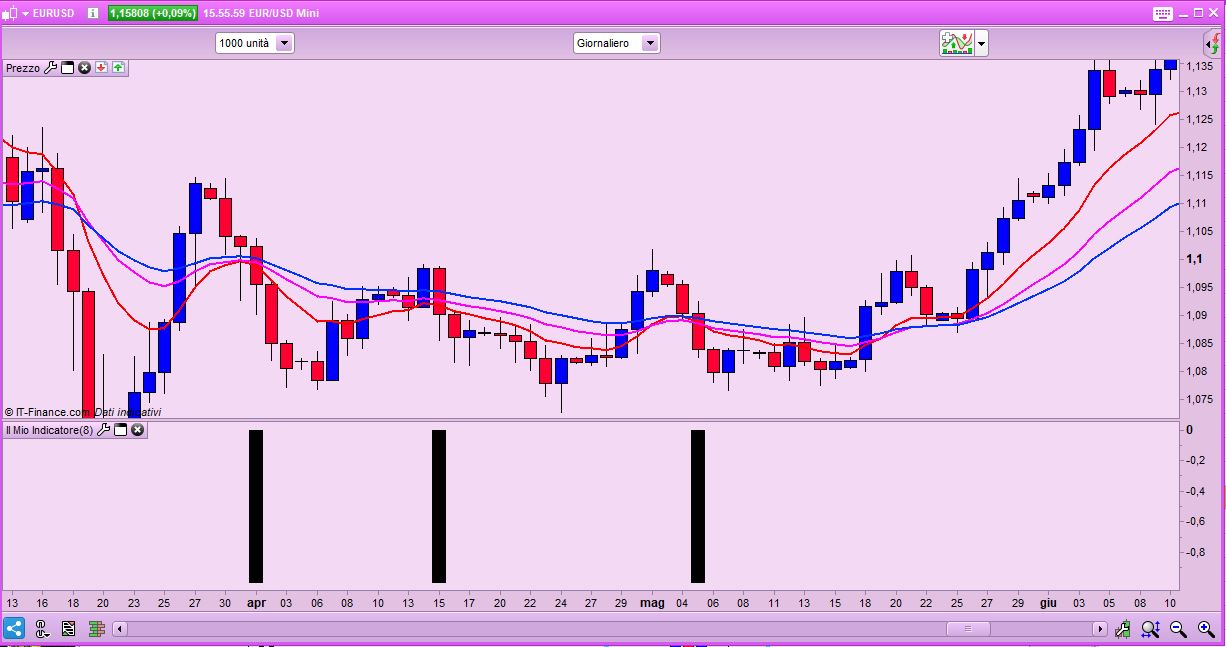
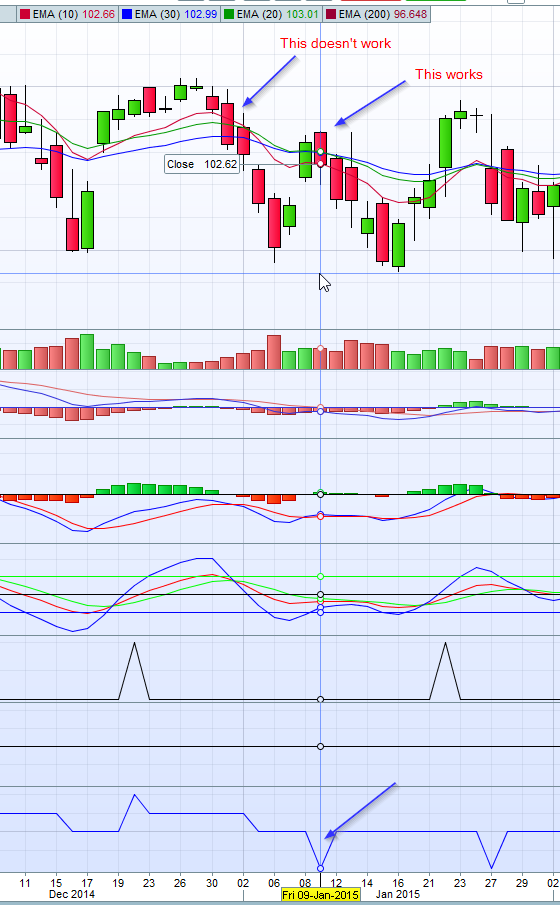
    I create an indicator and want to check if a bar is crosses under the MA10, MA20 and MA30 at the same day. If it is, then the output is minus. But it seems it doesn’t work always. See my attached screenshot.

    My code looks as follow:

    ...
    // MA
    MA1 = ExponentialAverage[10](close)
    MA2 = ExponentialAverage[20](close)
    MA3 = ExponentialAverage[30](close)
    ...
    ...
    cExit = (close crosses under MA1) and (close crosses under MA2) and (close crosses under MA3)
    ...
    ...
    
    if cExit then
    output = -1
    else 
    output = 0
    ...
    RETURN output
    
    Check_Signal2.png Check_Signal2.png
    #139977 quote
    robertogozzirobertogozzi
    Moderator
    Legend

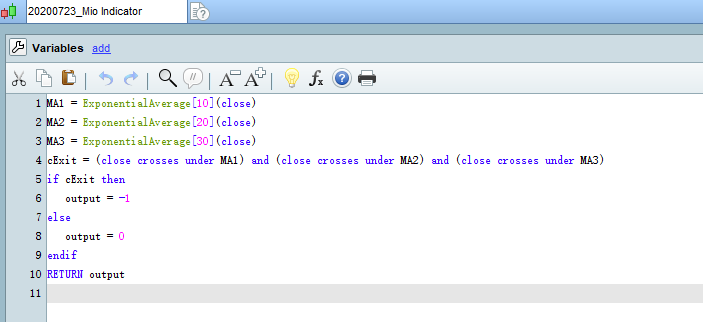
    This works fine:

    MA1 = ExponentialAverage[10](close)
    MA2 = ExponentialAverage[20](close)
    MA3 = ExponentialAverage[30](close)
    cExit = (close crosses under MA1) and (close crosses under MA2) and (close crosses under MA3)
    if cExit then
       output = -1
    else
       output = 0
    endif
    RETURN output
    x-8.jpg x-8.jpg
    #139995 quote
    thomas2004chthomas2004ch
    Participant
    Senior

    Thanks first!

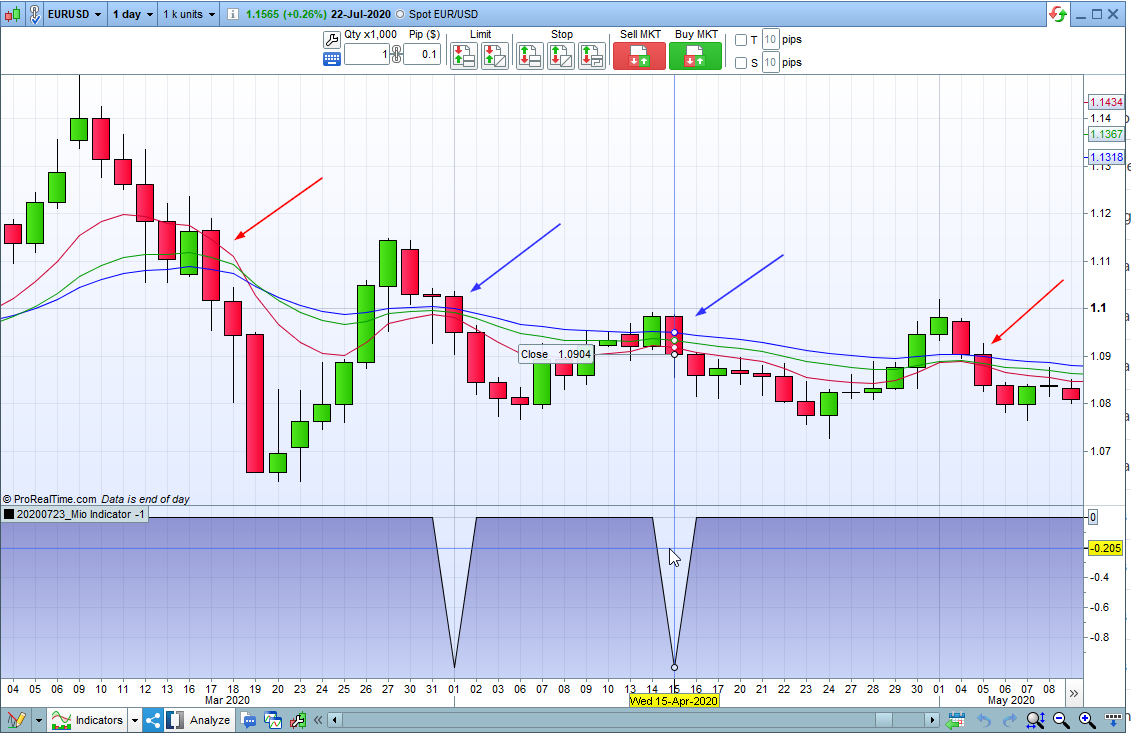
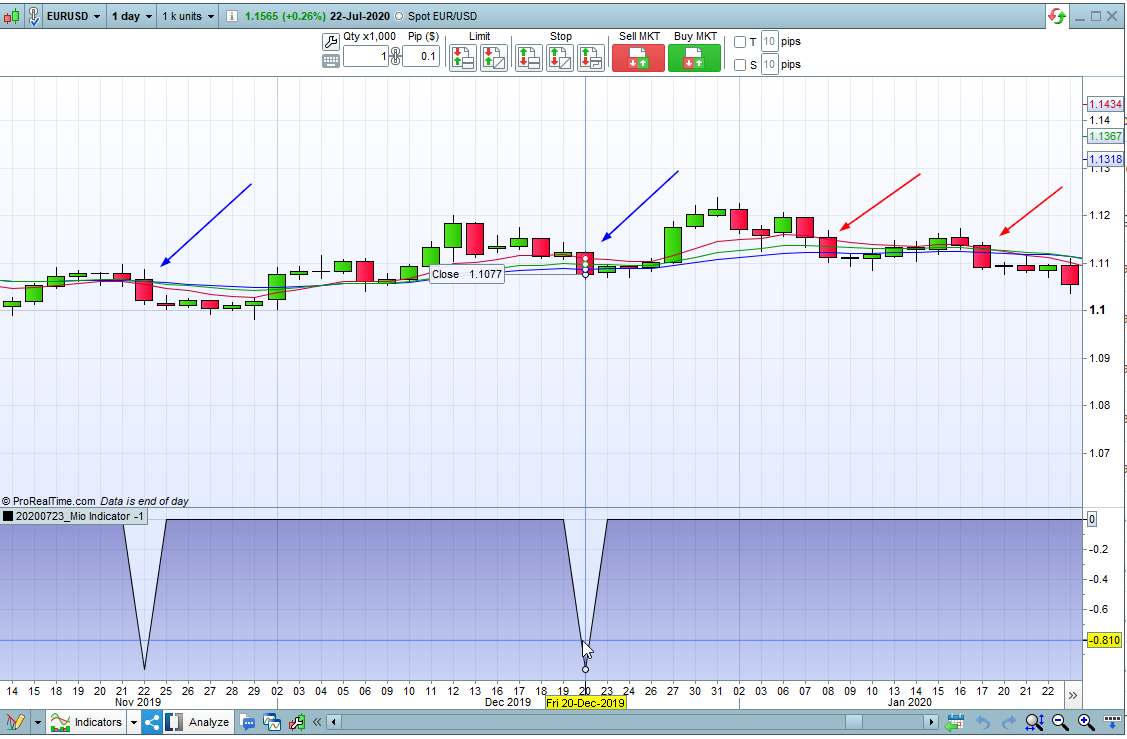
    I simply copy your code and have a try by me. But it looks it doesn’t work 100%. See attached screenshots. Really strange. :-/

    Mio_Indicator.png Mio_Indicator.png Mio_Indicator_2.png Mio_Indicator_2.png indicator.png indicator.png
    #140005 quote
    robertogozzirobertogozzi
    Moderator
    Legend

    Check that periods and average type on your chart are the same as in your code and that you are using a numer of unit large enough (1K should do).

    #140014 quote
    NicolasNicolas
    Keymaster
    Legend

    Because sometimes Close from the previous candlestick was already below one of the MA, so the Close is not crossing the MA on the current period (it has crosses the period before!).

Viewing 5 posts - 1 through 5 (of 5 total)
  • You must be logged in to reply to this topic.

ProRealAI ProRealAI New

Stuck on this ProBuilder code?

Describe what this topic is trying to build, in plain English, and ProRealAI writes the ProRealTime™ indicator, screener or system for you.

Available in 7 languages
Try ProRealAI

CLOSE croesses under MA doesn’t work?


ProBuilder: Indicators & Custom Tools

New Reply
Author
Summary

This topic contains 4 replies,
has 3 voices, and was last updated by NicolasNicolas

6 years, 2 months ago.

Topic Details
Forum: ProBuilder: Indicators & Custom Tools
Language: English
Started: 07/23/2020
Status: Active
Attachments: 5 files
ProRealCode ProRealCode
Loading...