Cant stop flickering on lists on V11.1

Viewing 15 posts - 1 through 15 (of 15 total)
  • Author
    Posts
  • #152159 quote
    Pleidian
    Participant
    Average

    Hi i cannot stop the flickering on the lists on the new version V11….tried “Settings – Platform – Lists – no flickering” –  but to no avail. any ideas??

    #152161 quote
    robertogozzi
    Moderator
    Master

    Mine at start was rolling all items as a carousel. I couldn’t find a way to stop it. Finally, after setting my list properties (I did not change them, though) it stopped and never did it again. On another demo account I have everything was so smooth and perfect.

    Did you try shutting it down then restarting it?

    #152163 quote
    Pleidian
    Participant
    Average

    Tried re starting but no luck…still flickering

    #152176 quote
    Nicolas
    Keymaster
    Master

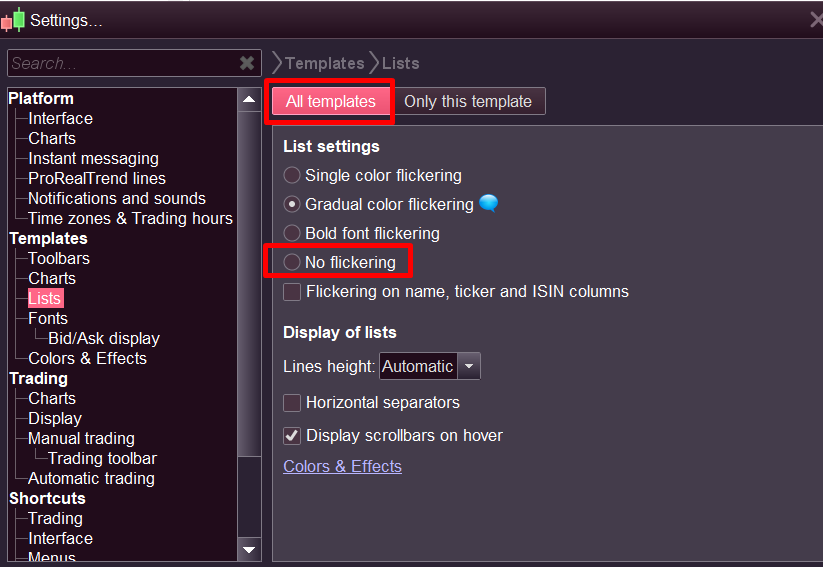
    In many settings, you can modify the behavior on the current template or for all templates, select “All templates” and “No flickering” (see attached picture).

    no-flickering-list-prorealtime.png no-flickering-list-prorealtime.png
    #152272 quote
    Pleidian
    Participant
    Average

    I have tried that several times Nicolas but to no avail?????..All my instruments on Demo are jumping around……..Now a new problem.. when i go to move my stop on Demo…the whole chart travels to the left?????    Is this the Australian servers?????

    #152288 quote
    GraHal
    Participant
    Master

    Is this the Australian servers?????

    It could be a RAM Issue?  How much RAM are you running?

    Even many GB of RAM may not be the solution?  PRT has a default max RAM allocation.

    On 10.3, I get similar  … chart moves when I try to set a Fib retrace … on my 2nd PC with 4GB RAM.  This happens when my Platform has been running for hours. Close and restart and all is well for another few hours!

    Hasn’t happened yet on my No 1 PC with 8 GB RAM.

    #152366 quote
    Pleidian
    Participant
    Average

    This is ********….still can’t stop the flickering/ instruments jumping around……only using half of the ram..

    MODERATORS EDIT: Please try to avoid swearing in the forums even if you are frustrated.

    #152449 quote
    Pleidian
    Participant
    Average

    No luck no luck no luck…….

    #152454 quote
    GraHal
    Participant
    Master

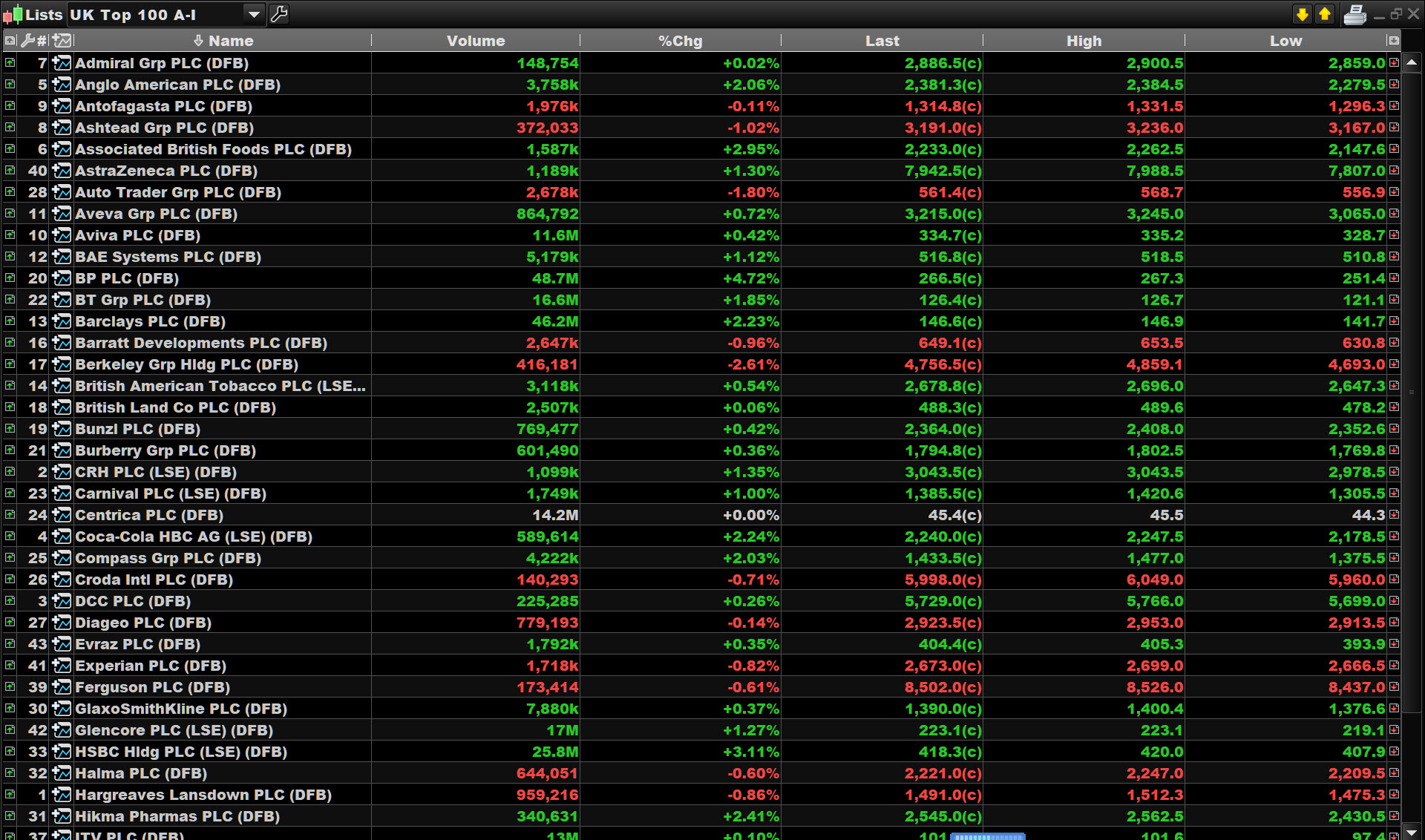
    A picture always helps, do you mean … when you display attached the displayed information jumps around?

    Have you tried with nothing else using RAM on your PC, in other words no other Apps running … browser, games, office etc??

    P.jpg P.jpg
    #152675 quote
    PeterSt
    Participant
    Master

    Talking about “jumping around”, meaning what’s on top goes downward and back over and over again … so if *that* is the case, this can be about two (or more) instruments implying the same value but which are not updated equally in time.
    I don’t have an example for Stocks, but with Futures this easily happens for Mini vs Micro futures. Have such an instrument in a list in both versions, and they continuously switch positions …

    So indeed the question is : what is meant with this “jumping”.
    What about a small video ?

    GraHal thanked this post
    #153091 quote
    Elodie
    Moderator
    Average

    Hi Mr Pleidian,

    Following your message, I invite you to send us a technical report.

    Indeed, in order to allow us to analyse your platform, please send us a technical report following these instructions:

    – As soon as you encounter the issue, go to the “Help” menu on the ProRealTime toolbar.
    – Please assure that the window concerned by this issue is open.
    – Click on “Technical support”
    – Choose the category (e.g. “Data” for a spike)
    – Select the concerned window in the drop-down menu.
    – Giving as much detail as possible, explain the issue you are having in the text box.
    – Click “Send report”

    This will send us a report containing technical information concerning your platform, which will allow our technical team to run a diagnostic analysis of the issue you have come across.

    Thanks in advance,

    Best regards,
    Elodie from ProRealTime
    #153119 quote
    pableitor
    Participant
    Master

    I also had the annoying jumping around issue in the instrument list, I just did a sort by name and the problem seems to have been solved.

    #154908 quote
    Alex_Moseley
    Participant
    New

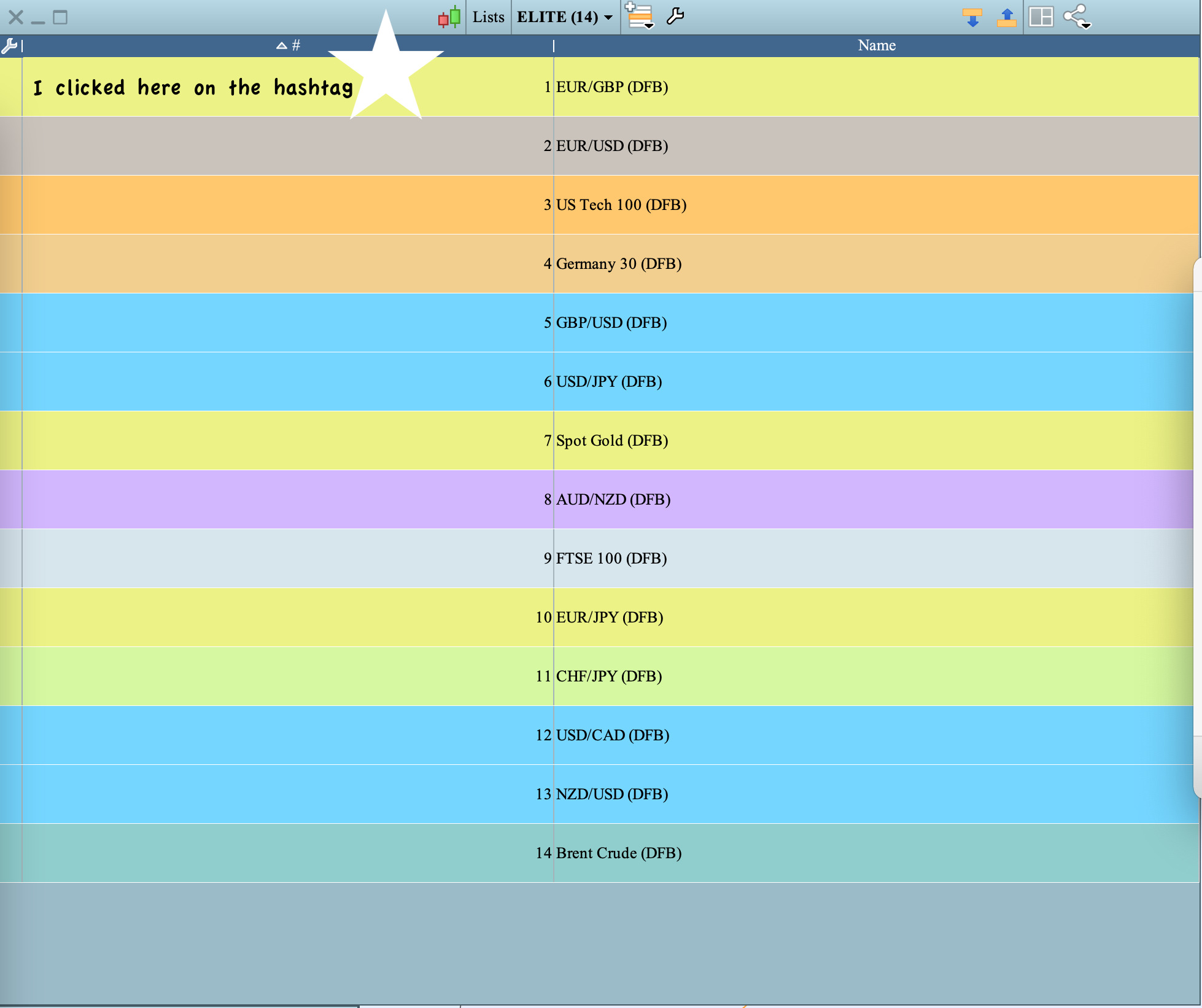
    Hi guys, I was having the same problem and so kept on using V.10 🙂 Then I thought, well, I ‘m sure it can be resolved. I tried all the above to no avail as well till I clicked on # in the bar at the top of my list (I only use # and Name) and that resolved it immediately. Good luck! Alex

    GraHal thanked this post
    Screenshot-2020-12-22-at-18.08.09.jpg Screenshot-2020-12-22-at-18.08.09.jpg
    #155233 quote
    Kovit
    Participant
    Senior

    Hi guys,

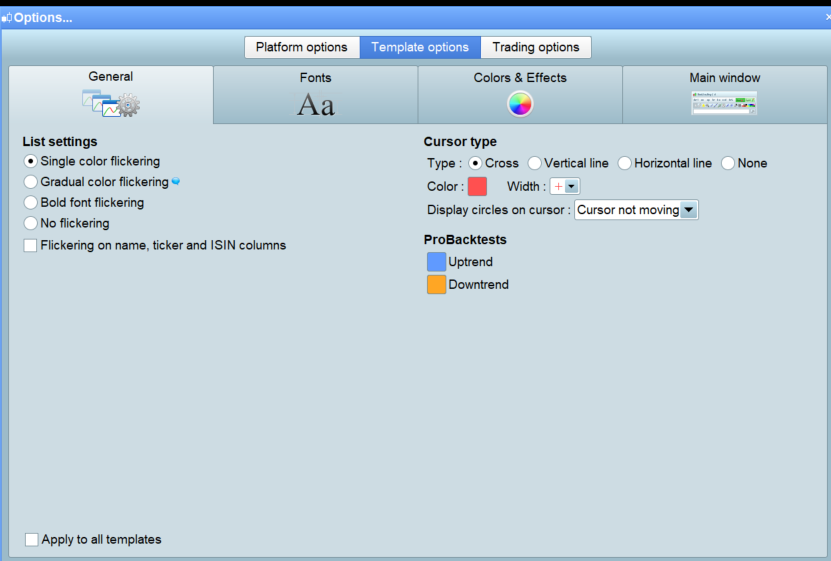
    Not sure if you’ve tried changing the settings in the attached screenshots also but worth a try if not.

    I got to them through ProAuto AutoTrading spanner at the top of  Autotrading Window then Template Options in version 10.3 not sure if its the same in 11.

    tempsnip.png tempsnip.png flicker.png flicker.png
    #155375 quote
    Pleidian
    Participant
    Average

    Thanks Kovit, hit the” single color flickering” in lists and it stops  the flickering folks.

    Kovit thanked this post
Viewing 15 posts - 1 through 15 (of 15 total)

  • You must be logged in to reply to this topic.

Cant stop flickering on lists on V11.1


Platform Support: Charts, Data & Broker Setup

New Reply
Author
author-avatar
Pleidian @pleidian Participant
Summary

This topic contains 14 replies,
has 9 voices, and was last updated by Pleidian

5 years, 1 month ago.

Topic Details
Forum: Platform Support: Charts, Data & Broker Setup
Language: English
Started: 11/30/2020
Status: Active
Attachments: 5 files
Logo Logo
Loading...