bollinger band code tradingview to prorealtime code

Viewing 6 posts - 1 through 6 (of 6 total)

  • Author
    Posts
  • #142659 quote
    Monochrome
    Participant
    Senior

    Cant seem to get my tradingview bollinger band to match my prorealtime setup. Please help, this is the trading view code in attachment.

    My settings are Length 10, std dev 0.66, source – close, offset – 1  from tradingview

    code.txt
    #142661 quote
    Vonasi
    Moderator
    Master

    Different data in equals different result out. Unless your Tradingview is getting the exact same data from the exact same broker as your PRT platform is then why would you expect the same result?

    Also please don’t expect people to download TXT files. Post the code directly in your post.

    Monochrome thanked this post
    #142678 quote
    Nicolas
    Keymaster
    Master

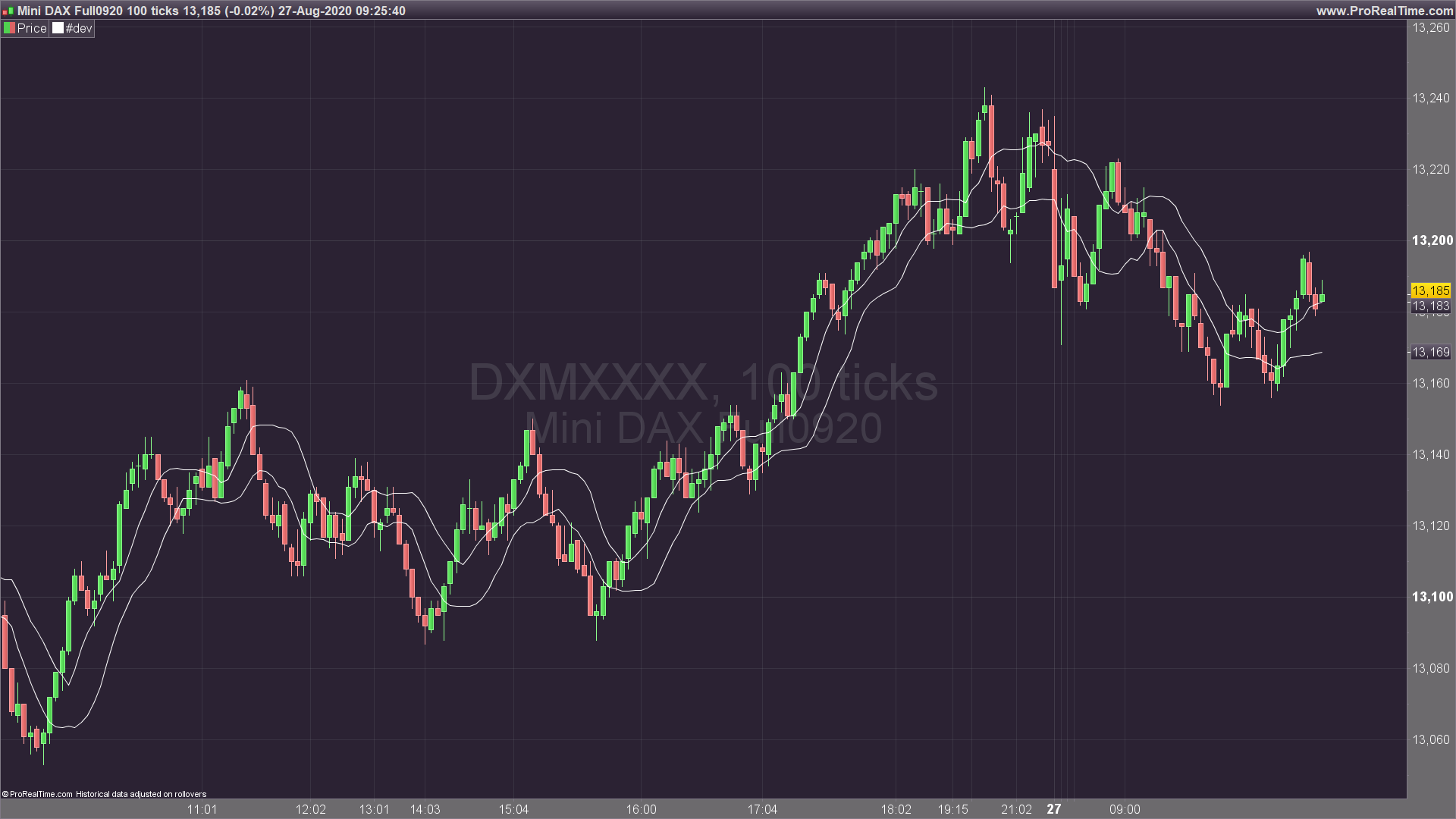
    That needs a custom coding, here is the code for that kind of bollinger bands (short term, 0.66 factor for the upper and lower bands and offset by 1 period):

    avg = average[10]
    istd = std[10]
    up = avg+istd*.66
    dn = avg-istd*.66
    
    return up[1],dn[1]
    Monochrome thanked this post
    tight-bollinger-bands.png tight-bollinger-bands.png
    #142693 quote
    Monochrome
    Participant
    Senior

    Hi sorry heres the code –

    //@version=4
    study(shorttitle=”BB”, title=”Bollinger Bands”, overlay=true, resolution=””)
    length = input(20, minval=1)
    src = input(close, title=”Source”)
    mult = input(2.0, minval=0.001, maxval=50, title=”StdDev”)
    basis = sma(src, length)
    dev = mult * stdev(src, length)
    upper = basis + dev
    lower = basis – dev
    offset = input(0, “Offset”, type = input.integer, minval = -500, maxval = 500)
    plot(basis, “Basis”, color=#872323, offset = offset)
    p1 = plot(upper, “Upper”, color=color.teal, offset = offset)
    p2 = plot(lower, “Lower”, color=color.teal, offset = offset)
    fill(p1, p2, title = “Background”, color=#198787, transp=95)

    #142694 quote
    Monochrome
    Participant
    Senior

    Thank you for the reply. I tried the same code which i found in this forum before. It still come up differently, i think it may be the ‘source’. im not sure. i put the tradingview code in my reply above.

    #142696 quote
    Monochrome
    Participant
    Senior

    Hi again, i just want to say thankyou. I tried this code exactly and it was what i was looking for. please ignore my above reply. Cant thank you enough.

Viewing 6 posts - 1 through 6 (of 6 total)

  • You must be logged in to reply to this topic.

bollinger band code tradingview to prorealtime code


ProBuilder: Indicators & Custom Tools

New Reply
Author
author-avatar
Monochrome @monochrome Participant
Summary

This topic contains 5 replies,
has 3 voices, and was last updated by Monochrome
5 years, 5 months ago.

Topic Details
Forum: ProBuilder: Indicators & Custom Tools
Language: English
Started: 08/26/2020
Status: Active
Attachments: 2 files
Logo Logo
Loading...