a few questions for a beginner

Viewing 6 posts - 1 through 6 (of 6 total)

  • Author
    Posts
  • #115155 quote
    fred53
    Participant
    New

    Hello

    I have the following questions about PRT
    1) Isn’t a Dutch forum available?
    2) every time I start PRT, the individual screens, such as the graph and the menu bar, come as separate parts in my windows taskbar. Is there a way to fix that so that the screen is filled with my template when starting PRT?
    3) I have version 10.3 and look for the swing counter, (that counter always puts the numbers 1 to 9 in the graph near the candles) which is not standard in PRT, but which one do I have to search for and add from the library?

    Please can you help me?

    Thanks and greetings

    #115162 quote
    Nicolas
    Keymaster
    Master

    Hi,

    1. No Dutch forum.
    2. This is the normal behavior, all windows/charts are separated so that you can move them individually all over your screens. However, you can create your own templates and save them. The last applied template will load at next startup.
    3. I don’t know. Maybe this one? Swing Teller indicator
    #115183 quote
    fred53
    Participant
    New

    Thanks for the quick response.
    I have removed and downloaded again and installed the swing counter.
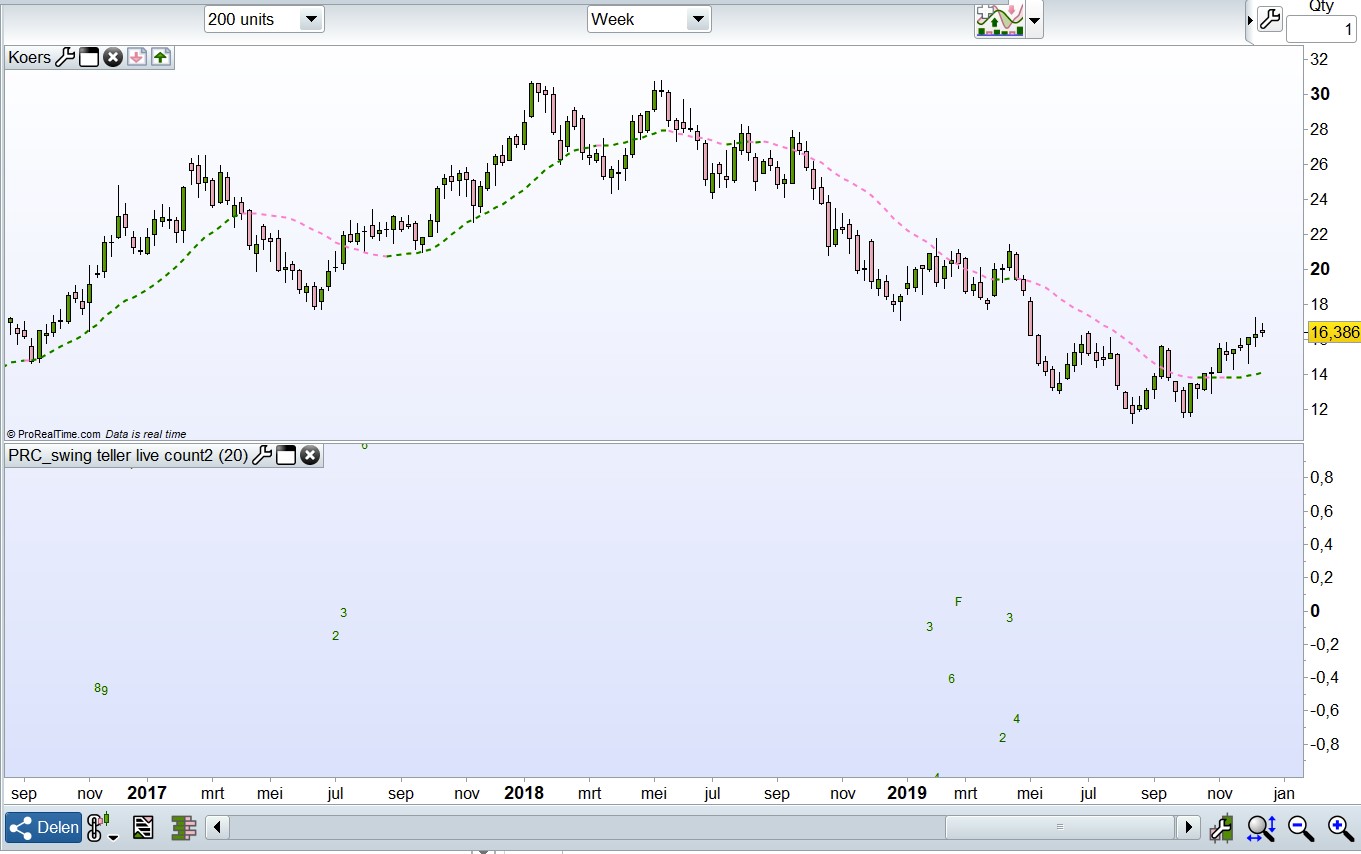
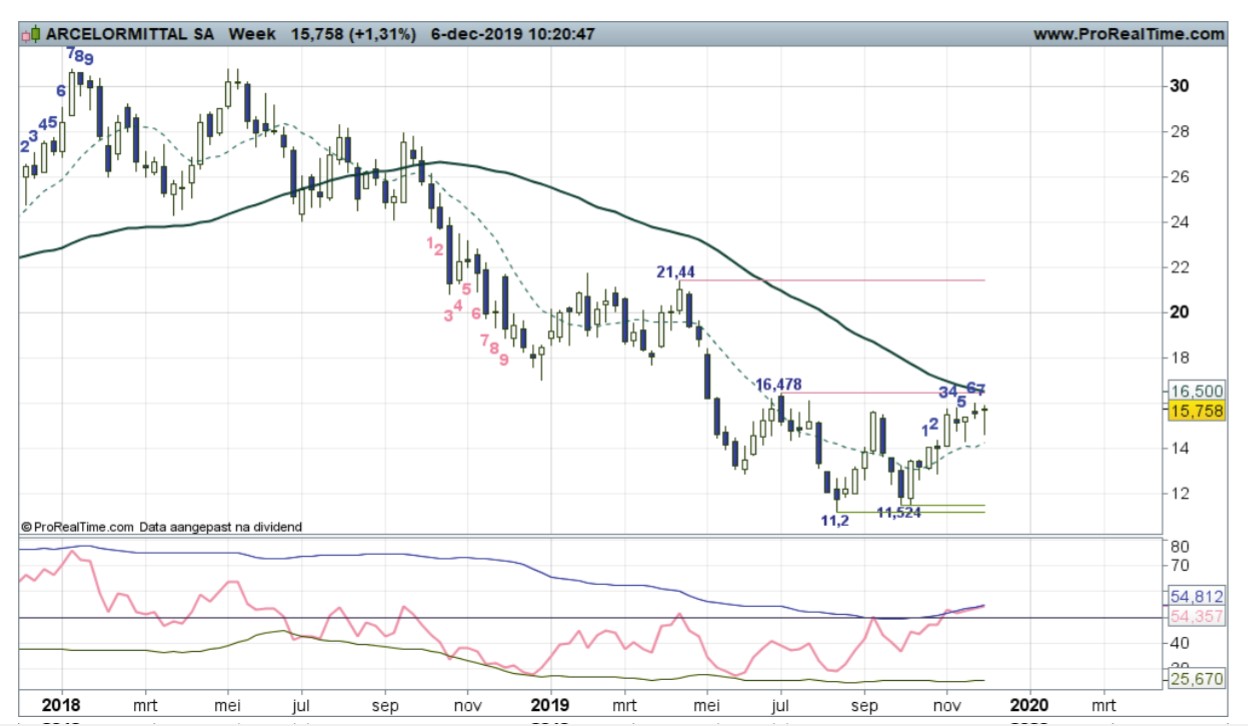
    I want to add 2 images, a good example from an analyst newsletter and a bad image from my own PRT.
    I see remarkable differences:
    1) How do I get the counter in my graph visible at the candles (in the upper part of my image)?
    2) Why are not all counter numbers visibly present in PRT? You can see that several are missing. In the example you see that all numbers are visible.
    3) Why does the counter work at one fund at my PRT and not at another fund at will?

    #115185 quote
    fred53
    Participant
    New

    Here are the 2 pictures,

    you see on the “voorbeeld” how it must be, so I want it in my PRT.

    the other, named “mijn 10.3” you see the indicator seperated from the candle stick, this is false.

    mittal-mijn-10.3.jpg mittal-mijn-10.3.jpg mittal-voorbeeld.jpg mittal-voorbeeld.jpg
    #115215 quote
    Nicolas
    Keymaster
    Master
    1. To add an indicator on the price, just add it on price! Click on the wrench on the left upper side of your price chart.
    2. The swing counter is a custom indicator made by someone, somewhere. This is not a “default” indicator and the version you could find here was made following a specific request by someone in the forums (years ago in this topic: https://www.prorealcode.com/topic/rewrite-code-to-prorealtime-code/). So the coded version could be different from the one the guy you are talking about is using, who knows?! 🙂
    3. I don’t know
    #116190 quote
    Sebast
    Moderator
    Average

    Hello,

    The problem you mention may be due to a platform issue, or an problem in the code itself.

    To address this question properly, could you please send us a technical report by following these instructions:

    – As soon as you encounter the issue, go to the “Help” menu on the ProRealTime toolbar.
    – Click on “Technical support”
    – Select “Code”
    – Give as many details as possible, explain the issue you are having in the text box and mention the name of the code you are referring to.
    – Click “Send report”

    This will send us a report containing technical information concerning your platform, which will allow our technical team to run a diagnostic analysis of the issue you have come across.

    Make sure you mention for which instrument the indicator works, and for which instruments it fails.

    Many thanks in advance,

    Sébastien from ProRealTime.

Viewing 6 posts - 1 through 6 (of 6 total)

  • You must be logged in to reply to this topic.

a few questions for a beginner


Platform Support: Charts, Data & Broker Setup

New Reply
Author
author-avatar
fred53 @fred53 Participant
Summary

This topic contains 5 replies,
has 3 voices, and was last updated by Sebast

6 years, 1 month ago.

Topic Details
Forum: Platform Support: Charts, Data & Broker Setup
Language: English
Started: 12/18/2019
Status: Active
Attachments: 2 files
Logo Logo
Loading...