(1 second trading strategy) Compete with the robots

Viewing 5 posts - 1 through 5 (of 5 total)
  • Author
    Posts
  • #137415 quote
    murit89murit89
    Participant
    Junior
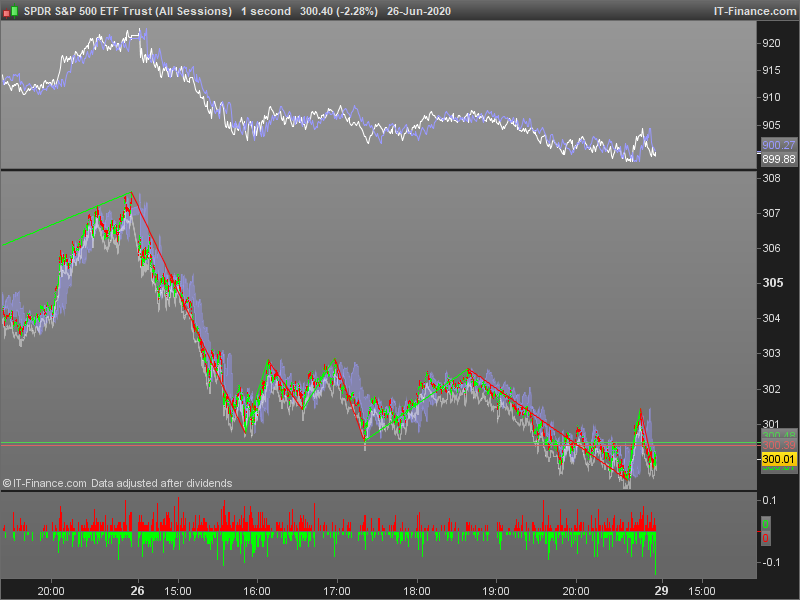
    st1=high-close
    st2=low-close
    return st1 coloured (255,0,0,255), st2 coloured (0,255,0,255)

    this can be applied to chart to create support/resistance points of true high/lows or used alone as an indicator to show divergence

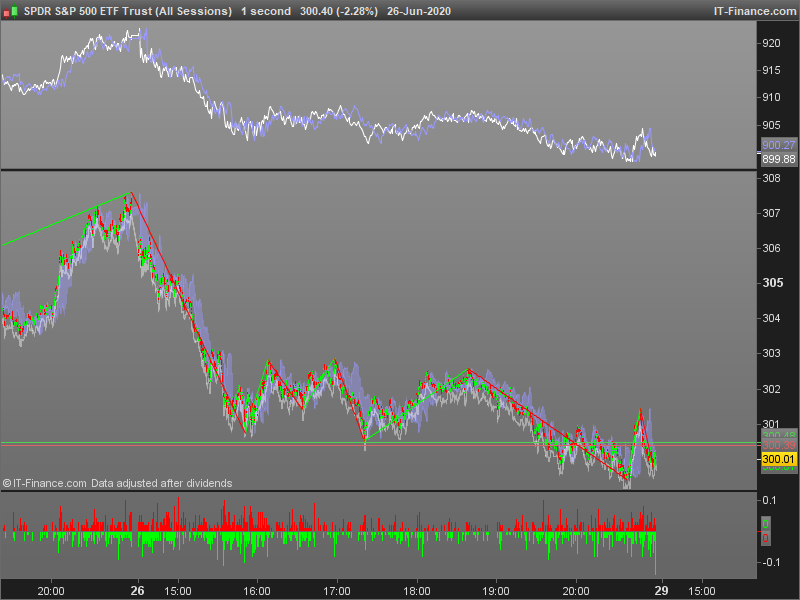
    st1=(low+close+high)[50]
    st2=(low+close+high)[200]
    return st1 as "50", st2 as "200"

    this can be used as a standard alone indicator to show divergence in the trend or applied to the chart to show support/resistance of the true 50/200 day averages

    strategy-159336042984plc.png strategy-159336042984plc.png strategy-159336042984plc1.png strategy-159336042984plc1.png
    #145656 quote
    robertogozzirobertogozzi
    Moderator
    Legend

    I don’t use such fast TF’s, but I think they can be useful in greater TF’s , as well.

    Thanks for sharing you code and ideas 🙂

    #145806 quote
    NicolasNicolas
    Keymaster
    Legend

    The st1 and st2 variables are not averages, but the values from 50 and 200 bars ago.

    #160498 quote
    Bob HarrisBob Harris
    Participant
    Average

    Hi,

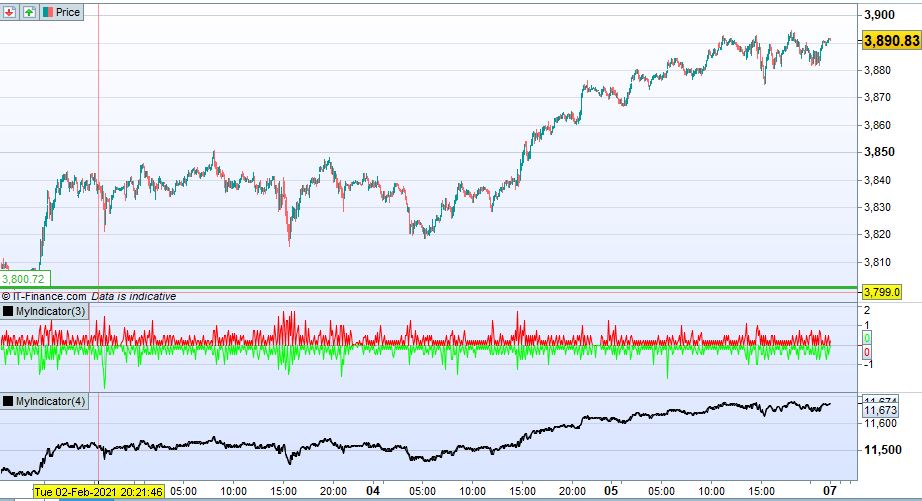
    I used the code and it gives exactly the same results as illustrated in your screen captures,  what I don’t understand  (and please forgive my ignorance) is how this can be used as part of a trading strategy, am I missing something?

    Best regards

    Capture-4.jpg Capture-4.jpg
    #160506 quote
    VonasiVonasi
    Moderator
    Master

    Also if you are adding it to a 1 second chart you need to add a TIMEFRAME instruction to get the daily 50 and 200 day averages. I also changed it to add AVERAGE.

    timeframe(daily)
    
    st = (low+close+high)
    
    st1 = average[50](st)
    st2 = average[200](st)
    
    return st1 as "50", st2 as "200"
Viewing 5 posts - 1 through 5 (of 5 total)
  • You must be logged in to reply to this topic.

ProRealAI ProRealAI New

Stuck on this ProBuilder code?

Describe what this topic is trying to build, in plain English, and ProRealAI writes the ProRealTime™ indicator, screener or system for you.

Available in 7 languages
Try ProRealAI

(1 second trading strategy) Compete with the robots


ProBuilder: Indicators & Custom Tools

New Reply
Author
author-avatar
murit89 @murit89 Participant
Summary

This topic contains 4 replies,
has 5 voices, and was last updated by VonasiVonasi

5 years, 7 months ago.

Topic Details
Forum: ProBuilder: Indicators & Custom Tools
Language: English
Started: 07/01/2020
Status: Active
Attachments: 3 files
ProRealCode ProRealCode
Loading...