ATR Channel

Viewing 8 posts - 1 through 8 (of 8 total)
  • Author
    Posts
  • #76390 quote
    Maisam Zaidi
    Participant
    Junior

    Hello,

    Can someone please post the code to display ATR Channel on the price chart.

    Thank you.

    #76558 quote
    robertogozzi
    Moderator
    Master

    What do you mean by ATR channel?

    Do you have a screenshot to show what you need?

    #76613 quote
    Maisam Zaidi
    Participant
    Junior

    Hello @robertogozzi,

    I have found a thread on the website: https://www.prorealcode.com/prorealtime-indicators/multiple-atr-bands/
    but the problem is I cannot understand the inputs.
    What is range?
    What is mult1,2 and 3?
    What is atrlen?

    If you can shed some light on the above questions, I would be truly grateful.

    Thank you.

    Maisam

    #76618 quote
    robertogozzi
    Moderator
    Master

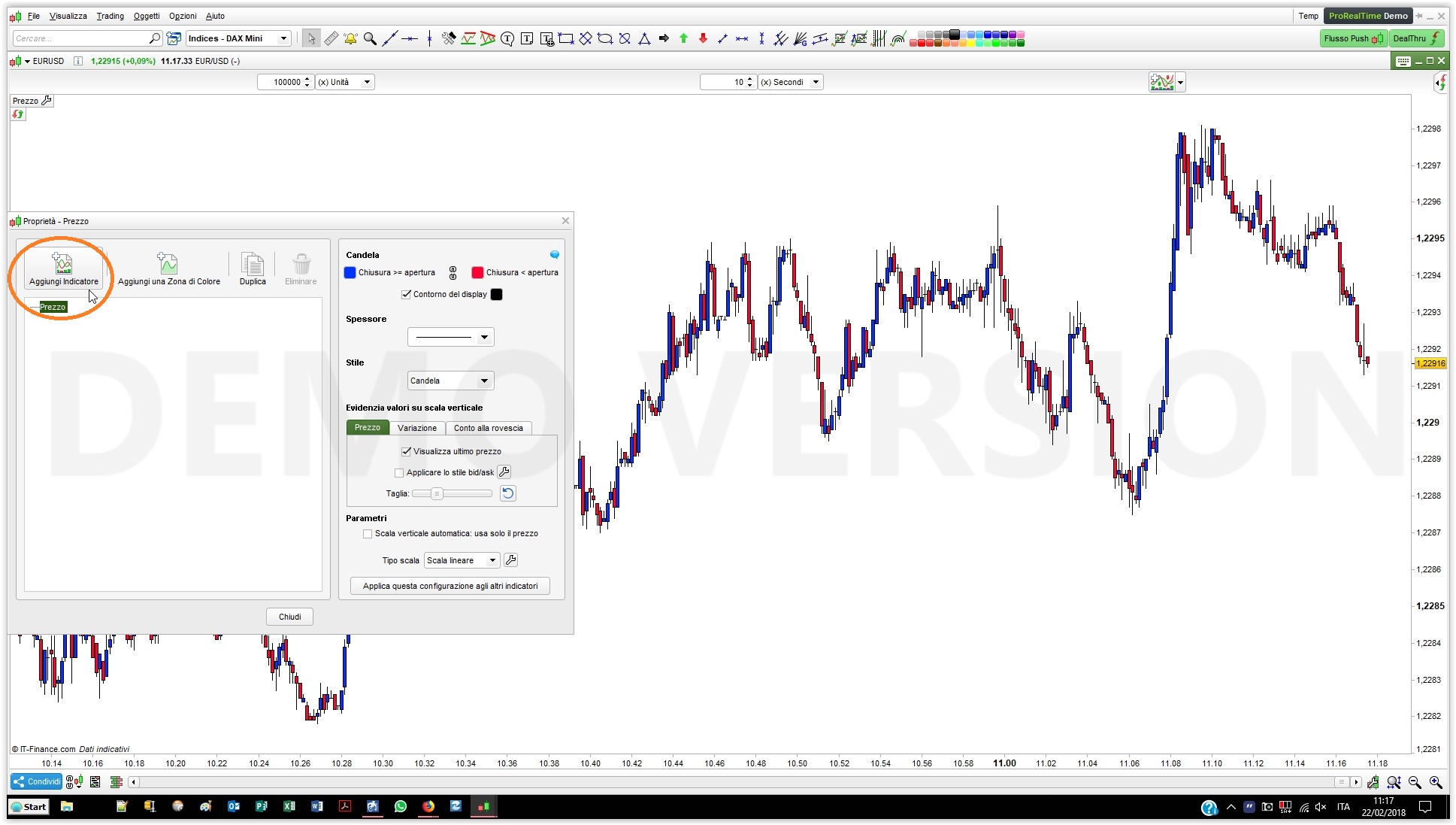
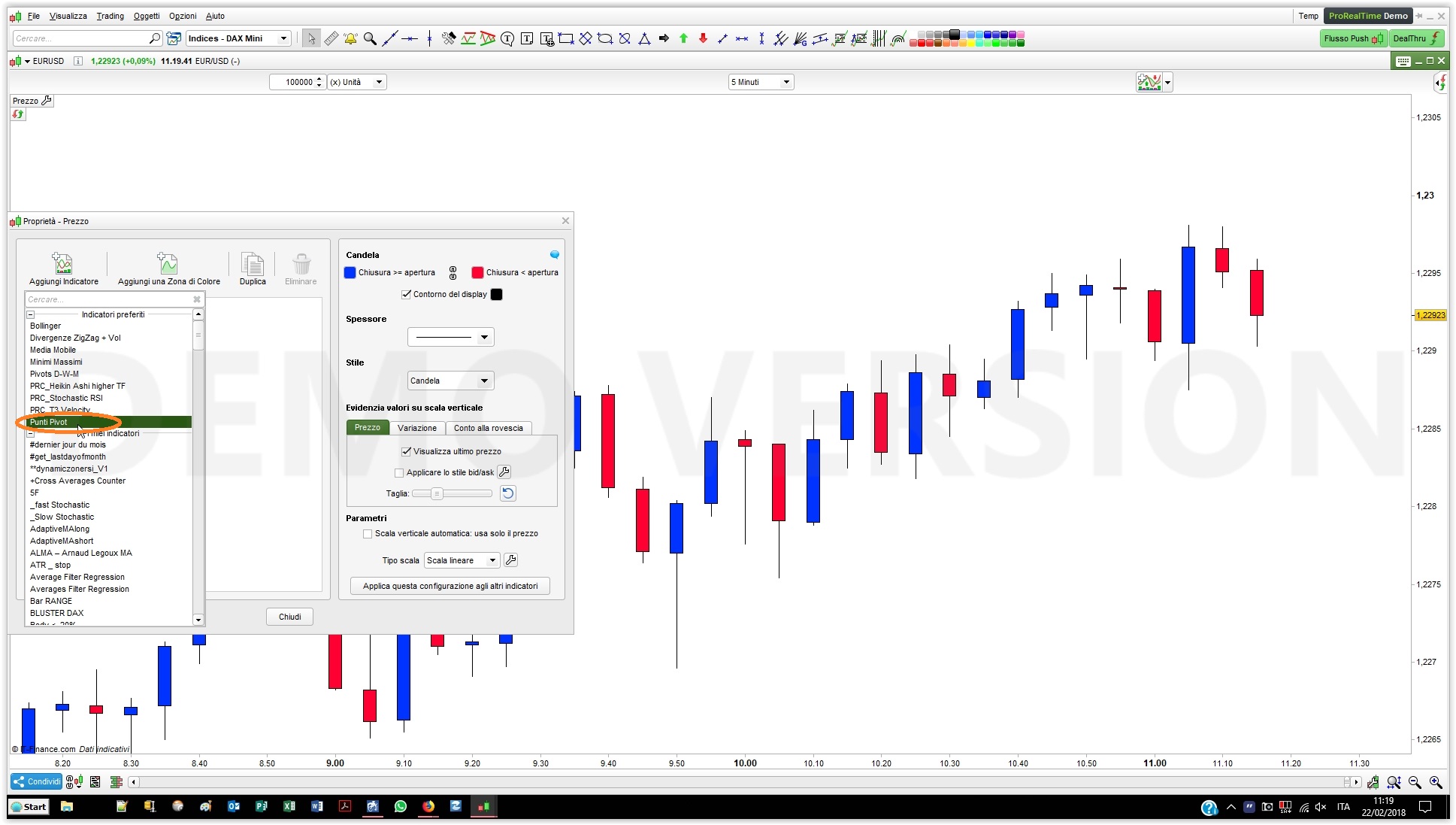
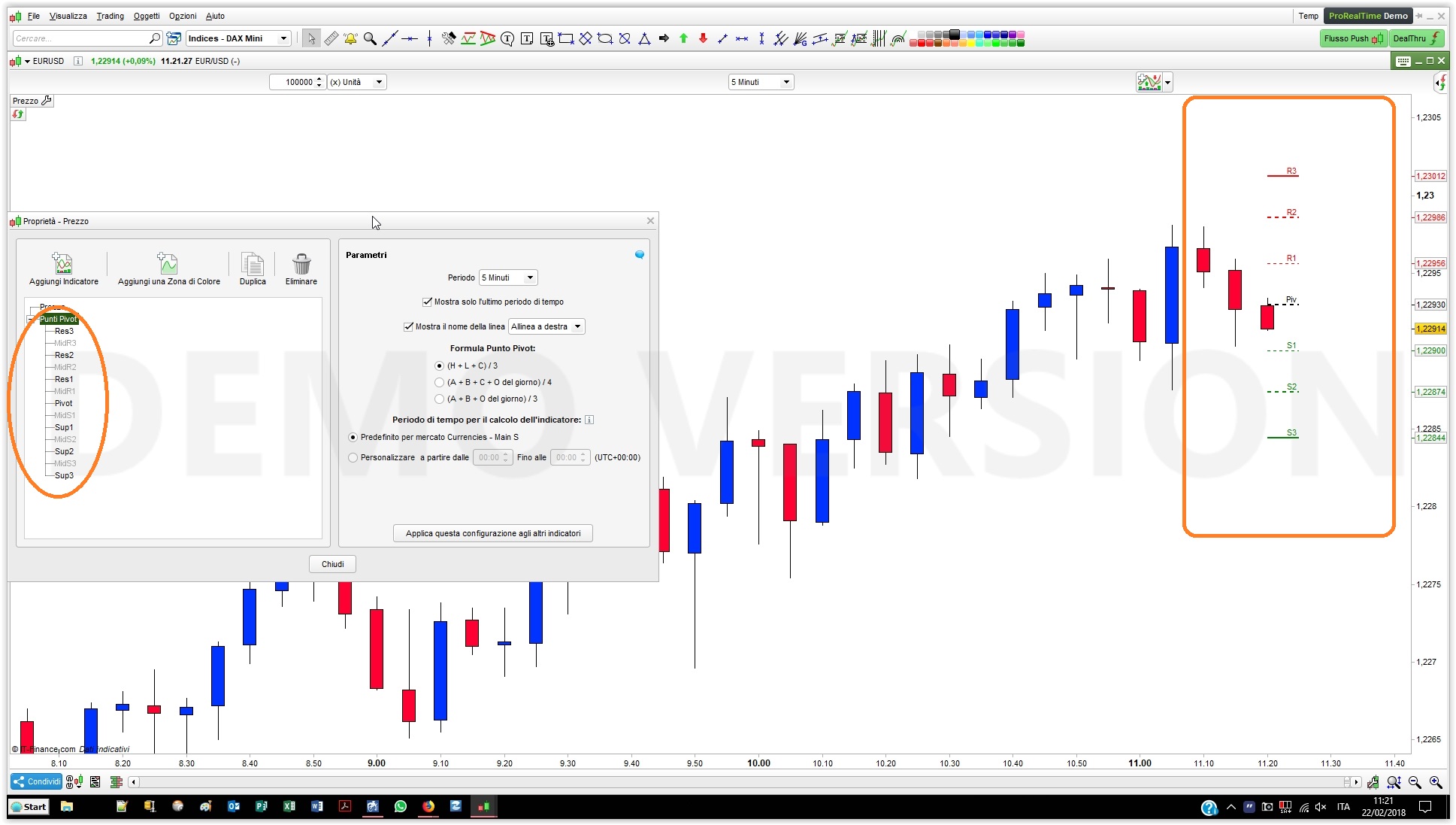
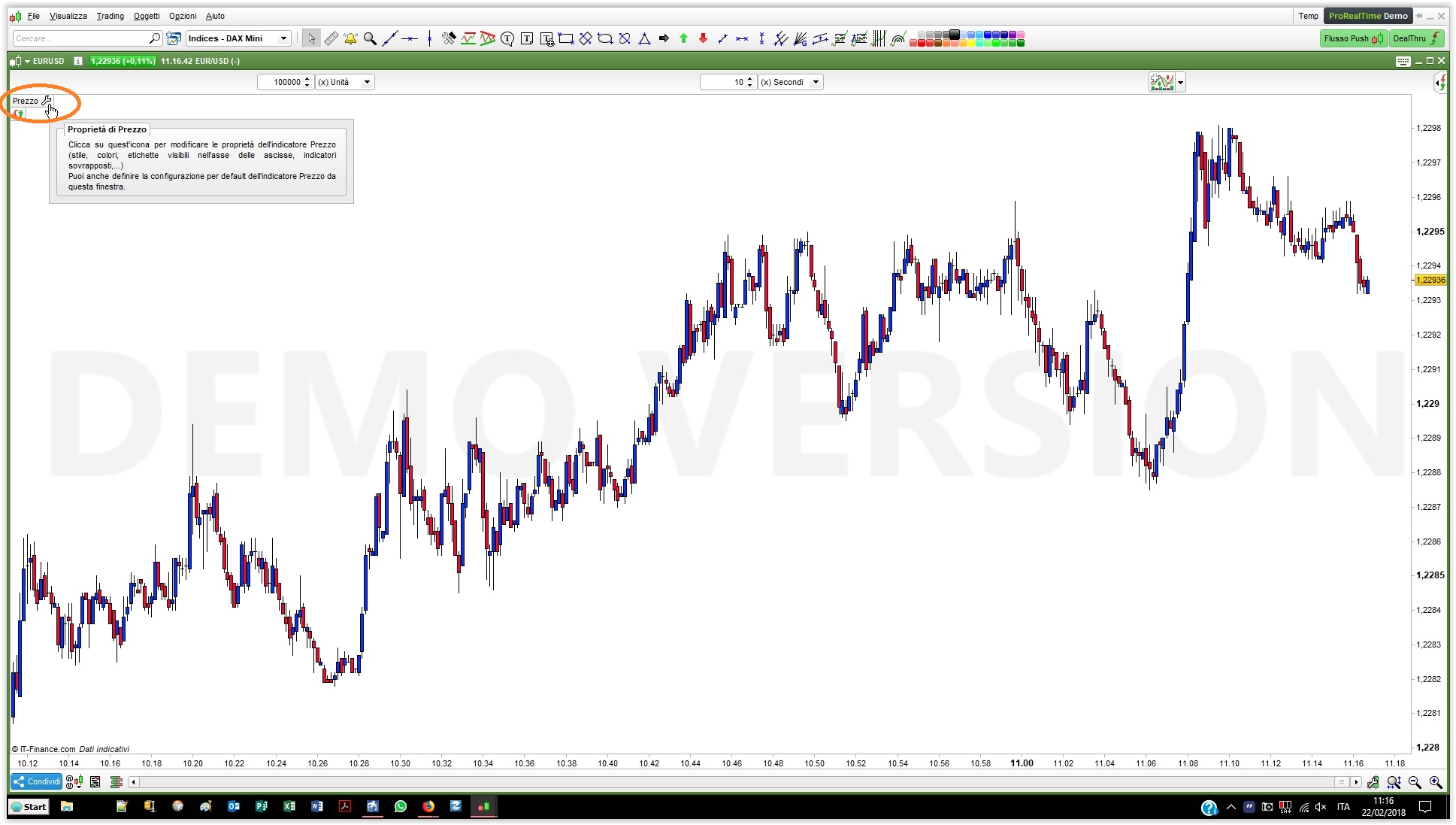
    To add a custom indicator (my example is for Pivots) to the price chart, simply follow these steps:

    1. click on the wrench in the upper left corner of the price chart
    2. click on “Add indicator” from the price properties
    3. select the indicator you want to add to your chart
    4. set the indicator properrties, if any
    #76623 quote
    robertogozzi
    Moderator
    Master

    What is range?
    What is mult1,2 and 3?
    What is atrlen?

    RANGE is the difference between HIGH and LOW, that is the amount of price moved in a bar
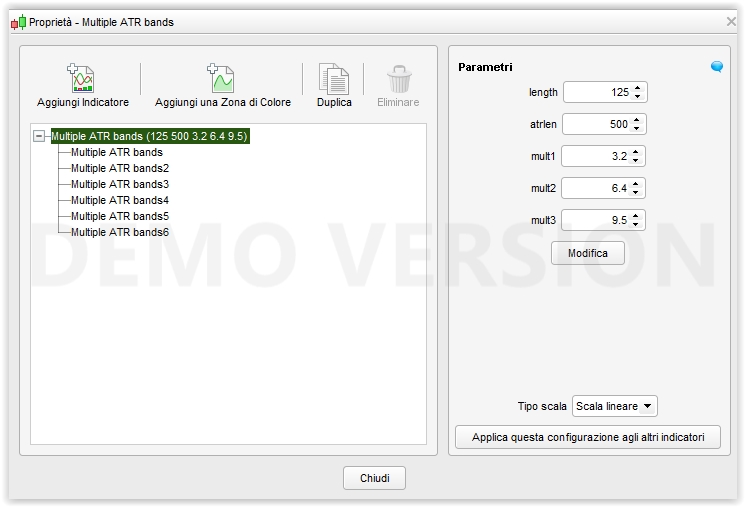
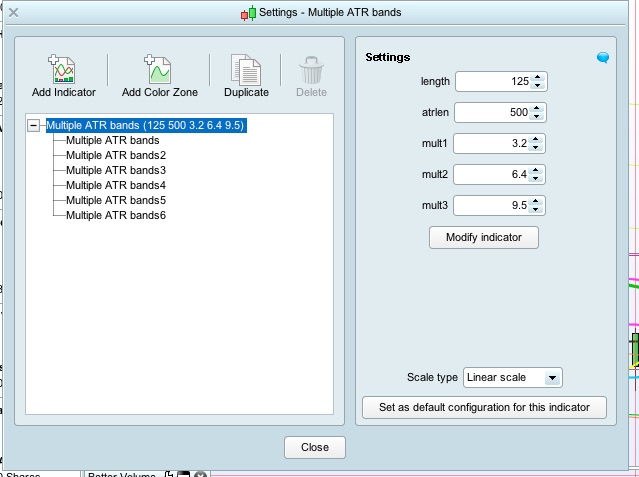
    MULT1, MULT2, MULT3, ATRLEN and LENGTH are the variables needed to make the indicator work, you need to import the file and they will be easy to set from within the properties of the indicator.

    #76626 quote
    Maisam Zaidi
    Participant
    Junior

    Thank you very much. I have imported the indicator and it worked like a charm. Before I was trying to copy and paste the code.

    You are a star. Thanks once again. Much appreciated.

    Regards,

    Maisam

    robertogozzi thanked this post
    #76627 quote
    Andyswede
    Participant
    Master

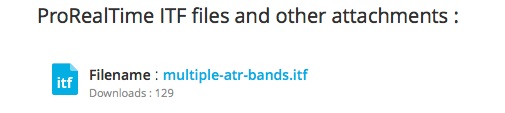
    Maybe you have copied the code and pasted it in? In that case your variables will not be in the code. Click on the Itf-file as shown in the attached picture for download and then import the file in indicator, then when you open it, it will look like the other picture, hope it helps!

    Edit: You were faster Roberto:)

    #76630 quote
    Maisam Zaidi
    Participant
    Junior

    @Andyswede

    Yes. You are correct. I tried to copy and paste the code. That’s why it did not work.

Viewing 8 posts - 1 through 8 (of 8 total)
  • You must be logged in to reply to this topic.

ATR Channel


ProBuilder: Indicators & Custom Tools

New Reply
Author
author-avatar
Maisam Zaidi @maisam Participant
Summary

This topic contains 7 replies,
has 3 voices, and was last updated by Maisam Zaidi
7 years, 6 months ago.

Topic Details
Forum: ProBuilder: Indicators & Custom Tools
Language: English
Started: 07/20/2018
Status: Active
Attachments: 7 files
Logo Logo
Loading...